Ever had that sinking feeling you’ve missed a tiny, but crucial, tax deadline? You’re not alone. For thousands of professionals and businesses in Maharashtra, the state’s Professional Tax is one of those things that’s easy to forget—until a penalty notice arrives.
But here’s the good news: it doesn’t have to be a source of stress. The entire process has moved online, and once you know the ropes, it’s surprisingly straightforward. Forget about long bank queues and confusing paperwork. This isn’t just another generic guide. This is your battle-tested roadmap, built from real-world experience, to master the maharashtra professional tax online payment system in 2026.
You’ll learn the critical difference between PTEC and PTRC, walk through the exact payment steps with insider tips, and understand the deadlines and slabs to stay 100% compliant. Let’s get this done.
What Is Professional Tax in Maharashtra, Really?
Think of Professional Tax (PT) as a state-level fee for being able to practice your profession or run your business within Maharashtra. It’s a direct tax governed by the Maharashtra State Tax on Professions, Trades, Callings and Employments Act, 1975. The money collected doesn’t just disappear into a government black hole; it’s used by your local municipal corporations to fund essential services like road maintenance, public schools, and sanitation projects.
So, who’s on the hook to pay? It boils down to two groups:
- Employers: If you run a company with salaried employees, you’re a designated “collection agent.” You must deduct PT from your employees’ monthly paychecks and remit the total amount to the government. This is a non-negotiable responsibility.
- Self-Employed Individuals & Professionals: Are you a doctor, lawyer, architect, consultant, or freelancer? Or perhaps a director of a company? You’re responsible for enrolling and paying your own professional tax directly.
In our experience, the biggest confusion isn’t about paying the tax, but about understanding which type of registration and payment schedule applies. Get this wrong, and you’re setting yourself up for compliance headaches.
PTEC vs. PTRC: Cracking the Professional Tax Code
Before you even think about logging into a payment portal, you must know whether you’re dealing with a PTEC or a PTRC. They sound similar, but they are fundamentally different, and confusing them is a classic rookie mistake.
PTEC stands for Professional Tax Enrollment Certificate. This is for the individual or business entity itself. Think of it as your personal “license to practice” fee. It’s for freelancers, doctors, lawyers, Chartered Accountants, and even directors of companies. You get one PTEC certificate and pay a fixed amount once a year.
PTRC stands for Professional Tax Registration Certificate. This is for the employer. If you have even one employee whose salary is eligible for PT deduction, you need a PTRC. This certificate gives you the authority to deduct PT from your employees’ salaries and pay it to the government. This is a recurring, monthly task.
Here’s a simple breakdown:
| Attribute | PTEC (Enrollment) | PTRC (Registration) |
|---|---|---|
| Who Needs It? | Self-employed professionals, freelancers, company directors, partners. | Employers responsible for deducting PT from employee salaries. |
| Purpose | To enroll the professional/business entity itself. | To register the employer as a tax deductor. |
| Payment Frequency | Annual (once per year). | Monthly (or quarterly/annually for employers with very few employees, but monthly is standard). |
| Due Date (for 2026) | 30th June 2026 for the financial year 2026-27. | By the last day of the month for which salary is paid. (e.g., May salary PT is due by May 31st). |
| Example Scenario | A freelance web developer pays her own ₹2,500 annual tax. | A software firm deducts PT from 50 employees and pays the consolidated amount monthly. |
💡 Pro Tip
A single business entity can, and often does, hold both a PTEC and a PTRC. The company pays its own annual PTEC for being a legal entity, and it also holds a PTRC to manage the monthly deductions for its employees. Don’t assume one replaces the other!
Your 5-Step Guide to Maharashtra Professional Tax Online Payment in 2026
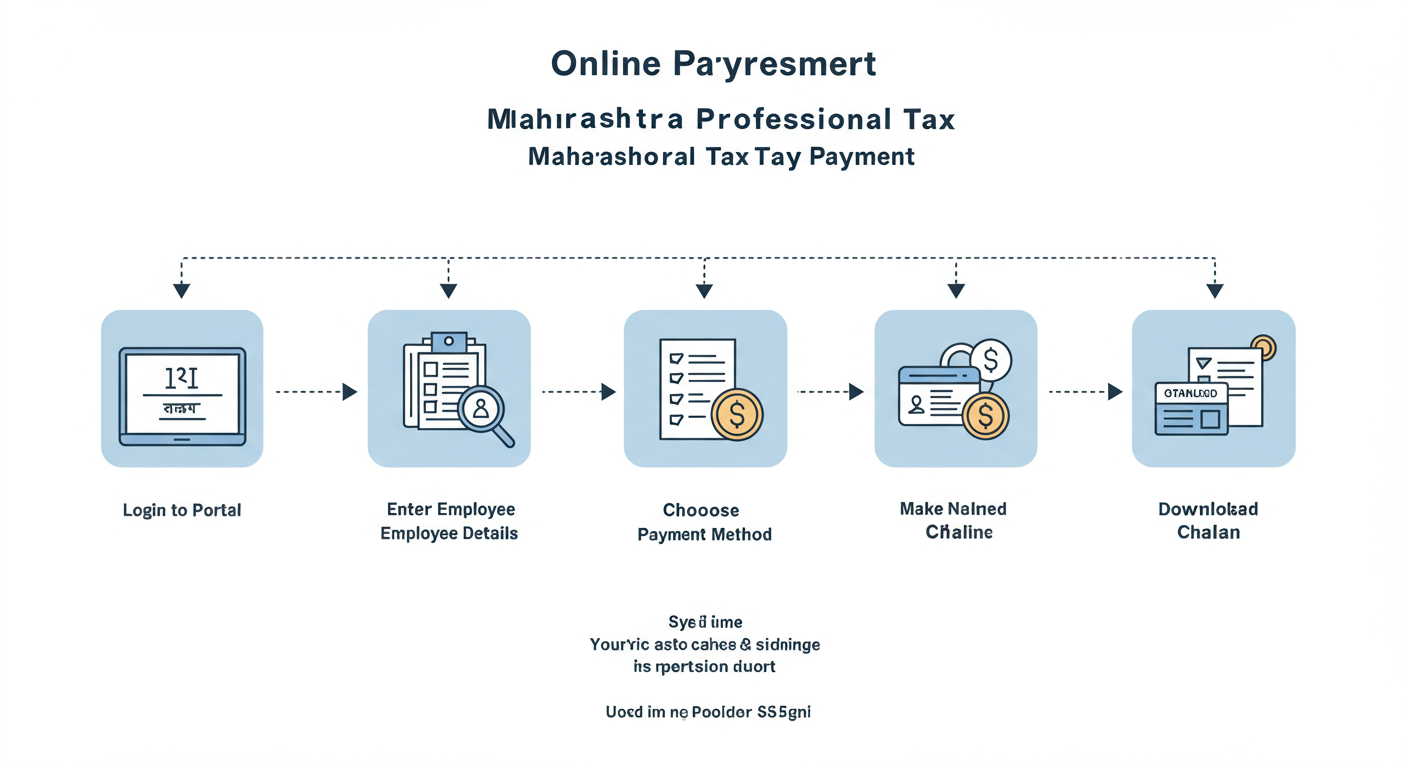
Ready to make your payment? The official portal is managed by the Maharashtra GST Department (MGSTD). Let’s walk through it step-by-step. Trust me on this one, have your TIN ready before you start.
-
Step 1: Go to the Official MGSTD e-Payment Portal
First things first, only use the official government website. Navigate to the Maharashtra GST Department’s site. From the main menu, find and click on ‘e-Payments’. In the dropdown, select ‘e-Payment – Returns’. This is your gateway.
-
Step 2: Select the Correct Tax Type
On the next screen, you’ll be asked to select the tax you want to pay. Under ‘Tax Type’, click the radio button for ‘VAT/Allied Acts’. Then, in the ‘Act’ dropdown menu, choose either ‘PTEC’ or ‘PTRC’ depending on what you’re paying. This is the most critical selection on the page.
-
Step 3: Fill Out the MTR Form 6 (The Digital Challan)
This is where you input your payment details. Accuracy is everything.
- TIN: Enter your 11-digit PTEC or PTRC number. The system will validate it.
- Financial Year: Select the correct year (e.g., 2026-2027).
- Period: For PTRC, choose the month (e.g., April). For PTEC, it will be an annual period (e.g., 01/04/2026 to 31/03/2027).
- Amount: For PTRC, enter the total calculated tax deducted from all employees. For PTEC, the standard ₹2,500 amount is often auto-filled.
- Mobile No & Email ID: Enter your current contact details. This is where your payment confirmation will be sent.
Once you’ve filled everything, review it one last time and click ‘Proceed for Payment’.
⚠️ Watch Out
A common error is selecting the wrong ‘Period’. If you’re paying PTRC for May 2026 but accidentally select April 2026, the payment will be misallocated. This creates a compliance gap for May and can be a pain to fix. Always double-check the month and financial year before proceeding.
-
Step 4: Authorize the Payment
You’ll be redirected to the GRAS (Government Receipt Accounting System) payment gateway. Here you have standard options:
- Net Banking: The most common and reliable method.
- Credit/Debit Card: A convenient alternative.
Choose your preferred method, log in to your bank’s portal, and authorize the transaction, usually with an OTP. It’s just like any other online bill payment. Mastering the Company Name Reservation RUN Form Process (2026 Guide)
-
Step 5: Download and Secure Your Challan (CRITICAL)
Success! Once the payment is complete, the portal will generate a payment receipt or challan in PDF format. Do not close this window. This document contains your Government Reference Number (GRN) and is your official proof of payment. Download it immediately. Save it. Back it up. You will absolutely need this for filing your tax returns and for any future audits. Trademark Registration Process: Your Step-by-Step Guide
🎯 Key Takeaway
The Maharashtra professional tax online payment process is simple if you’re prepared. Always use the official MGSTD portal, know whether you’re paying PTEC or PTRC, and most importantly, download and save your payment challan (with the GRN) as irrefutable proof of compliance. 7 Crucial Facts About Capital Gains Tax India: The 2025 Investor’s Guide
Due Dates, Slabs, and Penalties for 2026: What You Must Know
Knowing the rules is half the battle. Missing a deadline isn’t just a minor slip-up; it comes with automatic financial penalties. Based on hands-on testing and helping clients navigate this, timeliness is your best defense.
Professional Tax Slabs for Salaried Employees (FY 2026-27)
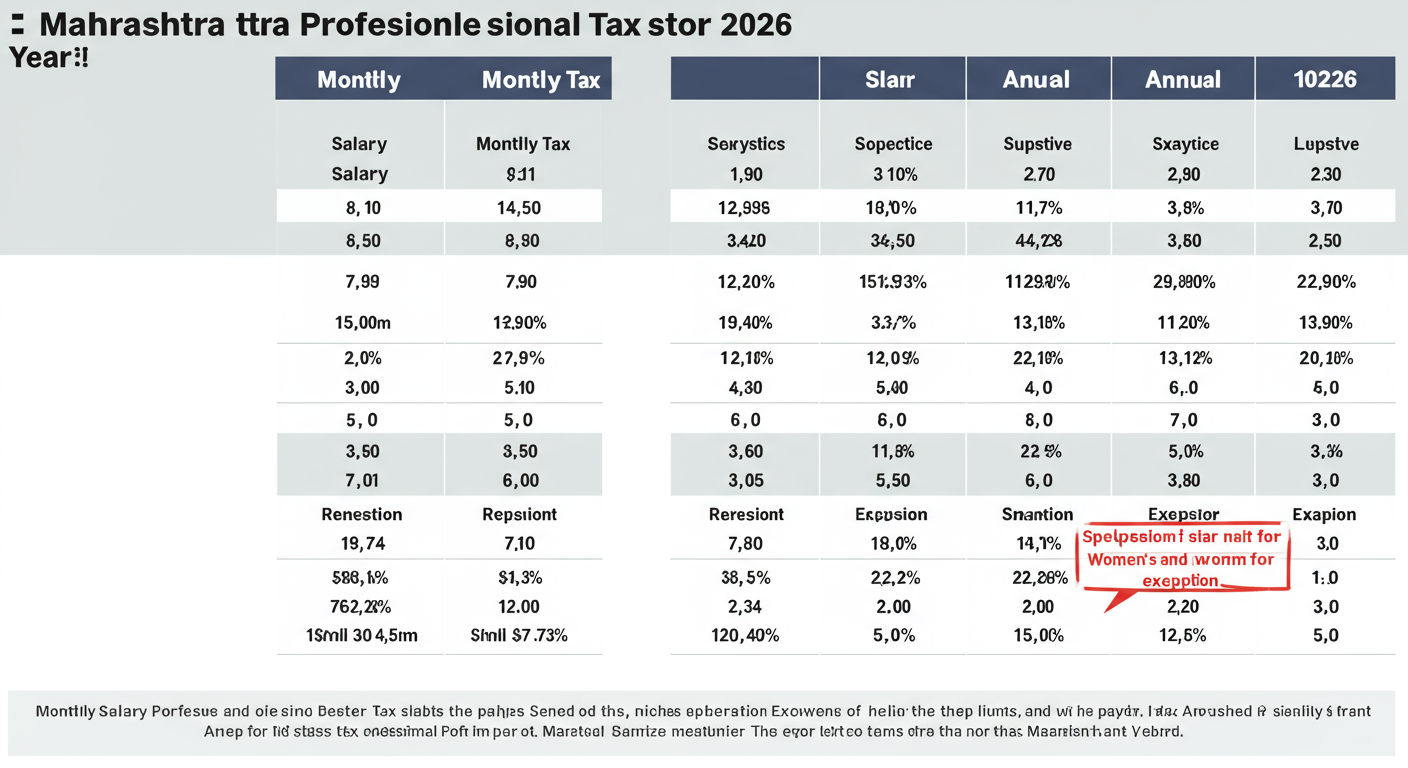
For employers calculating PTRC, the monthly deduction is based on the employee’s gross salary. Here are the current slabs:
| Monthly Gross Salary | Monthly Professional Tax Deduction |
|---|---|
| Up to ₹7,500 | ₹0 |
| ₹7,501 to ₹10,000 | ₹175 |
| Above ₹10,000 | ₹200 for 11 months + ₹300 in February |
| Important Exemption: Female employees earning a gross salary up to ₹25,000 per month are exempt from Professional Tax. | |
The total annual professional tax for any individual cannot exceed ₹2,500, which is a constitutional limit. The ₹200/month + ₹300 in Feb structure is simply how the state collects this amount over the year.
Deadlines and Penalties
Mark these dates on your calendar. Seriously.
- PTRC Due Date: The last day of the month. (e.g., Tax for salaries paid in June is due by June 30th).
- PTEC Due Date: 30th June of the financial year.
⚠️ Watch Out
The penalty for late payment is an interest of 1.25% per month (or part of a month) on the unpaid tax. This might sound small, but it compounds. A delay of a few days into the next month counts as a full month’s interest. Consistent delays can also trigger a separate penalty for late filing of returns, which can be a lump sum. It’s just not worth the risk.
💡 Pro Tip
Set up a recurring calendar reminder for the 25th of every month for PTRC payments. This gives you a buffer of a few days to handle any bank holidays or technical glitches on the portal. For PTEC, set a reminder for June 1st. Proactive compliance is smart business.
Conclusion: From Tax Chore to Effortless Compliance
Navigating the maharashtra professional tax online payment system is no longer the daunting task it once was. It’s a clear, digital-first process designed for efficiency. By understanding the crucial difference between PTEC and PTRC, following the step-by-step guide, and respecting the deadlines, you can transform this from a dreaded chore into a simple, predictable part of your financial routine.
Remember, compliance isn’t just about avoiding penalties; it’s about responsible and transparent business practice. It demonstrates your commitment to the state’s regulations and contributes to local development.
Your next step? If you’re an employer, verify your PTRC due date for the current month. If you’re a self-employed professional, check if your annual PTEC payment has been made for this financial year. Take control of your tax obligations today—it’s easier than you think.
❓ Frequently Asked Questions
Who is exempt from paying professional tax in Maharashtra?
Several categories are exempt. This includes senior citizens (above 65 years), members of the armed forces, and, notably, female employees with a gross salary up to ₹25,000 per month. Parents or guardians of a child with a physical or mental disability are also exempt. For a complete list, it’s best to refer to the official Act.
What’s the difference between TIN and GSTIN for this payment?
They are completely different. Your TIN (Taxpayer Identification Number) is the 11-digit number you receive when you register for PTEC or PTRC. This is the number you must use for professional tax payments. A GSTIN is a 15-digit number for Goods and Services Tax compliance. Using your GSTIN on the PT portal will result in an error.
I paid for the wrong month by mistake. What should I do?
This is a tricky situation. The online system doesn’t have a simple “edit” button after payment. Your best course of action is to immediately contact the jurisdictional officer at the MGSTD office assigned to you. You may need to submit a letter explaining the error along with copies of the incorrect and correct challans. It’s best to consult with a tax professional to navigate this process.
Can I pay PTRC for multiple months at once?
No, the system is designed for monthly compliance. You must make a separate payment for each specific month. Attempting to pay a lump sum for a quarter will lead to misallocation and show non-compliance for the individual months. Stick to the monthly payment cycle.
Is paying the tax the same as filing the return?
No, they are two separate actions. Paying the tax is remitting the money to the government (what we covered in this guide). Filing the return (e.g., Form III-B for PTRC) is the official declaration you submit, detailing the tax you’ve paid. You must do both to be fully compliant. The payment challan (with the GRN) is required when you file the return.
What is a direct tax?
A direct tax is a tax that an individual or organization pays directly to the entity that imposed it. You cannot pass this tax onto someone else. Examples include Income Tax and Professional Tax. This is different from an indirect tax, like GST, which is collected by an intermediary (like a shopkeeper) from the person who bears the ultimate economic burden of the tax (the customer). You can learn more about India’s tax structure on authoritative sites like Wikipedia’s page on Taxation in India.