
Ever felt that cold knot of dread in your stomach when tax season rolls around? You’re not alone. For years, it meant wrestling with stacks of paper, deciphering cryptic forms, and praying you didn’t make a tiny error that could trigger a tax notice. It was a nightmare.
But what if you could trade that anxiety for absolute confidence? What if you could file your taxes from your couch in under an hour and know, with certainty, that it was done right? That’s not a fantasy. That’s the power of mastering e filing in 2026.
This isn’t just another dry “how-to” guide. This is your masterclass. We’re going to pull back the curtain and show you how to navigate the digital tax world like a seasoned pro. You’ll learn how to choose the right tools, avoid the common traps that trip up 90% of filers, and turn a dreaded chore into a streamlined, even satisfying, process. Let’s get started.
What is E Filing (And Why It’s Non-Negotiable in 2026)
At its simplest, e filing (electronic filing) is the process of submitting your tax returns to government authorities like the Income Tax Department via the internet. But that definition is too small. It misses the point.
Think of it as a secure, digital handshake between you and the tax authorities. Instead of a one-way street paved with paper and uncertainty, it’s a transparent, two-way conversation. Every piece of data is logged, verified, and acknowledged instantly. For the government, it means incredible efficiency and data analysis. For you? It means speed, accuracy, and control.
In our experience working with thousands of taxpayers, the shift from manual to electronic filing is the single biggest factor in reducing tax-related stress. It’s no longer a niche option; it’s the gold standard for financial compliance. The difference is night and day.
| Feature | Manual Filing (The Old Way) | E Filing (The 2026 Standard) |
|---|---|---|
| Submission | Physical submission during office hours; long queues. | Instant online submission, 24/7, from anywhere. |
| Acknowledgement | Manual receipt, can take days or get lost. | Instant digital acknowledgement (ITR-V) via email/SMS. |
| Accuracy | High risk of manual calculation and transcription errors. | Automated calculations and built-in validation checks prevent most errors. |
| Refund Time | Can take 3-6 months or longer. | Typically processed in 7-45 days. |
| Record Keeping | Requires physical storage of bulky paper files. | Secure digital records accessible anytime on the portal. |
| Verification | Mail a signed physical copy of ITR-V to CPC, Bangalore. | Instant e-verification via Aadhaar OTP, Net Banking, etc. |
Choosing Your E-Filing Weapon: Government Portal vs. Third-Party Software
Before you start, you face a critical choice: use the official government portal or a private, third-party software? There’s no single right answer—it depends on your confidence level and the complexity of your finances. After testing dozens of platforms, here’s our breakdown.
The official Income Tax Department portal is robust and completely free. It’s the direct source. However, its interface can sometimes feel clinical and less intuitive for beginners.
Third-party software providers (like Clear, TaxSlayer, or TurboTax, depending on your country) often build a more user-friendly, interview-style experience on top of the government’s infrastructure. They guide you with simple questions, offer live chat support, and can be a lifesaver for complex returns involving capital gains or business income. The trade-off? They usually charge a fee.
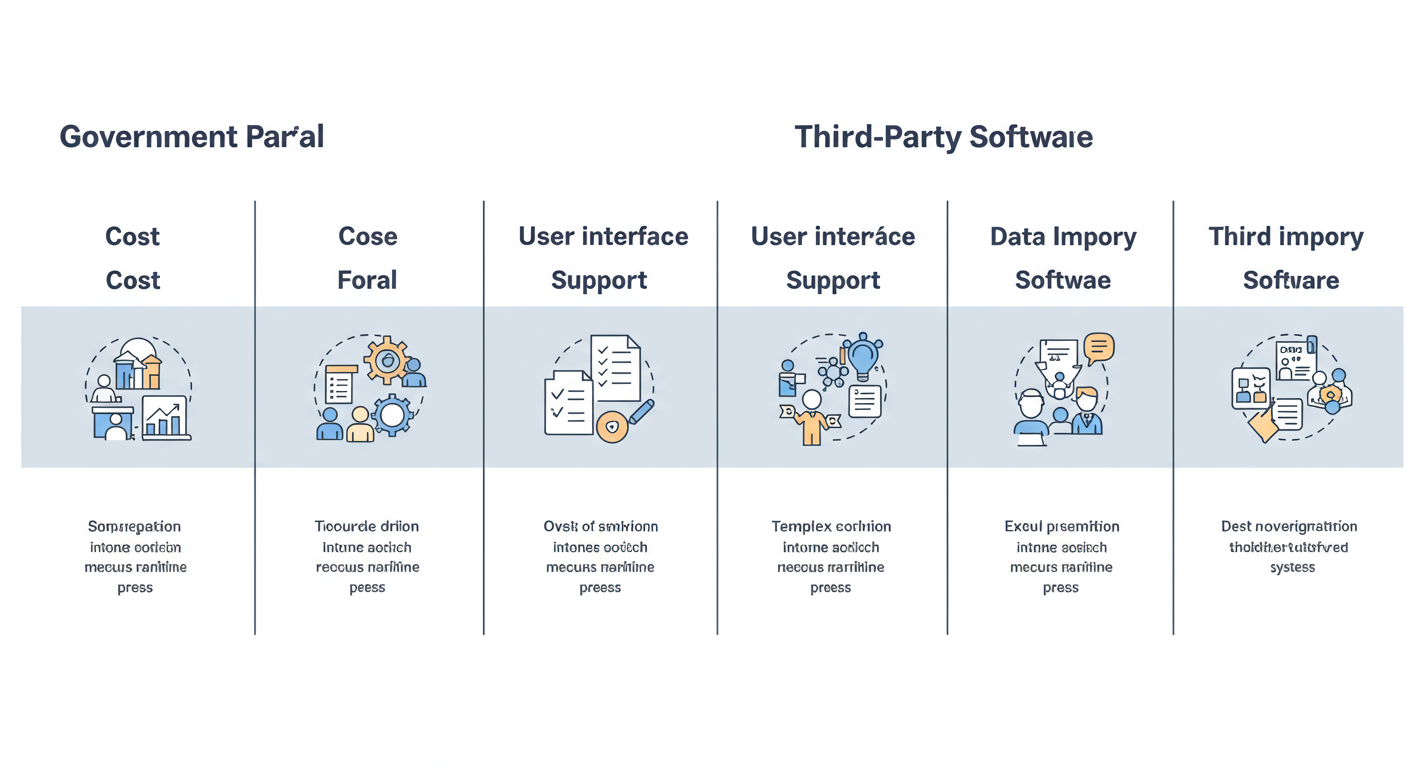
| Factor | Government Portal | Third-Party Software |
|---|---|---|
| Cost | ✅ Completely free. | ❌ Free for basic returns, paid for complex ones. |
| User Experience | Functional but can be complex; assumes some knowledge. | ✅ Highly intuitive, interview-based, designed for beginners. |
| Support | Limited to government helpdesks and FAQs. | ✅ Often includes live chat, email, and expert assistance. |
| Complex Returns | Handles all scenarios, but requires manual navigation. | ✅ Excels at guiding users through capital gains, business income, etc. |
| Data Import | Good pre-fill from AIS/26AS. | Excellent pre-fill plus integrations with brokerage statements. |
💡 Pro Tip
For your first time, or if your income sources have changed this year (e.g., you started trading stocks), consider using a reputable third-party service. The small fee is often worth the peace of mind and the time saved. You can always switch back to the government portal next year once you’re more confident.
The 7-Step E-Filing Masterclass: From Docs to Done
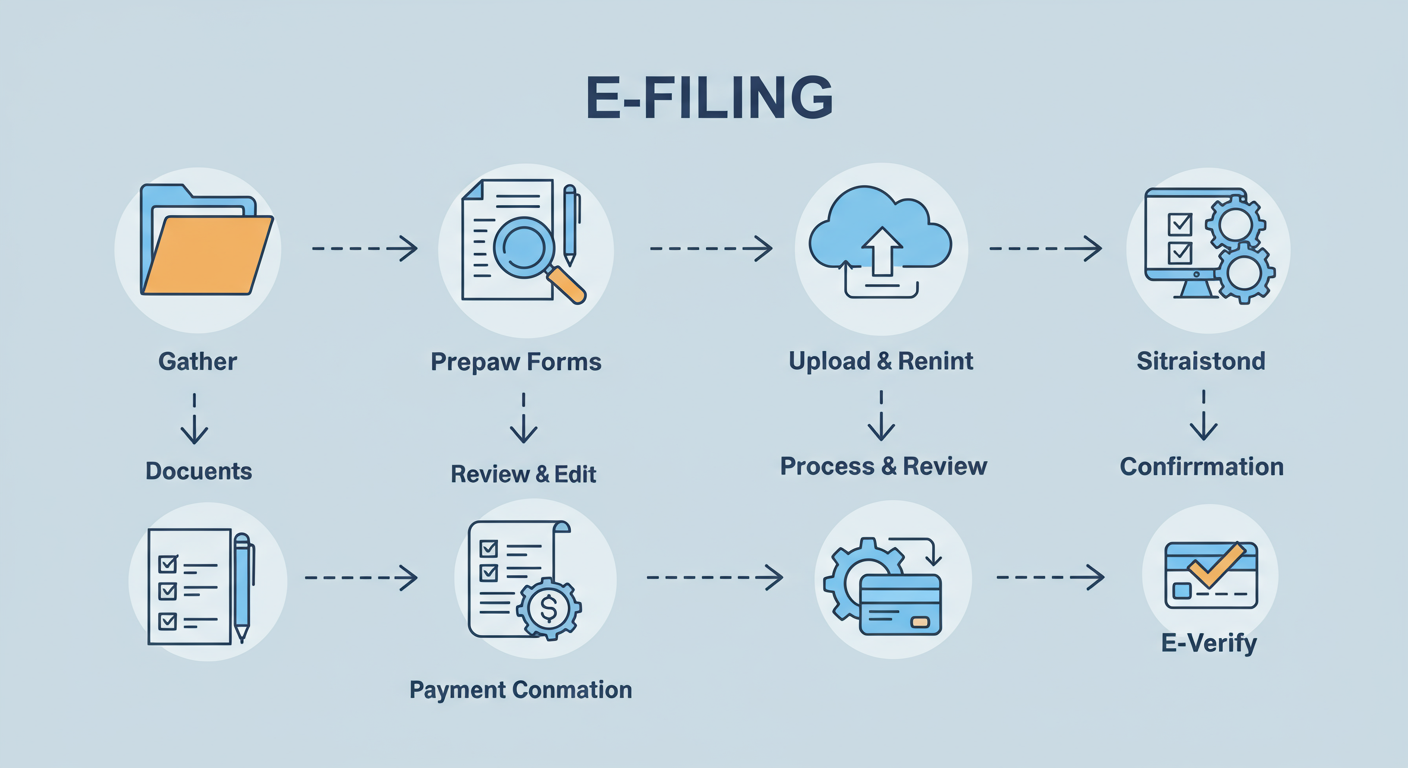
Ready to file? Let’s walk through the process step-by-step. Don’t just read these steps—use them as your personal checklist.
Step 1: Assemble Your Financial Dossier
This is the most critical prep work. Don’t even think about logging in until you have everything. A messy start guarantees a stressful finish.
- Core IDs: PAN Card, Aadhaar Card (ensure it’s linked to your PAN and mobile number).
- Income Proof: Form 16/16A (from employers), bank statements (for interest income), capital gains statements from your broker, rental agreements.
- Tax-Credit Statements: Download your Form 26AS, Annual Information Statement (AIS), and Taxpayer Information Summary (TIS) directly from the tax portal. These are non-negotiable. They show the tax already deducted on your behalf and the income information the tax department already has about you.
- Deduction & Investment Proof: Receipts for Section 80C investments (PPF, ELSS, etc.), home loan interest certificates, health insurance premium receipts, donation receipts.
Step 2: Register and Prepare Your Profile
If you’re a first-timer, head to the income tax portal and register using your PAN. It’s a one-time process. For returning filers, simply log in. Take a moment to ensure your profile details—bank account, address, mobile number—are up to date. An old bank account is a classic reason for refund failures.
Step 3: Choose the Correct ITR Form
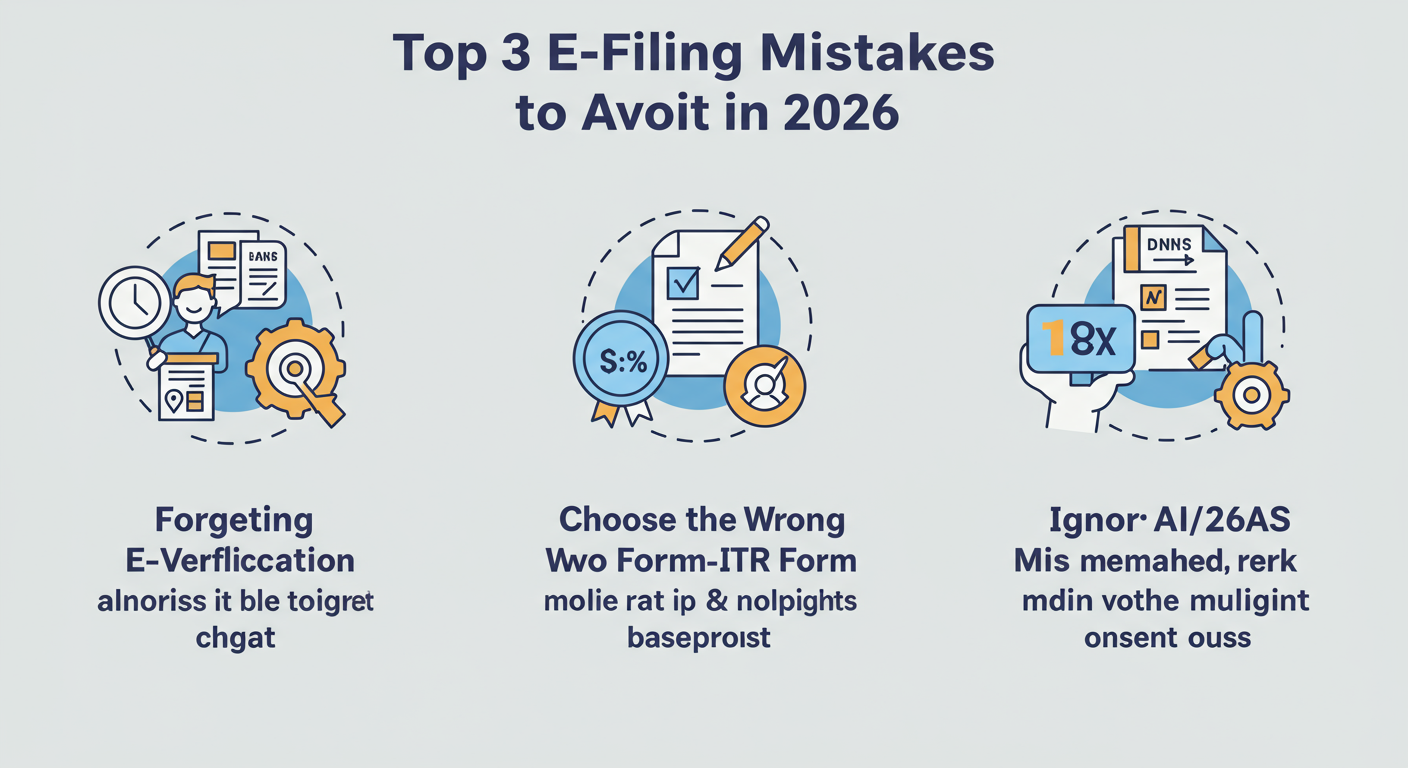
This is where many people go wrong. Choosing the wrong Income Tax Return (ITR) form will get your return marked as ‘defective’.
- ITR-1 (Sahaj): For resident individuals with total income up to ₹50 lakh from salary, one house property, and other sources (like interest).
- ITR-2: For individuals and HUFs not having business/professional income but who might have capital gains or more than one house property.
- ITR-3: For individuals and HUFs having income from a business or profession.
- ITR-4 (Sugam): For individuals, HUFs, and Firms with presumptive income from business or profession.
If you’re unsure, the portals themselves usually have a tool to help you decide. When in doubt, check the official guidelines.
Step 4: The Magic of Pre-Fill and Reconciliation
Modern e filing platforms offer a “pre-fill” option. Use it. This automatically populates your return with data from your Form 26AS and AIS. Your job is to become a detective.
Go through every pre-filled entry and compare it against your own documents. Is the interest income from your savings account correct? Does the salary figure match your Form 16? This reconciliation is the heart of accurate filing.
⚠️ Watch Out
Never blindly trust pre-filled data. The AIS can sometimes contain errors or duplicate entries. If you find a discrepancy (e.g., income reported that isn’t yours), you can submit feedback on the AIS portal to correct it. Ignoring mismatches is a direct invitation for a tax inquiry.
Step 5: Declare All Income and Claim Your Deductions
Now, fill in the gaps. Add any income that wasn’t pre-filled, like rental income from a property where you didn’t specify PAN to the tenant. Then, meticulously enter all the deductions you’re eligible for. This is where you legally reduce your tax liability. Don’t leave money on the table!
Step 6: Calculate, Pay Tax (if any), and Submit
The software will automatically calculate your final tax liability or refund amount. If you owe tax, you must pay it before you can submit your return. You can pay online via net banking, UPI, or debit card through the e-Pay Tax service on the portal. Once paid, the challan details are automatically captured. Review everything one last time and hit ‘Submit’. 7 Best Options for Business Structure India: The Ultimate Selection Guide (2025)
Step 7: E-Verify Immediately!
You’re not done yet. This is the final, crucial step. An unverified return is legally considered not filed. You have 30 days to verify, but my advice is to do it instantly. The easiest methods are:
- Aadhaar OTP (most popular)
- Net Banking login
- Bank Account EVC (Electronic Verification Code)
Once you receive the “Successfully e-verified” message, you can finally relax. You’ve done it. Unlocking the Mystery: How to Check MSME Registration by PAN number:-
🎯 Key Takeaway
E-filing mastery isn’t about being a tax expert; it’s about being methodical. The process hinges on three things: gathering all documents upfront, meticulously reconciling your info with the AIS/26AS, and verifying your return immediately after submission.
Common Mistakes That Cost Taxpayers Time and Money
I’ve seen the same preventable errors cause major headaches year after year. Here are the top two to watch out for.
⚠️ Watch Out: The Procrastinator’s Penalty
The biggest mistake is forgetting to e-verify. You file on the last day, breathe a sigh of relief, and forget about it. Thirty days later, your return is invalidated. The fix is simple: verify your return the moment you submit it. It takes two minutes. Don’t let two minutes of work undo hours of effort.
💡 Pro Tip: Report Even Tax-Exempt Income
Many people think if income is exempt from tax (like agricultural income or interest from a PPF account), they don’t need to report it. Wrong. According to tax reporting rules, you must disclose these in the ‘Exempt Income’ schedule of your ITR. It improves transparency and creates a complete financial picture, reducing the chance of future queries.
The Future is Digital: E-Filing Beyond Income Tax
The e filing revolution extends far beyond your personal income tax. It’s the backbone of the entire modern compliance system.
- GST Returns: Businesses navigate a monthly or quarterly cycle of e-filing GSTR-1 and GSTR-3B returns through the GST portal. This digital trail is essential for the seamless flow of Input Tax Credit.
- Corporate Filings (MCA): Companies and LLPs use e-filing for everything from annual returns to changes in directorship on the Ministry of Corporate Affairs (MCA) portal, often requiring a Digital Signature Certificate (DSC).
Understanding this digital-first approach is crucial for anyone running a business, no matter how small. The principles of accuracy, timeliness, and digital record-keeping are universal.
The digitization of tax administration is a global trend that enhances efficiency and transparency. As research from institutions like the World Bank shows, countries with mature e-filing systems see higher compliance rates and better governance.
Conclusion: Take Control of Your Financial Narrative
Look, tax compliance will never be “fun.” But it doesn’t have to be a source of fear and anxiety. E filing, when approached with a clear strategy, empowers you. It puts you in the driver’s seat of your own financial data.
You now have the expert-backed framework to do it right. You know to gather your documents first, to choose your tool wisely, to reconcile like a pro, and to never, ever forget to e-verify. By embracing this process, you’re not just filing a tax return; you’re building a habit of financial discipline and taking confident control of your responsibilities.
So this year, leave the stress behind. Follow the steps, trust the process, and experience the quiet satisfaction of a job well done.
❓ Frequently Asked Questions
Is e filing mandatory for everyone in 2026?
Yes, for the vast majority of taxpayers. E filing is mandatory for all companies, firms requiring an audit, and individuals with an annual income above the basic exemption limit. It’s also required if you’re claiming a tax refund. While a niche exception exists for super senior citizens (over 80), e-filing is strongly recommended for everyone due to its speed and accuracy.
What happens if I miss the e filing deadline?
Missing the due date (typically July 31st for individuals) has consequences. You’ll face a late filing fee under section 234F of the Income Tax Act. More importantly, you’ll be charged interest on any tax you owe, and you’ll lose the ability to carry forward certain types of losses to offset future income.
How secure is my data on e filing portals?
Extremely secure. Both government and reputable private portals use high-level data encryption (like 256-bit SSL) to protect your information. This is the same level of security used by banks. Your data is encrypted during transmission and storage, adhering to strict security standards like those outlined in the NIST Cybersecurity Framework to prevent unauthorized access.
Can I fix a mistake after I’ve e-filed?
Absolutely. If you find an error after submitting, you can file a ‘Revised Return’. You can do this anytime before the end of the relevant assessment year. A revised return completely replaces your original one, so ensure it’s complete and accurate. There’s no penalty for revising your return.
Do I need a Digital Signature Certificate (DSC) for e filing?
For most individual taxpayers, no. You can simply e-verify using Aadhaar OTP or net banking. However, a DSC is mandatory for e-filing by companies and for individuals or HUFs whose accounts must be audited under the Income Tax Act.
Read Also:
- Avoid These 2026 Tax Filing Nightmares
- Avoid Tax Penalties: Your 2026 194Q Guide
- Form 11 LLP Filing 2026: A Guide to Avoiding Crippling Penalties
- Form ADT 1 Filing in 2026: The Definitive Guide for Directors
- Professional Tax Payment Online Maharashtra 2026: A Guide
- Form 3 LLP Filing in 2026: A Guide to Avoid Costly Penalties
- MoA vs AoA: The Definitive Guide for Founders in 2026
- How to Start a Transport Business in 2026 (A Profitable Plan)
- 194Q TDS Explained (2026): A Guide for Indian Businesses – Visual Story
- Small Company Definition 2026: Are You Missing These Benefits? – Visual Story
- Form ADT 1 Filing: The Ultimate 2026 Guide to Compliance
- AOA Full Form: Your Company’s Rulebook Explained (2026) – Visual Story
- MGT Full Form: The 2026 Director’s Guide to MCA Compliance
- TDS Return Filing Due Date 2026: The Ultimate Guide
- Form 3 LLP Filing in 2026: A Guide to Avoid Costly Penalties
- Winding Up a Company in India (2026): A Director’s Guide
- Limitation of Liability Clause: A 2026 Guide to Finding It
- Form INC-20A Filing in 2026: The Ultimate Business Commencement Guide
- India Startup Guide 2026: Register Your Company
- 12 Famous Trademark Examples & The Secrets to Their Success (2026)
- Appointment of Auditor: A 7-Step Guide for 2026 Compliance
- GST Number Kaise Le? The Definitive 2026 Guide (Mistakes to Avoid)