
That glorious email lands in your inbox. After months, maybe even years, of waiting, the status of your brand name finally reads: “Registered.”
It’s a huge moment. You’ve secured the legal foundation of your brand identity. But hold the celebration for just one more minute. Seeing the status online is one thing; holding the official, legally binding proof is another. Many entrepreneurs make the critical mistake of stopping here, leaving their most valuable asset in a digital limbo.
So, how do you get your hands on the actual document? The one you need for Amazon Brand Registry, legal disputes, and franchising agreements?
This is your definitive, no-fluff guide to the trademark certificate download process in 2026. We’ll walk you through every click, troubleshoot the inevitable government portal quirks, and reveal what you absolutely must do the moment that PDF is saved on your drive. Let’s turn that “Registered” status into a powerful, tangible asset.
Why Your Trademark Certificate is More Than Just a PDF
Look, I get it. In the whirlwind of running a business, downloading another file seems like a minor admin task. It’s not. In our experience handling hundreds of brand registrations, the certificate is the key that unlocks the true power of your trademark. Without it, your registration is like a car with no keys—it exists, but you can’t really use it.
Think of the certificate as the official deed to your brand’s real estate. It’s the prima facie evidence of your ownership, as stated in the Trade Marks Act, 1999. It’s your shield in legal battles and your passport for commercial expansion.
Here’s a practical breakdown of what this single document empowers you to do:
| Business Scenario | Without the Certificate | With the Certificate |
|---|---|---|
| Fighting Counterfeits on Amazon/Flipkart | Your Brand Registry application is rejected. Takedown requests are ignored. You’re left watching fakes eat into your sales. | Your Brand Registry application is approved instantly. You gain access to powerful tools to find and remove counterfeit listings in minutes. |
| Legal Action Against an Infringer | Your legal case is weaker. You must first prove the validity of your registration, causing delays and increasing legal costs. | The certificate is presented as primary evidence. The burden of proof shifts to the infringer to prove your trademark is invalid. You’re in a position of power. |
| Franchising or Licensing Your Brand | Potential partners see a risk. The deal could be delayed or fall through as they wait for official proof of ownership. | You provide a copy of the certificate, demonstrating clear, undisputed ownership. This builds trust and accelerates the deal. |
| Company Valuation or Due Diligence | Auditors and investors flag the missing documentation. Your company’s intangible asset value may be questioned or even discounted. | The certificate is a clean, official record that solidifies the value of your intellectual property on the balance sheet. |
🎯 Key Takeaway
Downloading your trademark certificate isn’t the end of the registration process; it’s the activation of your brand’s legal power. It transforms your trademark from a line item on a government website into a functional, enforceable business asset.
The Pre-Flight Checklist: What You Need Before You Begin
Before you even think about heading to the government portal, let’s make sure you’re ready. Trying to download the certificate too early or with the wrong information is a common source of frustration. Trust me on this one, a minute of prep saves an hour of headache.
Here’s what you absolutely must have:
- The Correct Status: Your trademark’s status on the IP India public search must explicitly say “Registered.” Not “Advertised before acc,” not “Objected,” and not “Accepted & Advertised.” It has to be “Registered.”
- The Opposition Period: The 4-month opposition period after publication in the Trade Marks Journal must have passed without any third-party opposition. If an opposition was filed and you won, the status will update accordingly.
- Your Application Number: This 7-digit number is your golden ticket. Have it ready. You can find it on any of the official communications from the registry.
⚠️ Watch Out
There’s often a delay of 3-10 business days between the status changing to “Registered” online and the actual certificate being generated and uploaded. If you see the status has just changed, give it a few days before you start searching for the download link.
Your Step-by-Step Guide to Downloading the Trademark Certificate in 2026
The Indian Trademark Registry has streamlined the process, but the government portal can still be a bit tricky to navigate. Follow these steps precisely.
Step 1: Go to the Official IP India Services Portal
First things first, only use the official government website. Navigate directly to the IP India Public Search portal. The most reliable way is to search for “Trade Mark Status India” and click the official link, which is typically part of the `ipindia.gov.in` domain.
⚠️ Watch Out
Beware of third-party websites that look official and offer to download the certificate for a fee. The official download is completely free. These sites are unnecessary and may compromise your application data.
Step 2: Select “Trade Mark Application/Registered Mark”
On the portal’s main page, you’ll see a few options. You want the one that allows you to check the status of a mark. It’s usually labeled “Trade Mark Application/Registered Mark.” This is your gateway to all the documents associated with your application.
Step 3: Enter Your Application Number
This is where you need that 7-digit number. Select the “National/IRDI Number” radio button. Enter your application number carefully into the box provided. You’ll also need to complete the captcha code to prove you’re human. Click “View.”
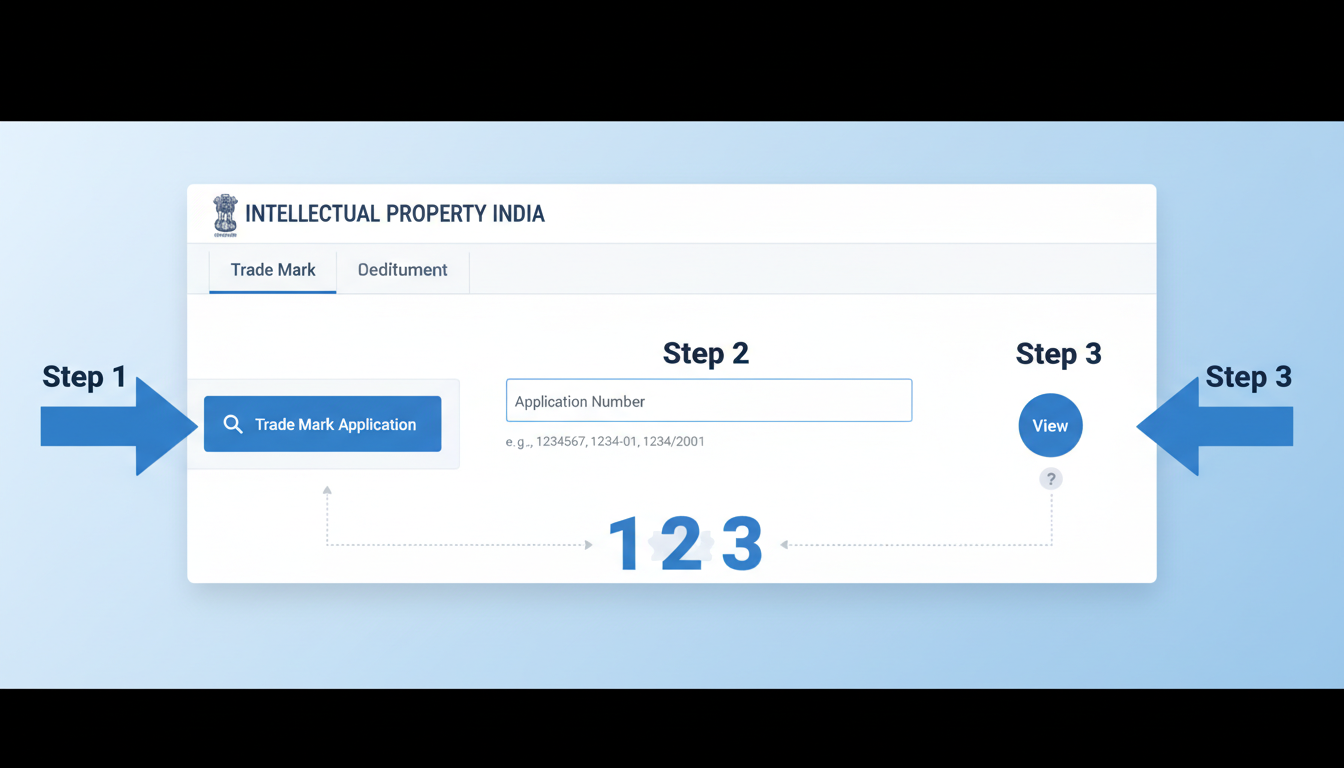
Step 4: Locate and Click the “View Registration Certificate” Link
Once your application details load, you’ll see a comprehensive page with all the information about your trademark. Scan the page for a blue hyperlink that says “View Registration Certificate.” 7 Essential Startup India Tax Benefits You Must Know in 2025
It’s usually located near the top, right below your application number and trademark details. If the status is “Registered” and the certificate has been generated, this link will be active. Click it. Income Tax Filing Due Date FY 2024-25: 7 Crucial Facts
Step 5: Download and Securely Save the PDF
The certificate will open in a new browser tab as a PDF document. This is it! This is your official proof of ownership. Don’t just view it—download it immediately. MSME Registration Benefits for Construction Business in India
- Click the download icon in your browser’s PDF viewer.
- Save it with a clear file name, like
[YourBrandName]_Trademark_Certificate_2026.pdf. - Immediately back it up. Save a copy to a secure cloud service (Google Drive, Dropbox) and consider a local backup on an external hard drive. Email a copy to yourself and your legal counsel.
Congratulations! You’ve successfully downloaded your trademark certificate.
Troubleshooting: When the Download Doesn’t Go as Planned
What if you follow the steps and hit a wall? It happens. Government websites can be finicky. Based on hands-on testing and client experiences, here are the most common issues and how to solve them.
| Problem | Likely Cause | Quick Fix |
|---|---|---|
| Status is “Registered,” but there’s no download link. | System Lag. The status updated, but the certificate PDF hasn’t been generated/linked yet. | Wait patiently for 3-10 business days. This is the most common issue and usually resolves itself. Do not panic. |
| You click the link, but nothing happens. | Pop-up Blocker. The certificate opens in a new window, which your browser is likely blocking. | Check your browser’s address bar for a pop-up blocked icon. Click it and select “Always allow pop-ups from ipindiaonline.gov.in.” Then try again. |
| The PDF downloads but shows an error or is corrupted. | Browser Incompatibility or Interrupted Download. | Clear your browser’s cache and cookies. Try a different browser (e.g., switch from Chrome to Firefox). Ensure you have a stable internet connection. |
| The certificate has a yellow question mark over the signature. | Unvalidated Digital Signature. This is normal and doesn’t mean the document is fake. | Open the PDF in Adobe Acrobat Reader (not your browser). Right-click the signature, select “Validate Signature,” and follow the prompts. A green checkmark will appear. |
💡 Pro Tip
To validate the digital signature, you must use a desktop PDF reader like Adobe Acrobat Reader. Simply viewing it in your web browser won’t work. Once validated, the signature will show a green checkmark, confirming the document’s authenticity from the Controller General of Patents, Designs and Trade Marks.
You’ve Got the Certificate. Now, Activate It.
The work isn’t over once the file is saved. The final step is to put this powerful document to work and protect its future validity.
- Enroll in Brand Registries: Immediately use the certificate to enroll in brand protection programs like Amazon Brand Registry, Flipkart Brand Hub, and others. This is your number one defense against online counterfeits.
- Update Your Records: Provide a copy to your lawyer, your accountant, and any key business partners. Store the application number and registration date in your company’s central records.
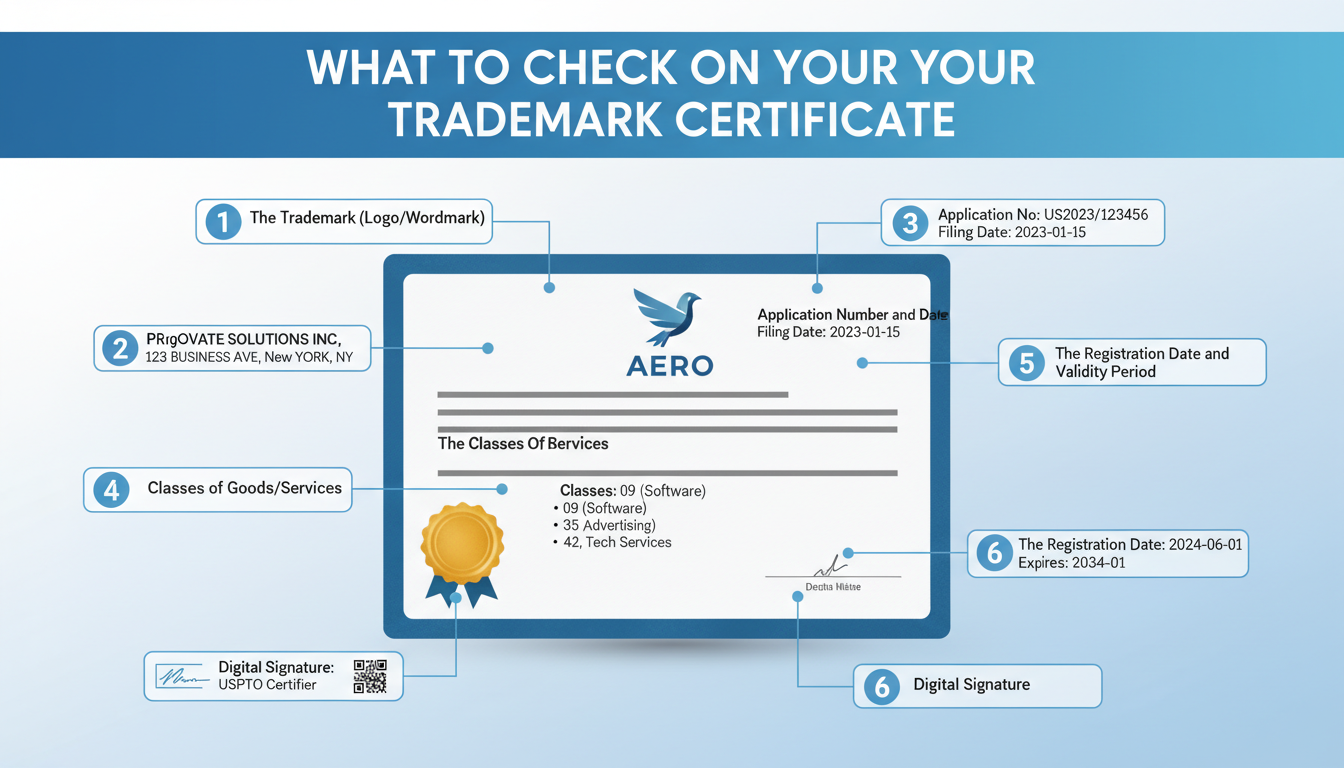
- Set a Renewal Reminder: Your trademark is valid for 10 years from the application date, not the registration date. Open your calendar right now and set a reminder for 9 years and 6 months from your application date. The renewal window opens 6 months before expiry. Missing it can be catastrophic.
💡 Pro Tip
Use a “never-delete” calendar event for your renewal reminder, like Google Calendar, and share it with a partner or legal counsel. Staff changes over 10 years are common; a shared digital reminder ensures this critical deadline is never missed, regardless of who is with the company.
Your Brand’s Legal Shield is Ready
Securing your trademark certificate is a defining moment for your business. It’s the point where your brand transitions from an idea into a legally protected, commercially valuable asset. It’s your license to operate exclusively, your weapon against copycats, and a cornerstone of your company’s value.
By following this guide, you’ve not only learned how to navigate the download process but also how to troubleshoot common issues and, most importantly, what to do next. Your next step is simple: go to the portal, download that certificate, and set your renewal reminder. You’ve earned it. Now, put it to work.
For further reading on international intellectual property standards, the World Intellectual Property Organization (WIPO) provides excellent resources for businesses looking to expand globally.
❓ Frequently Asked Questions
Is the downloaded digital trademark certificate legally valid in court?
Absolutely. The PDF certificate downloaded from the official IP India portal is digitally signed by the issuing authority. According to the Information Technology Act, 2000, this digital signature holds the same legal weight as a physical one, making the document fully valid as evidence in legal proceedings.
What should I do if I find a typo or error on my certificate?
If you notice an error in your name, address, or the mark itself, you must file a request for correction. This is typically done by filing Form TM-M with the Trademark Registry, specifying the error and providing supporting documents. It’s crucial to do this as soon as possible, as an incorrect certificate can cause issues down the line.
How can I get a “certified true copy” for a legal requirement?
While the digitally signed PDF is usually sufficient, some authorities may specifically request a “certified true copy.” You or your attorney can file a request with the Trademark Registry for a physical, certified copy of your registration certificate. This involves a specific form and a nominal fee.
I lost the PDF file. Can I download it again?
Yes, you can. The registration certificate remains available on the IP India portal. Simply follow the exact same steps outlined in this guide to re-download the certificate whenever you need it. However, we strongly recommend keeping secure backups to avoid this hassle.
Does the certificate show my logo in color?
The certificate will display the trademark exactly as it was filed in the application. If you filed your logo in black and white, it will appear in black and white. If you filed it in color and claimed rights to those specific colors, it will be shown in color. Always check that the depiction on the certificate matches your application perfectly.