Introduction: Why TDS Challan Verification Steps Are Essential
Tax Deducted at Source (TDS) is a fundamental part of India’s tax framework. As a deductor (the person or entity paying the tax), depositing TDS is only half the battle; ensuring the payment is correctly processed and reflected in the government’s records is the other, equally critical half. This process requires meticulous attention to the TDS challan verification steps.
A TDS challan (ITNS 281) serves as proof that the tax deducted has been paid to the government treasury. If this challan is not verified correctly, or if there is a mismatch in the details, it can lead to severe issues during TDS Return Filing. Discrepancies often result in demand notices, penalties, and denial of tax credits for the deductee. Therefore, understanding and executing the correct verification process is non-negotiable for compliance.
Within the first 100 words, it is vital to emphasize that mastering the TDS challan verification steps ensures smooth credit reconciliation, preventing future complications with the Income Tax Department.
Why Accurate TDS Challan Verification is Non-Negotiable
The Income Tax Department uses the Online Tax Accounting System (OLTAS) to track and reconcile tax payments. When you file your quarterly TDS returns (Form 24Q, 26Q, etc.), the system automatically matches the data you submit (including the Challan Identification Number, or CIN) against the payments recorded in OLTAS. If these don’t align perfectly, the return will be processed with a mismatch.
The Risks of Unverified Challans
- Penalty and Interest: Mismatches can delay the processing of returns, sometimes resulting in interest and penalties for delayed filing or incorrect data submission.
- Credit Denial: The deductee (the person whose tax was deducted) will not receive the corresponding tax credit in their Form 26AS, leading to potential disputes and complications during their annual income tax filing.
- Demand Notices: The deductor may receive a demand notice from the IT Department requesting clarification or payment of the shortfall if the challan amounts or details are incorrect.
As tax expert Mr. R.K. Sharma often states, “Verification isn’t just a good practice; it’s the bridge between payment and compliance. A verified challan is a guaranteed credit.”
Prerequisites for Starting the TDS Challan Verification Steps
Before initiating the online verification process, ensure you have all the necessary documents and information handy. Having these details ready significantly speeds up the verification process and minimizes errors.
1. The Challan Counterfoil (ITNS 281)
This is the physical or electronic receipt received from the bank after depositing the TDS amount. It contains critical data required for verification.
2. Challan Identification Number (CIN)
A unique 20-digit number comprising the 7-digit BSR Code, the date of deposit (DD/MM/YY), and the Challan Serial Number (5 digits).
3. TAN and Assessment Year
Ensure you know the Tax Deduction and Collection Account Number (TAN) under which the payment was made, and the corresponding Assessment Year (AY).
4. Amount Paid
The exact amount of the TDS payment, broken down into Income Tax, Surcharge, Education Cess, and Interest/Penalty components (if applicable).
Detailed TDS Challan Verification Steps Using the Income Tax Portal
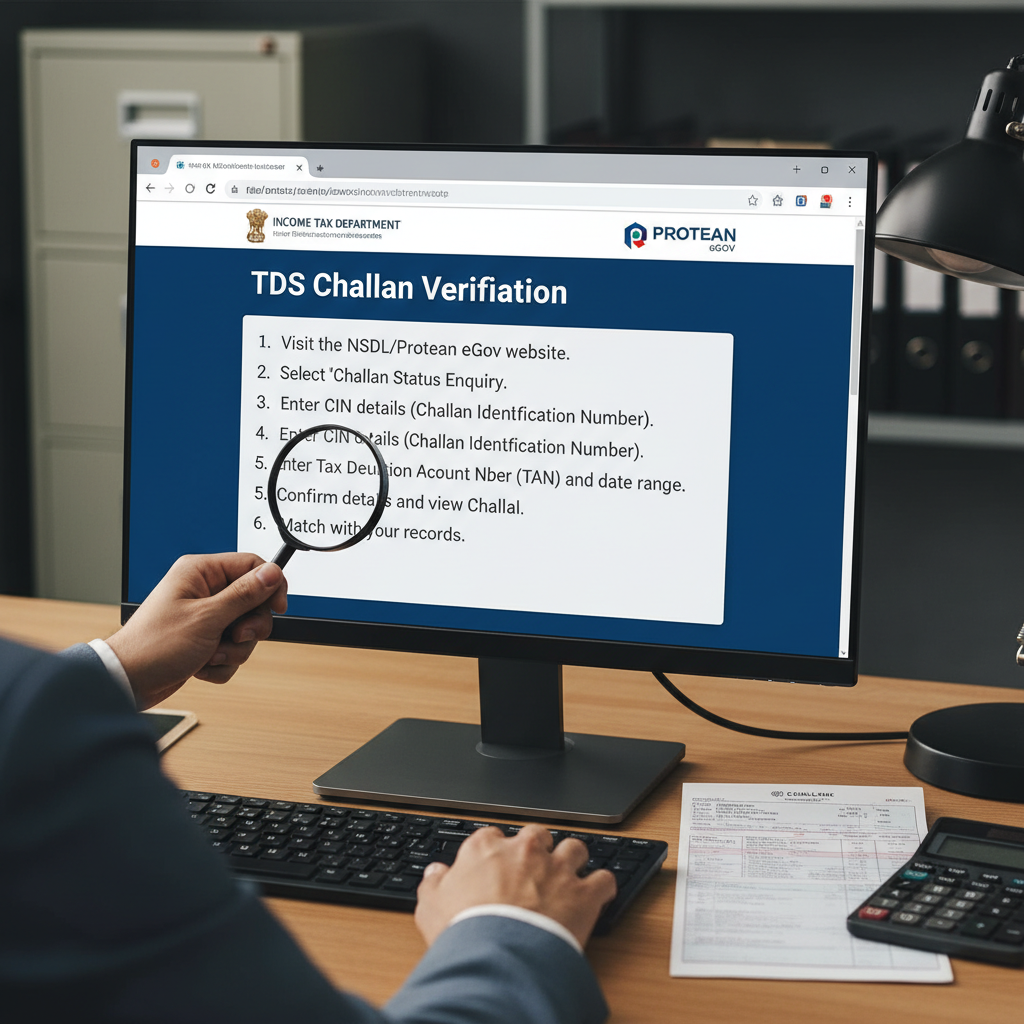
The most reliable way to perform TDS challan verification steps is through the official Income Tax e-Filing portal, utilizing the Challan Status Inquiry feature under OLTAS. This process allows you to check if the payment has been credited to your TAN.
- Access the Official Portal: Navigate to the official Income Tax India e-Filing website. You do not need to log in for the general challan inquiry, but logging in is required for Form 26AS verification.
- Locate OLTAS Inquiry: Look for the ‘Challan Status Inquiry’ or ‘OLTAS Challan Status’ service. This service is typically found under the ‘Services’ tab or the ‘Quick Links’ section on the homepage.
- Input Verification Method: The portal provides two main methods for checking the status: based on CIN or based on TAN.
- CIN Based Search (Recommended): Enter the BSR Code (7 digits), Challan Tender Date, and Challan Serial Number. You must also enter the amount paid to confirm the details. This provides instant confirmation of the single challan.
- TAN Based Search: If you want to view all challans deposited under your TAN for a specific period, select the TAN search option. Enter your TAN, the period (date range) you wish to verify, and the CAPTCHA code.
- Verify the Details: The system will display the CIN, the date of payment, the amount, the major head code (e.g., 200 for company TDS, 201 for non-company TDS), and the status.
- Match and Record: Ensure that the amount, BSR code, and date displayed match exactly with your physical challan counterfoil. Discrepancies, even minor ones, must be investigated immediately.
Understanding the Challan Information Input
When performing the TDS challan verification steps, precision is key. The BSR Code is the unique branch code of the bank where the payment was made. If the bank miskeys this, or if you input it incorrectly, the verification will fail. Always cross-reference the BSR code provided on the stamped counterfoil.
Advanced TDS Challan Verification Steps: Matching with Form 26AS
While the OLTAS inquiry confirms the payment status, the ultimate confirmation that the credit is successfully linked to your PAN/TAN lies in Form 26AS. Form 26AS is the consolidated annual tax statement available on the TRACES portal.
To perform these advanced TDS challan verification steps, you need to log in to the e-Filing portal, go to ‘My Account’, and view Form 26AS. The relevant section for verifying challans is Part A2 (for TDS by non-government payers) or Part B (for TDS by government payers).
When you verify the challan amount in 26AS, look for the following key indicators:
- The amount deducted and deposited should match.
- The CIN details (BSR Code, Date, Challan Serial No.) should be identical to your record.
- If the challan is correctly mapped, it signifies that the credit is secured for the deductee.
OLTAS Challan Verification (Primary Check)
- Purpose: Confirms if the payment has been successfully received by the government treasury and mapped to the correct TAN.
- Access: Income Tax e-Filing portal (Quick Links/Services).
- Details Used: CIN (BSR, Date, Serial Number) and Amount.
- Benefit: Quick check immediately after deposit.
Form 26AS Verification (Ultimate Confirmation)
- Purpose: Confirms if the deposited amount has been linked to the deductee’s PAN and is available for claiming credit.
- Access: TRACES portal via Income Tax login.
- Details Used: Deductor’s TAN and Deductee’s PAN.
- Benefit: Essential confirmation before filing the deductee’s ITR.
Troubleshooting Common Issues During TDS Challan Verification Steps
Sometimes, despite following the process meticulously, taxpayers encounter issues. Knowing how to resolve these discrepancies quickly is crucial for timely compliance.
What If the Challan Status is Mismatching?
If the OLTAS inquiry shows that the challan details (like the amount or date) don’t match your records, or if the challan is not reflecting at all, you must take immediate action:
- Bank Error: If the error is likely due to the bank (e.g., wrong BSR code entry, wrong TAN linked), you must contact the bank branch where the tax was deposited. You need to submit a Challan Correction Memo (CCM) to the bank, requesting them to rectify the error in the OLTAS system.
- TIN/TAN Error: If the tax was deposited under an incorrect TAN, the correction process is more complex. While minor corrections (like assessment year or amount breakdown) can often be done via the bank, major TAN changes may require contacting the Assessing Officer or utilizing specific online correction utilities.
- Typographical Error in Return: If the challan was correct, but you entered the CIN incorrectly while preparing the quarterly TDS return (e.g., using software like the RPU), you must file a revised TDS return correcting the CIN details.
It is worth noting that for businesses involved in complex transactions, like an LLP in India, ensuring all TDS payments related to professional services or interest are correctly verified prevents large-scale reconciliation issues at year-end.
Actionable Insight: Leveraging Book Adjustment
If you are a government deductor, your tax payment is often done via book adjustment. In such cases, the verification process focuses on ensuring the Principal Accounts Office (PAO) or Treasury Office has correctly uploaded the details to the central system, which subsequently reflects in Form 26AS.
The Central Board of Direct Taxes (CBDT) has streamlined these processes to minimize manual intervention. However, the responsibility for initial verification rests firmly with the deductor. Utilizing the online tools provided ensures transparency and compliance (CBDT Official Site).
Summary of Key TDS Challan Verification Steps
To ensure a flawless reconciliation cycle, consider this condensed checklist as part of your quarterly routine:
Step 1: Immediate OLTAS Check
Verify the CIN, amount, and date on the Income Tax Portal within 3-5 days of payment. Rectify any bank errors immediately.
Step 2: Quarterly Return Preparation
Use only the verified CIN details when preparing the quarterly TDS statement (Form 24Q/26Q, etc.) to prevent validation failure.
Step 3: Post-Filing 26AS Review
After filing the TDS return, wait 10-15 days and check the deductee’s Form 26AS. Ensure the TDS credit reflects accurately against their PAN.
Step 4: Mismatch Resolution
If a mismatch is noted in the 26AS, file a correction statement (revision) via the TRACES portal immediately to correct the linkage between the challan and the deductee records.
Following these systematic TDS challan verification steps significantly reduces the chances of receiving defect memos and ensures that the deductee receives their full and timely tax credit, completing the compliance cycle responsibly.
Conclusion
Effective tax management hinges on accuracy, and the verification of TDS challans is a cornerstone of this accuracy. By diligently implementing the online TDS challan verification steps, taxpayers can preemptively resolve discrepancies, maintain clean records, and ensure seamless compliance with the Income Tax Department’s requirements. Treating the verification process as mandatory, rather than optional, is the hallmark of professional tax compliance.
FAQs
If the payment is made online (e-payment), the challan usually reflects in the OLTAS system within 24 to 48 hours. If the payment is made physically at a bank branch, it may take 5 to 7 working days to reflect.
The CIN is a unique 20-digit tracking number assigned by the bank upon successful tax payment. It consists of the 7-digit BSR code of the bank branch, the date of deposit, and the 5-digit serial number of the challan. It is crucial because the Income Tax Department uses the CIN to link the payment to the deductor’s TAN.
Yes, you can perform the basic OLTAS Challan Status Inquiry using the ‘Challan Status Inquiry’ link on the Income Tax e-Filing portal, which does not require a login. However, to view the detailed reconciliation against your TAN and confirm credit reflection in Form 26AS, you must log in to the portal and access the TRACES system.
If the amount is incorrectly recorded in OLTAS (due to a bank error), you must approach the bank branch where the payment was made and submit a Challan Correction Memo (CCM). The bank will process the correction and update the OLTAS system. This correction is vital before filing the quarterly TDS return.
While not legally mandated, verification is highly recommended. The TDS return preparation utility (RPU) validates the CIN details against OLTAS. If the challan is not verified or contains errors, the return filing will likely be rejected or processed with a defect memo, causing compliance delays and potential penalties.