
Imagine this: You’re about to sign a massive deal with a new supplier. The contract looks perfect, the promises are grand. But something feels… off. You do a quick 5-minute check and discover the company was officially “Struck Off” six months ago. You just dodged a multi-lakh rupee bullet.
This isn’t fiction. It happens every day. In the world of business, what you don’t know can hurt you. Badly.
Fortunately, there’s a powerful, free tool that acts as your corporate truth serum: the RoC Master Data provided by the Ministry of Corporate Affairs (MCA). It’s a public record that lays a company’s entire corporate identity bare. This isn’t just for lawyers or CAs; it’s for you. Whether you’re an investor, a job seeker, or a business owner, mastering this tool is a non-negotiable skill in 2026.
Forget guesswork and blind trust. By the time you finish this article, you’ll know exactly how to pull and interpret this data to protect your money, your career, and your business.
Why RoC Master Data Is Your Secret Weapon in Business
So, what is this “master data”? Think of it as a company’s official report card, filed directly with the Registrar of Companies (RoC), an office under India’s Ministry of Corporate Affairs. Every legitimate company in India has one. It’s the ground truth.
Accessing it isn’t just a good idea; it’s essential due diligence. From our experience handling client verifications, a quick RoC check is the first line of defense against fraud and bad decisions. It separates legitimate businesses from phantom companies.
Look, the consequences of skipping this step can be severe. Let’s put it in black and white.
| Scenario | The Risk of Not Checking RoC Data | The Security of a 5-Minute RoC Check |
|---|---|---|
| Partnering with a New Vendor | You pay an advance to a company that’s “Struck Off” or has no real assets. The money vanishes. | You confirm their ‘Active’ status, registered address, and see who the real directors are. Secure deal. |
| Accepting a Job Offer | You join a startup that isn’t legally incorporated or is on the verge of being shut down for non-compliance. | You verify the company’s incorporation date and ‘Active’ status, ensuring it’s a legitimate employer. |
| Investing in a Private Company | You invest in a company with massive, undisclosed debt (hidden in the ‘Charges’ section). Your investment is at high risk. | You review their paid-up capital and registered charges, getting a clearer picture of their financial leverage. |
The bottom line? A few minutes on the MCA portal can save you months of headaches and financial loss. It’s the highest ROI activity you can do before entering any business relationship.
💡 Pro Tip
The 21-digit CIN (Company Identification Number) isn’t just a random number. It’s packed with information. The first letter tells you if the company is Listed (L) or Unlisted (U). The next five digits are the industry code. The two letters that follow are the state code. The four numbers are the year of incorporation. The next three letters denote ownership type (e.g., PTC for Private Limited Company), and the last six digits are the registration number. You can learn a lot before you even see the full report!
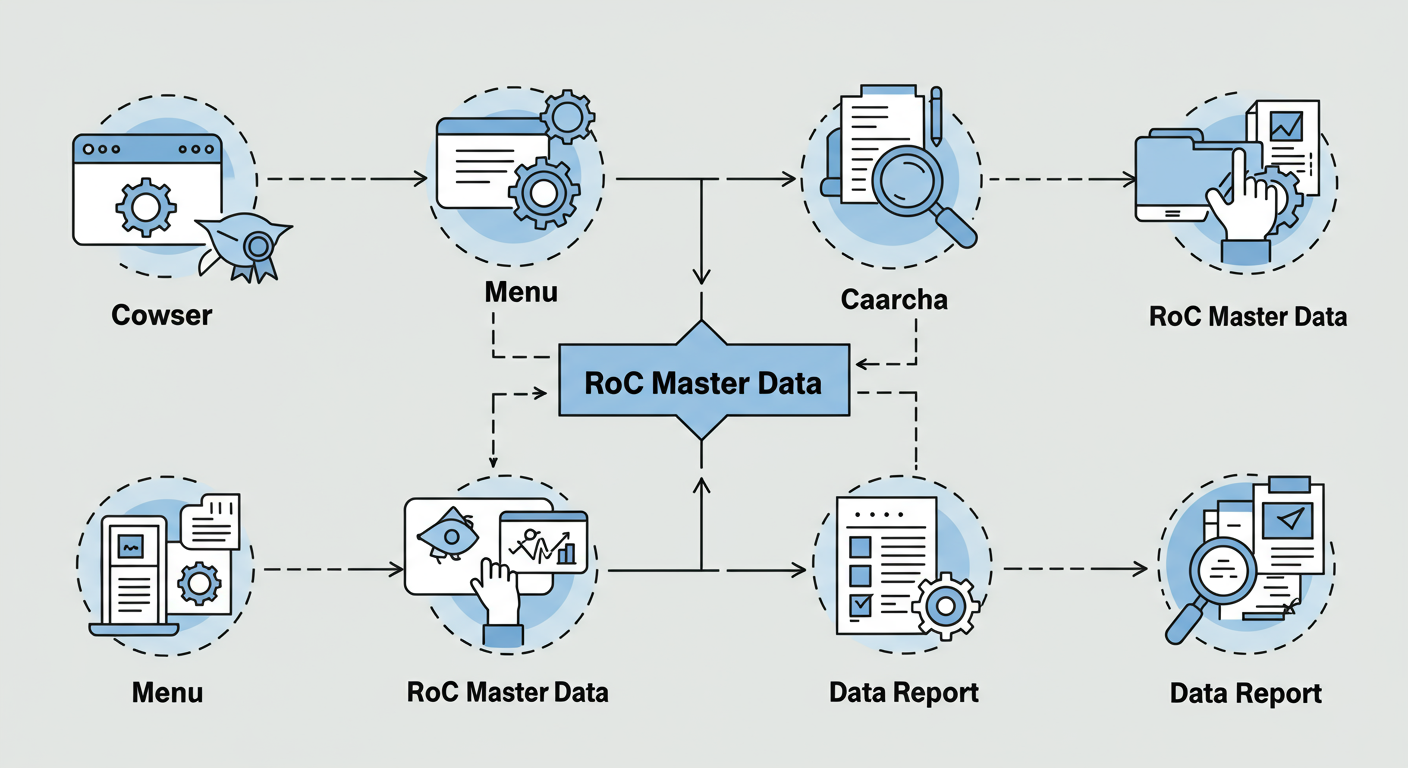
How to Access RoC Master Data in 5 Steps (The 2026 V3 Portal)
The MCA has made this process incredibly simple. You don’t need an account, and it’s completely free. Here’s the exact, updated process for the V3 portal.
- Go to the MCA Portal: Open your browser and head straight to the official MCA website:
mca.gov.in. - Navigate to ‘MCA Services’: Look for the ‘MCA Services’ tab in the main menu. Hover your mouse over it to reveal a large dropdown menu.
- Find ‘View Master Data’: In the ‘Master Data’ column (usually the third or fourth column), click on ‘View Company/LLP Master Data’.
- Search for the Company: You’ll see a search page. The best way is to enter the company’s CIN. If you don’t have it, click the search icon (magnifying glass) next to the input field. A pop-up will let you search by the company name. Be specific to get the right result.
- Submit and View: Once the CIN is in the field, enter the captcha characters shown in the image and hit ‘Submit’. Boom. The company’s complete master data appears instantly on your screen.
Decoding the Data: What It All Really Means
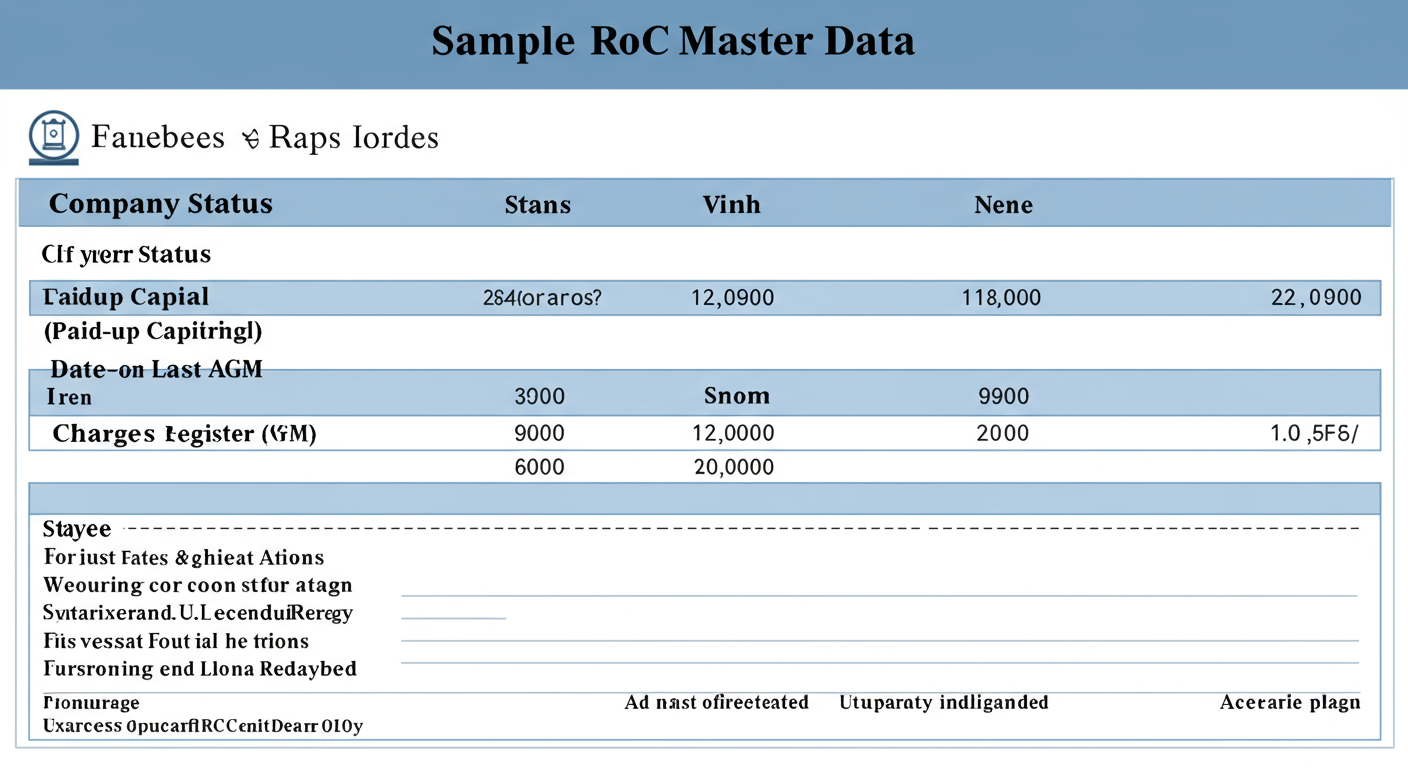
Okay, you’ve got the report. It’s a wall of text and numbers. Now what? Let’s break down the critical sections and, more importantly, how to interpret them like a pro.
Company Basics & Status
This is your first checkpoint.
- CIN/Company Name: Double-check that this matches the company you intended to look up. Simple, but crucial.
- Date of Incorporation: How long has the company been around? A company formed last week has a different risk profile than one operating for 10 years.
- Company Status (for eFiling): This is the most important field on the page. ‘Active’ is what you want to see. It means the company is up-to-date on its essential filings with the MCA. Any other status is a major red flag.
⚠️ Watch Out
Don’t ignore statuses like ‘Struck Off’, ‘Under Process of Striking off’, or ‘Dormant’. ‘Struck Off’ means the company has been removed from the register and legally ceases to exist. Dealing with such an entity is a huge risk. ‘Dormant’ means it has applied for and been granted inactive status—it’s not supposed to be doing business.
Capital Structure: The Money Story
This tells you about the company’s financial backbone.
- Authorised Capital: This is the maximum capital the company is allowed to raise. It’s more of a ceiling than a reality. A high number here doesn’t mean the company is rich.
- Paid-up Capital: This is the real deal. It’s the actual money shareholders have invested in the company in exchange for stock. A very low paid-up capital (e.g., ₹1,00,000) for a company claiming to do large-scale business can be a warning sign. It suggests the company has very little “skin in the game.”
Compliance & Filings
This section reveals how disciplined the company is.
- Date of Last AGM: The date of the last Annual General Meeting.
- Date of Balance Sheet: The date of the last financial statement filed.
If these dates are more than 1-2 years old (as of 2026), it’s a sign of non-compliance. According to the Companies Act, 2013, companies must hold an AGM and file financials annually. Failure to do so is a serious lapse.
Directors & Signatories
Who’s running the show? This section lists the names of all directors along with their DIN (Director Identification Number) and date of appointment. Based on hands-on testing, we always cross-reference these names. Are they associated with other failed or shady companies? A quick Google search of a director’s name plus “fraud” or “complaint” can be very revealing.
Charges Registered: The Debt Section
This is the most overlooked and most valuable section for financial due diligence. A ‘charge’ is basically a loan or mortgage taken by the company where its assets are used as collateral.
- Amount: The size of the loan.
- Date of Creation: When the loan was taken.
- Status: Does it say ‘Open’ or ‘Closed’? ‘Closed’ means the loan has been paid off. A long list of ‘Open’ charges indicates the company is heavily leveraged with debt.
⚠️ Watch Out
The free master data is a snapshot, not the full story. It tells you a loan exists but not the terms or the specific assets pledged. For high-stakes decisions, you must pay the nominal fee (usually around ₹100) on the MCA portal to download the actual charge creation documents (Form CHG-1) for the complete details.
🎯 Key Takeaway
RoC Master Data is your first, fastest, and most reliable checkpoint for corporate verification in India. Focus on three things: the company’s ‘Active’ status, a recent Date of Last AGM/Balance Sheet, and the number of ‘Open’ charges to quickly assess legitimacy and financial risk.
Interpreting RoC Data for Different Needs: A Practical Comparison
How you read the data depends on who you are. A job seeker has different priorities than a lender. Here’s a quick breakdown of what to focus on.
| Your Role | Primary Focus in RoC Data | Key Question You’re Answering |
|---|---|---|
| Job Seeker | Company Status, Date of Incorporation | “Is this a real, stable, and compliant company to work for?” |
| B2B Vendor/Supplier | Company Status, Registered Address, Director Details | “Is this entity legally sound and can I trust them with a credit line or advance payment?” |
| Angel Investor/VC | Paid-up Capital, Charges Registered, Director History | “What is the company’s real capital base, how much debt are they carrying, and who is on the board?” |
| Lender/Banker | Charges Registered (all details), Capital Structure | “How much existing debt do they have, and what assets are already pledged as collateral?” |
💡 Pro Tip
Use the Director Identification Number (DIN) to perform a reverse search. On the MCA portal, you can view all companies a specific director is associated with. This is powerful for uncovering potential conflicts of interest or seeing if a director has a history of being on the board of multiple failed companies. It helps you map out the entire network.
Conclusion: From Data to Decision
In a business environment filled with uncertainty, the RoC Master Data is your anchor of truth. It’s a simple, free, and immediate way to cut through the noise and see the facts.
You no longer have any excuse for “flying blind.” You now have the knowledge to:
- Verify any company’s legal status in under five minutes.
- Assess basic financial health by looking at capital and debt.
- Identify major red flags like non-compliance or defunct status.
So, what’s your next step? Don’t just file this information away. Pick a company you know—your own, a competitor’s, or a supplier’s—and look it up right now. Walk through the steps. Get comfortable with the data. Make it a habit. This simple act of verification is one of the smartest, most powerful moves you can make to secure your financial future.
❓ Frequently Asked Questions
Is RoC master data really free to access in 2026?
Yes, absolutely. Viewing the master data summary for any company or LLP on the MCA V3 portal is 100% free. You only pay a small fee (around ₹100) if you want to download specific filed documents, like the full balance sheet or an annual return.
What’s the difference between a CIN and a DIN?
It’s simple: companies have a CIN, and people (directors) have a DIN. A CIN (Company Identification Number) is a unique 21-digit code for a specific company. A DIN (Director Identification Number) is a unique 8-digit code for an individual. A director will use the same DIN for every company board they sit on.
How often is the RoC data updated?
The data is updated in near real-time. Whenever a company files a new form—like an annual return, a change in directors, or taking a new loan—the master data report on the MCA portal reflects that change almost immediately. It’s not on a weekly or monthly schedule; it’s dynamic.
Can I download the master data as a PDF or Excel file?
The MCA portal displays the data as a webpage and doesn’t offer a direct ‘Download as Excel’ button. However, the easiest way to save it for your records is to use your browser’s print function (Ctrl+P or Cmd+P) and choose ‘Save as PDF’. It’s clean, simple, and perfect for documentation.
What if I can’t find a company by its name?
This is a common issue. First, ensure you’re spelling the name exactly as it’s registered, including “Private Limited” or “Pvt Ltd.” If it still doesn’t show up, it could be a red flag. The company might be operating under a brand name that’s different from its registered legal name, or, in a worst-case scenario, it may not be a legally registered company at all. For more on corporate identity, you can read about the global concept of a Corporate identity on Wikipedia.
Read Also:
- Master Your Taxes in 2026: 12 E-Filing Portal Quick Links
- MCA Name Search 2026: The Definitive Guide to Company Name Approval
- MCA Name Availability 2026: The Ultimate Guide to Approval
- Small Company Definition in India (2026 Criteria): A Guide
- MCA Company Name Search 2026: Get Approved on Your First Try
- MOA vs. AOA: The Key Differences for Founders in 2026
- Prospectus in Company Law: The Ultimate Investor Guide (2026)
- The Ultimate Guide to Starting an OPC Company in 2024: 7 Key Benefits
- Uncover Company Secrets in 2026
- AOC 4 Due Date 2026: The Definitive Guide to Filing & Penalties – Visual Story
- Limitation of Liability Clause: A 2026 Guide to Finding It