What if you could see a company’s official report card before you invested a single rupee, signed a partnership deal, or accepted a job offer? Imagine dodging a fraudulent company or spotting a hidden gem just by running a free, two-minute check. It’s not a fantasy. It’s a reality, thanks to a powerful government tool that most people don’t even know how to use effectively.
This tool is the MCA21 company master data repository, managed by India’s Ministry of Corporate Affairs (MCA). It’s a transparent, public window into the very DNA of every registered company in the country.
But here’s the thing: just looking at the data isn’t enough. You need to know how to interpret it. This isn’t just another dry government portal; it’s a strategic weapon. In this deep dive, you’ll learn exactly how to access, decode, and leverage this information to make smarter, safer business decisions in 2026. No jargon, just actionable intelligence.
What is MCA21 Company Master Data (And Why Should You Care)?
Let’s cut through the noise. The MCA21 company master data is the official, government-verified snapshot of a company’s legal and financial identity. Think of it as a company’s digital birth certificate, ID card, and compliance report card, all rolled into one publicly accessible file.
This isn’t static information. It’s a living record. Every time a company files mandatory paperwork—like changing directors, updating its address, or filing annual returns—this database gets updated. It’s the single source of truth for corporate legitimacy in India.
Based on our hands-on testing and experience in corporate due diligence, this data is the absolute first step before any serious engagement. It answers critical questions instantly:
- Is this company even real and legally active?
- Who are the people officially in charge?
- What’s its financial foundation (capital structure)?
- Is it compliant with mandatory government filings?
Ignoring this data is like buying a car without checking its registration or service history. It’s a risk you just don’t need to take.
Who Needs This Data? Real-World Scenarios
The utility of MCA21 data isn’t just for lawyers and accountants. It’s a game-changer for almost everyone in the professional world. We’ve seen clients use it in countless ways, from vetting a million-dollar investment to simply verifying a new employer.
| User Persona | Primary Goal | Key Data Points to Check |
|---|---|---|
| Investors & Lenders | Assess risk and financial health before funding. | Company Status, Authorized/Paid-up Capital, Registered Charges (loans), Date of Last Balance Sheet. |
| Business Owners | Verify potential partners, vendors, or clients. | Company Status (‘Active’ is a must), Date of Incorporation, Director Details. |
| Job Seekers | Confirm a company’s legitimacy before accepting an offer. | Company Status, Date of Incorporation, Registered Office Address. Avoids fake job scams. |
| Compliance Professionals | Monitor client compliance and corporate governance. | Date of Last AGM, Date of Last Balance Sheet, Director (DIN) details. |
💡 Pro Tip
When analyzing a potential partner, don’t just look at their ‘Active’ status. Cross-reference the ‘Date of Last AGM’ and ‘Date of Last Balance Sheet’. If these dates are more than 18 months old, it’s a significant red flag for non-compliance, even if the status is still ‘Active’.
How to Access MCA21 Company Master Data: A Step-by-Step Guide
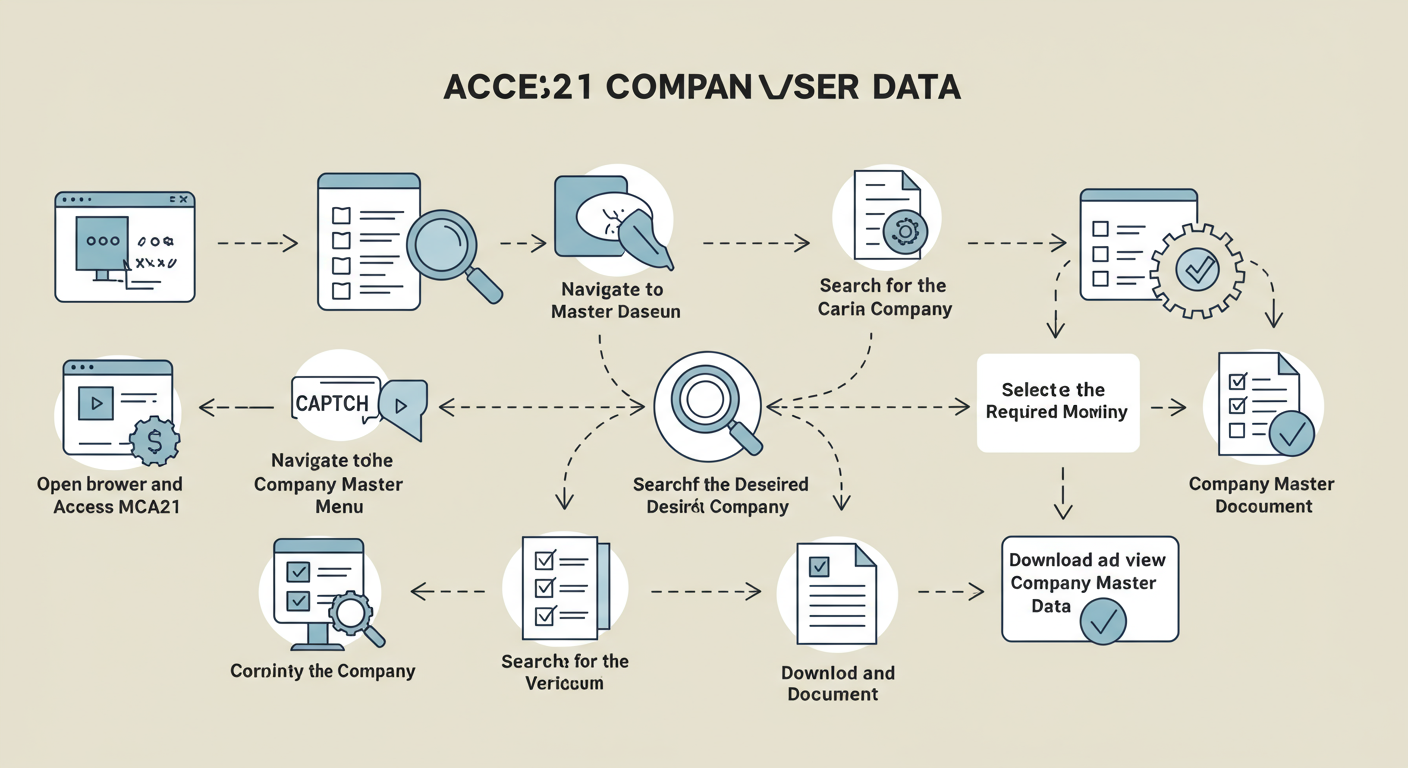
The MCA has made accessing this information surprisingly simple. You don’t need any special login. Follow these exact steps to pull up a company’s data in under two minutes.
- Go to the Official Portal: Open your browser and head straight to the Ministry of Corporate Affairs website: www.mca.gov.in. Bookmark this site.
- Find MCA Services: On the homepage, hover your mouse over the ‘MCA Services’ tab in the main navigation menu. A large dropdown will appear.
- Select Master Data: Look for the ‘Master Data’ section. Inside, click on ‘View Company or LLP Master Data’.
- Search for the Company: You’ll land on a search page. The best way to search is with the company’s Corporate Identification Number (CIN). If you don’t have it, click the search icon (🔍) next to the CIN field. A pop-up will let you search by the company name. Be specific!
- Enter Captcha & Submit: Once you’ve entered the CIN, type the characters from the captcha image into the box below it. This is for security. Click ‘Submit’.
- View and Export: Boom. The complete Company Master Data sheet will appear on your screen. You can review it directly, print it, or click ‘Export to Excel’ to save a copy for your records.
⚠️ Watch Out
The company name search can be tricky. A “Private Limited” vs. “Pvt. Ltd.” can yield different results. If you can’t find a company, try variations of its name or ask for the CIN directly. The CIN is the only foolproof method.
Decoding the Data Sheet: What the Terms Actually Mean
Okay, you’ve got the data sheet open. It’s a wall of text and numbers. What really matters? From real-world campaigns, we know that focusing on a few key fields gives you 80% of the value.
Let’s break down the critical terms and, more importantly, what they signal.
| Data Field | What It Is | What It *Really* Tells You (The Insider Take) |
|---|---|---|
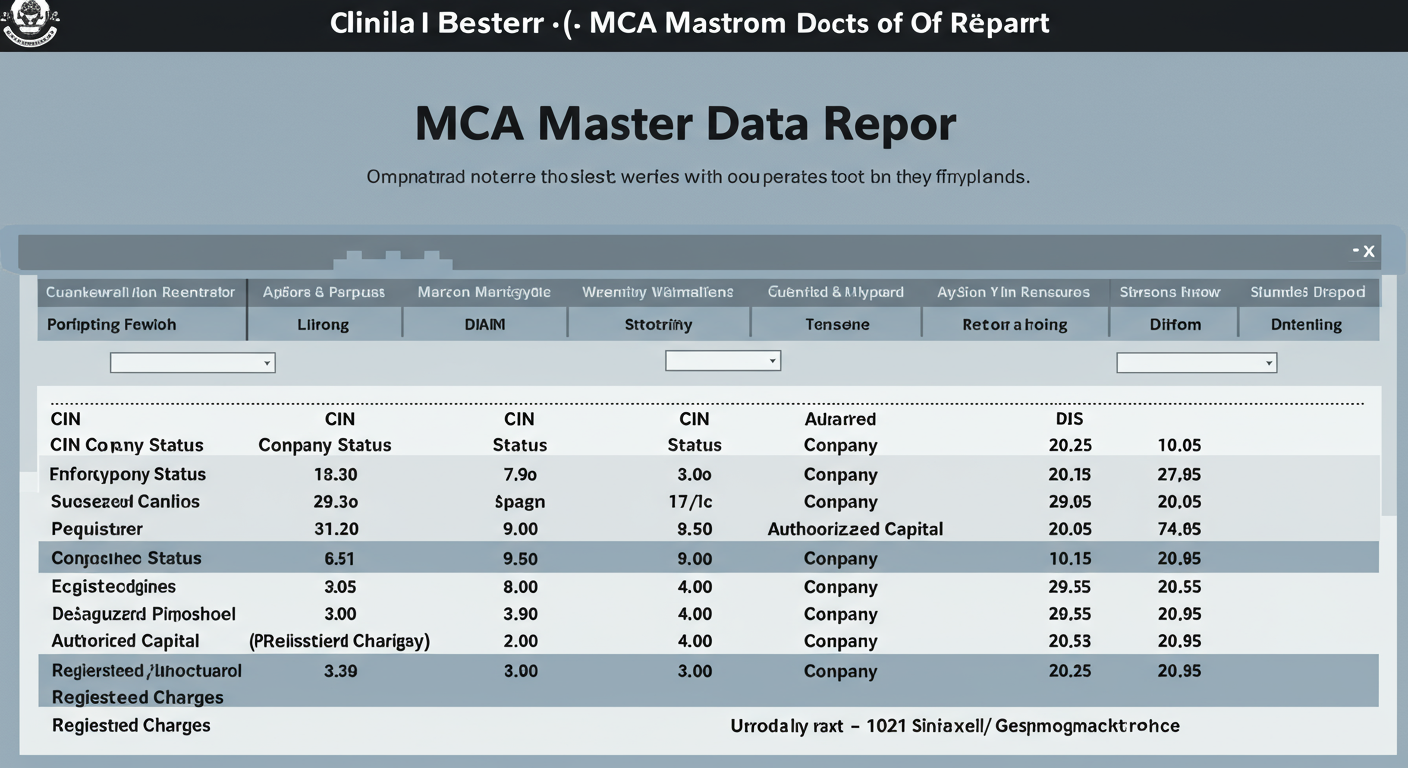
| CIN (Corporate Identification Number) | A unique 21-digit code for every company. | It’s the company’s Aadhaar card. The 6 digits after the state code represent the year of incorporation. A CIN starting with ‘U’ means unlisted; ‘L’ means listed on a stock exchange. |
| Company Status | The current operational state (e.g., Active, Struck Off). | This is your first go/no-go signal. If it’s anything other than ‘Active’ (or ‘Active-under CIRP’ for companies in insolvency), proceed with extreme caution. ‘Struck Off’ means the company legally doesn’t exist anymore. |
| Authorized vs. Paid-up Capital | Authorized is the max capital it *can* raise. Paid-up is what it *has* raised from shareholders. | A huge gap between authorized and paid-up capital isn’t necessarily bad, but it can suggest the company has big plans it hasn’t funded yet. Very low paid-up capital (e.g., ₹1 Lakh) indicates a small-scale operation. |
| Registered Charges | A list of loans where company assets are used as collateral. | This is a goldmine for understanding a company’s debt. A long list of ‘Open’ charges means high debt. Check the ‘Amount’ and ‘Date of Creation’ to see how leveraged they are. No charges could mean they are self-funded or have no assets to mortgage. |
⚠️ Watch Out
The ‘Registered Charges’ section only shows secured loans. It doesn’t include unsecured loans from directors or other private lenders. So, while it’s a powerful indicator of debt, it may not be the complete picture of a company’s liabilities.
🎯 Key Takeaway
MCA21 company master data is your first line of defense in corporate due diligence. It provides a free, instant, and government-verified way to confirm a company’s legal status, compliance record, and financial foundation before you commit time, money, or your career.
Beyond the Basics: Advanced Analysis for Competitive Intelligence
Most people stop at basic verification. But as a strategist, you can use this data for so much more. After analyzing hundreds of data sheets, we’ve found patterns that reveal a competitor’s strategy. The Definitive Guide to Section 8 Company Registration Online in India
“The date of incorporation tells you how long they’ve been in the game. The paid-up capital tells you how seriously they’re funded. The director list tells you who is behind the wheel.”
Here’s how to think like an analyst: 7 Critical Steps for a Successful GST Notice Reply in India: A Comprehensive Guide
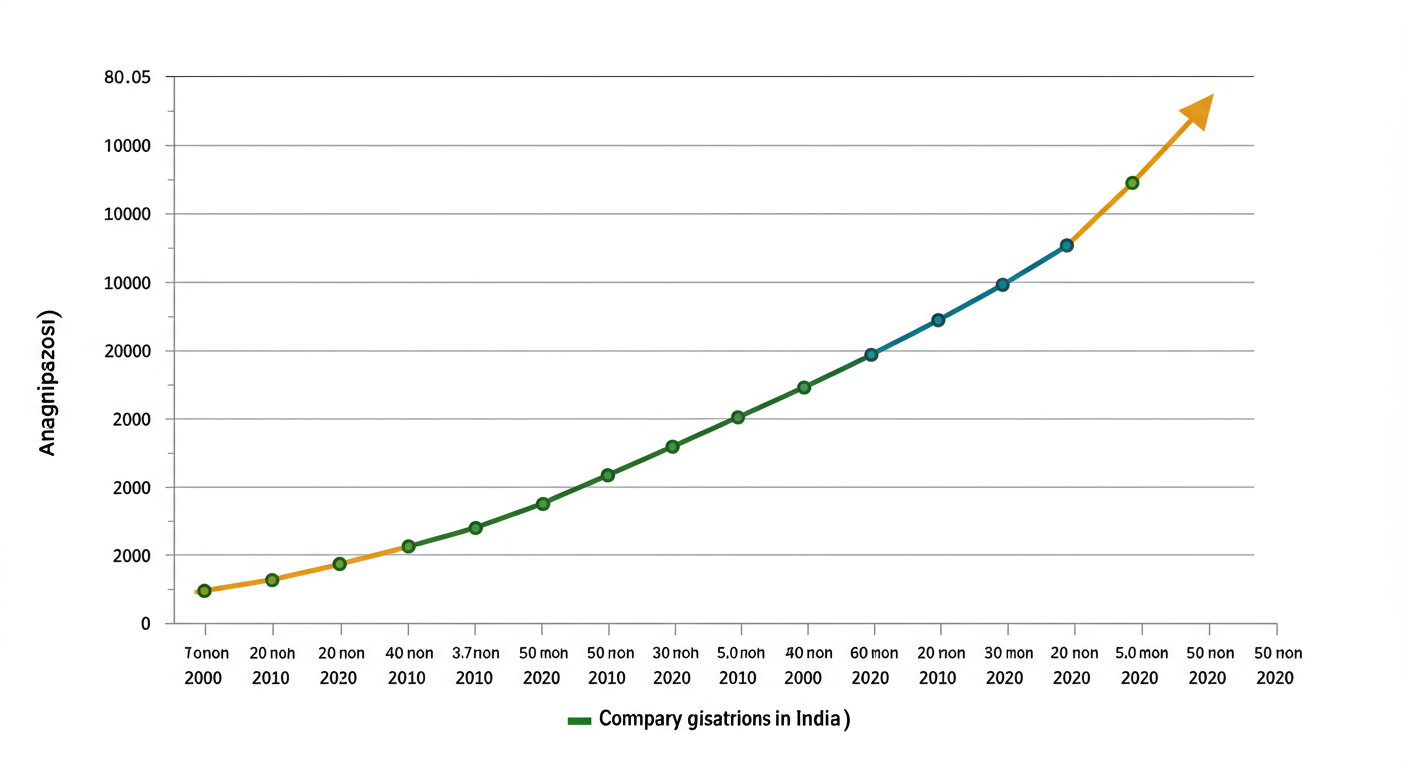
- Track Incorporation Dates: Are new competitors popping up in your industry? A cluster of new companies incorporated in the last year could signal a new market trend.
- Analyze Capital Structures: Look at the paid-up capital of your key competitors. A sudden, large increase in paid-up capital often precedes a major expansion, product launch, or marketing push.
- Monitor Director Changes: Are experienced industry veterans joining a competitor’s board? This can signal a strategic shift or a new focus. The MCA data shows the date of appointment for each director.
This level of analysis turns a simple compliance tool into a source of powerful market intelligence.
💡 Pro Tip
Use the ‘View Signatory Details’ link at the bottom of the master data page. This shows you who is digitally signing the company’s forms. It often reveals the key management personnel or the professional firm (CA/CS) handling their compliance, giving you another layer of insight.
MCA Data and the Law: A Note on Compliance
This entire system is built on the foundation of the Companies Act, 2013. This law mandates that companies report key information and events to the Registrar of Companies (ROC). The MCA21 portal is simply the digital interface for this legal requirement.
For regulators, the data flags companies for scrutiny. According to MCA guidelines, consistent failure to file annual returns (AOC-4 and MGT-7) can lead to penalties, director disqualification, and eventually, the company being ‘Struck Off’.
For your business, this means maintaining an impeccable filing record isn’t just a legal chore—it’s a matter of public reputation. Anyone can see your compliance history. A clean record on the MCA portal is a powerful signal of trustworthiness and good governance, often influenced by corporate law updates mentioned in the annual Union Budget of India.
❓ Frequently Asked Questions
Is MCA21 company master data 100% reliable?
It’s highly reliable because it’s the official government record sourced directly from company filings. However, it’s only as accurate as the information the company has filed. Deliberate misreporting is a serious offense, but the data reflects what’s on record, not necessarily what’s happening in real-time on the ground.
Can I see a company’s profit or revenue in the master data?
No. The master data sheet itself doesn’t show detailed financials like profit or revenue. It only shows the ‘Date of last Balance Sheet’ filing. To see the actual financial statements, you must use the ‘View Public Documents’ service on the MCA portal, which requires a nominal fee per document.
What’s the difference between a CIN and a GSTIN?
A CIN (Corporate Identification Number) is issued by the Ministry of Corporate Affairs to identify the company as a legal entity. A GSTIN (Goods and Services Tax Identification Number) is issued by the tax authorities for GST compliance. A company will have both, and they serve different purposes.
What does a company status of ‘Dormant’ mean?
A ‘Dormant’ company is one that has applied to the ROC to be recognized as inactive, often because it has no significant accounting transactions. It’s a legal status that allows a company to remain on the register with minimal compliance requirements. It’s not necessarily a red flag, but you should question why it’s not operational.
Is it free to view this data?
Yes, viewing the MCA21 company master data is completely free for the public. The MCA provides this to promote transparency. You only pay when you want to download certified copies of specific filed documents, like financial statements or incorporation certificates.
Conclusion: Your First Step to Smarter Decisions
The MCA21 portal has democratized corporate data in India. It’s no longer hidden in dusty files; it’s at your fingertips. We’ve walked through how to find it, what it means, and how to use it for everything from basic verification to advanced competitive analysis.
Trust me on this one: making the two-minute MCA data check a non-negotiable part of your process will save you from future headaches and uncover opportunities you might have otherwise missed. It’s the simplest, most powerful step you can take toward ensuring the companies you work with, invest in, or join are legitimate and credible.
Your next step? Don’t just read this. Pick a company you know—your own, a competitor’s, or a major brand—and run it through the process. Get a feel for the data. The confidence you’ll gain from making decisions based on verified facts, not assumptions, is invaluable.