You landed the big client. The contract is ready. Then, the email arrives: “Please send us a GST invoice.”
Panic sets in. What’s a GSTIN? Is it complicated? Will this delay everything?
Relax. You’re not alone. For thousands of freelancers, consultants, and solo business owners in India, this is the exact moment they realize they need to get serious about GST. And here’s the good news: for a sole proprietorship, it’s far more straightforward than you think.
Forget the confusing jargon and bureaucratic nightmares you’ve heard about. This guide is different. We’re going to walk you through the entire GST registration process for your proprietorship, step-by-step. No fluff. Just the actionable, expert advice you need to get it done right, right now.
By the end of this article, you’ll know exactly when you need to register, what documents to gather, how to complete the online application, and what to do once you have your shiny new GSTIN.
First Things First: Do You *Actually* Need GST Registration?
Before you dive into any forms, let’s answer the most important question. Not every proprietor needs a GST registration. It primarily boils down to your turnover and the nature of your business.
In our experience, many entrepreneurs register before it’s even mandatory. Why? Because many B2B clients simply won’t work with unregistered businesses. Let’s break down the rules.
Mandatory Registration Thresholds (The Numbers Game)
The government sets a turnover limit. If your total sales or revenue in a financial year crosses this limit, you must register for GST. As of 2026, these are the primary thresholds:
- ₹40 Lakhs per year: For businesses exclusively supplying goods. If you sell products, this is your magic number.
- ₹20 Lakhs per year: For businesses exclusively supplying services. This applies to most freelancers, consultants, developers, and other service-based proprietors.
There are some exceptions for special category states, but for most of India, these are the limits to watch.
When Registration is Compulsory, Regardless of Turnover
Here’s where it gets tricky. Sometimes, you have to register for GST even if your turnover is zero. Trust me on this one, you don’t want to get this wrong.
You must register if you:
- Make Inter-State Supplies: Selling goods or services from one state to another (e.g., you’re in Maharashtra, your client is in Karnataka).
- Sell on E-commerce Platforms: If you’re a seller on Amazon, Flipkart, or any other platform that collects tax at source (TCS), registration is mandatory from day one.
- Are a Casual Taxable Person: Someone who occasionally sets up a temporary shop or stall at an event in a state where they don’t have a fixed place of business.
- Are a Non-Resident Taxable Person: A non-resident who occasionally supplies goods or services in India.
⚠️ Watch Out
The inter-state rule is the most common trap for service-based proprietors. If you’re a freelance writer in Delhi with a single client in Bangalore for ₹50,000, you are technically required to get GST registration. Don’t ignore this.
The Case for Voluntary Registration
So, what if you don’t meet any of the above criteria? You can still choose to register. This is called voluntary registration, and it has some powerful benefits:
- Claim Input Tax Credit (ITC): This is the big one. You can claim back the GST you pay on your business expenses (like laptops, software, office rent), which reduces your overall tax liability.
- Work with Big Companies: Many large corporations and MNCs have a policy of only working with GST-registered vendors for seamless tax compliance.
- Enhance Credibility: A GSTIN makes your business look more professional and established.
| Scenario | Is GST Registration Required? | Key Consideration |
|---|---|---|
| Service provider with ₹15 Lakh annual turnover, all within your state. | No (Optional) | You are below the ₹20 Lakh threshold. Consider voluntary registration to claim ITC. |
| Goods seller with ₹30 Lakh annual turnover, all within your state. | No (Optional) | You are below the ₹40 Lakh threshold for goods. |
| Consultant with ₹5 Lakh turnover, but serving a client in another state. | Yes (Mandatory) | Any inter-state supply of services triggers compulsory registration. |
| Selling handicrafts on an e-commerce marketplace for ₹1 Lakh per year. | Yes (Mandatory) | Selling via an e-commerce operator requires registration, regardless of turnover. |
The Pre-Registration Checklist: Gather Your Documents
Getting your documents in order before you start the application is the single best thing you can do to ensure a smooth process. The GST portal is automated, and incorrect or unclear documents are the #1 reason for rejection.
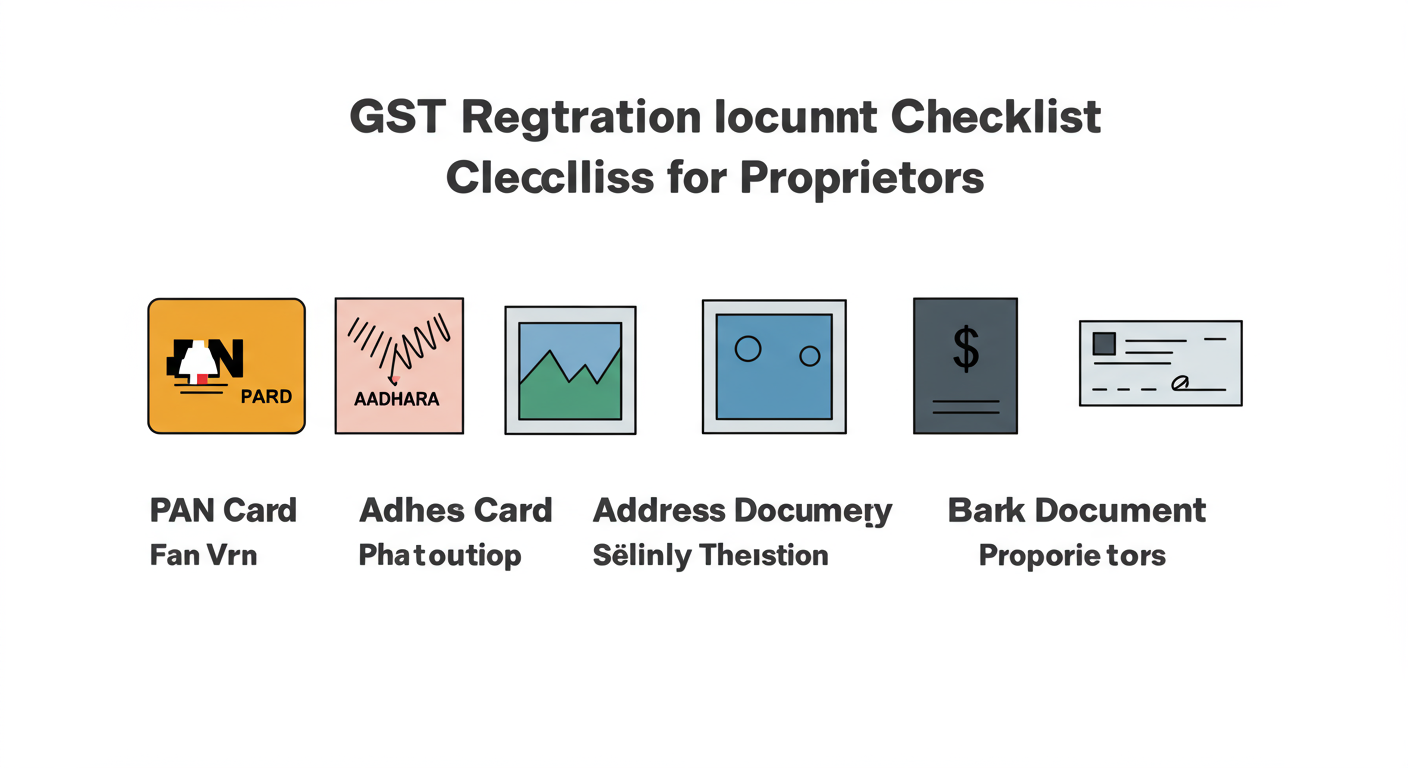
Here’s exactly what you need for a proprietorship registration:
- PAN Card: The business is tied to you, so your personal PAN is the primary identifier.
- Aadhaar Card: Essential for e-KYC and quick verification. Make sure your mobile number is linked to your Aadhaar.
- Photograph: A recent, clear, passport-style photograph of you (the proprietor). JPEG format, under 100kb.
- Proof of Business Address: This is critical. You can use:
- If you own the property: A recent electricity bill, property tax receipt, or municipal khata copy.
- If you rent the property: A valid rental agreement plus a No Objection Certificate (NOC) from the property owner. You’ll also need the owner’s electricity bill or property tax receipt.
- Bank Account Details: A scanned copy of a cancelled cheque or the first page of your bank passbook/statement showing your name, account number, and IFSC code.
💡 Pro Tip
For the address proof, scan both the rent agreement and the NOC into a single PDF file. The portal often has a single upload slot for this. Also, ensure the name on the electricity bill matches the name of the landlord on the rent agreement. Officers check this!
The Step-by-Step GST Registration Process for Proprietors (2026)
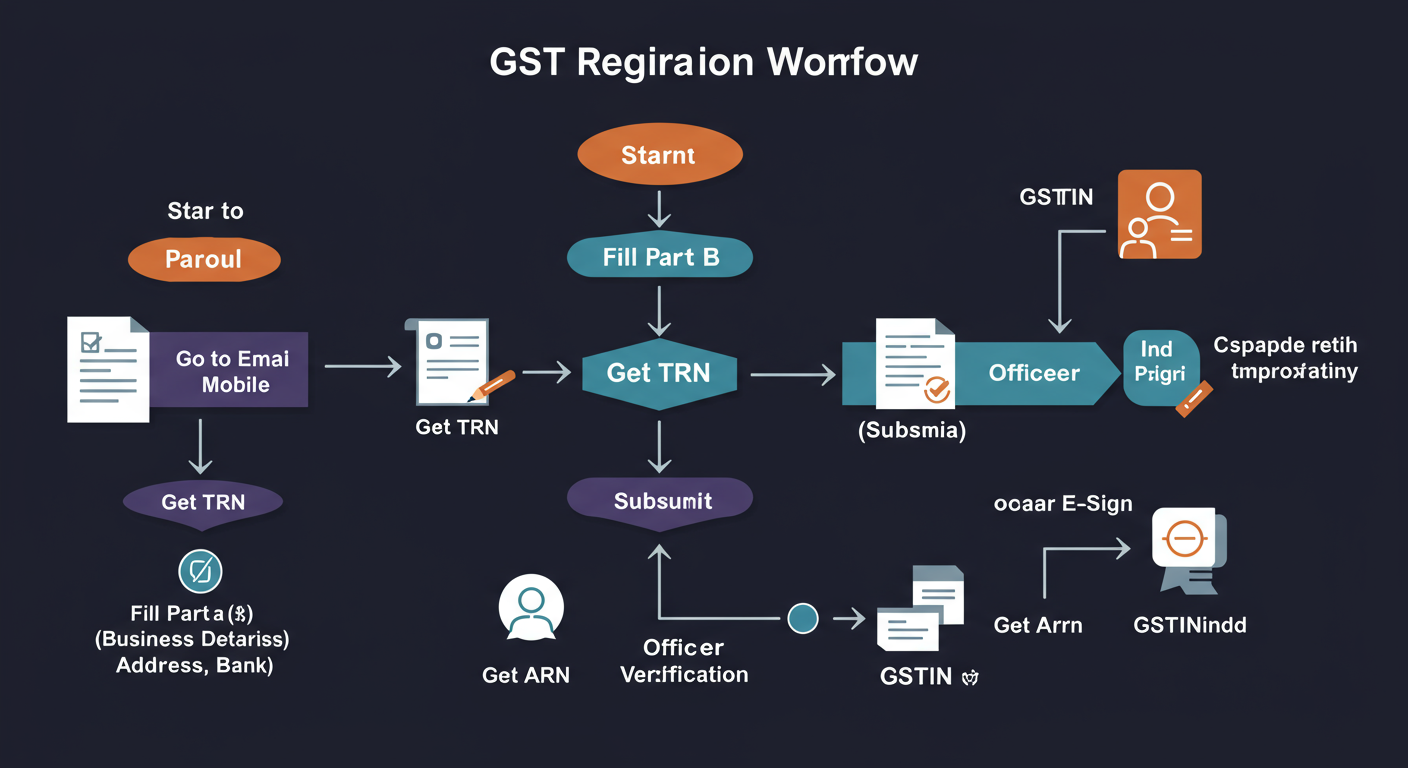
Ready to go? Grab a coffee, open the official GST portal, and let’s do this. The process is divided into two parts.
Part A: Generating Your Temporary Reference Number (TRN)
This first step is about getting your basic details into the system. Comprehensive Guide to GST Return Filing Due Dates 2026: Your Essential Compliance Calendar
- Navigate to the GST Portal > Services > Registration > New Registration.
- On the New Registration page, select ‘Taxpayer’ as the type and your state.
- Enter your name (as on PAN), PAN number, email address, and mobile number.
- You’ll receive two separate OTPs—one on your mobile and one on your email. Enter them to verify.
- Success! You will now see a Temporary Reference Number (TRN) on the screen. Save this number. It’s valid for 15 days and is your key to the main application.
Part B: Filling the Main Application (Form GST REG-01)
Now, you’ll use your TRN to log back in and fill out the detailed form. The Comprehensive Guide to Obtaining and Using TAN for TDS Filing Compliance
- Go back to the GST Portal > Services > Registration > New Registration and this time, select the ‘Temporary Reference Number (TRN)’ option.
- Enter your TRN and the captcha, then proceed. You’ll get another OTP on your mobile/email.
- You’ll now see your application dashboard with several tabs. Your goal is to fill each one out and save as you go.
- Business Details: Your trade name (your business’s brand name) will be here. The legal name will be your own name, auto-filled from your PAN.
- Promoter/Partners: This is just you. Your details from the PAN will be auto-populated. You’ll need to upload your photograph here.
- Principal Place of Business: Enter the full address from your proof document. This is where you’ll upload your address proof (electricity bill, rent agreement + NOC).
- Details of Goods and Services: This is important. You need to specify the top 5 goods or services you’ll be providing. You’ll need to find the right HSN code (for goods) or SAC code (for services). A quick Google search for “SAC code for [your service]” usually works.
- Bank Accounts: Enter your business bank account details and upload the cancelled cheque or bank statement.
- Verification: This is the final step. You must verify your application. The easiest method is ‘E-KYC with Aadhaar’. You’ll get an OTP on the mobile number linked to your Aadhaar. Enter it, and you’re done.
- Once you submit, an Application Reference Number (ARN) is generated. This is your official tracking ID.
⚠️ Watch Out
Don’t use a personal savings account if you can avoid it. While technically allowed for proprietorships, opening a separate current account for your business is a best practice recommended by the Central Board of Indirect Taxes and Customs (CBIC). It keeps your finances clean and makes accounting much easier down the line.
You’ve Got Your GSTIN! Now What?
After 3-7 working days (if all goes well), you’ll receive an email and SMS confirming your registration and your 15-digit GST Identification Number (GSTIN). Congratulations!
But the work isn’t over. In fact, it’s just beginning. Here’s your immediate to-do list.
- Display Your GSTIN: You are legally required to display your GST registration certificate at your principal place of business and display your GSTIN on the name board.
- Issue GST-Compliant Invoices: All your invoices must now include your GSTIN, the customer’s GSTIN (if they have one), the correct HSN/SAC code, and a clear breakdown of CGST/SGST or IGST.
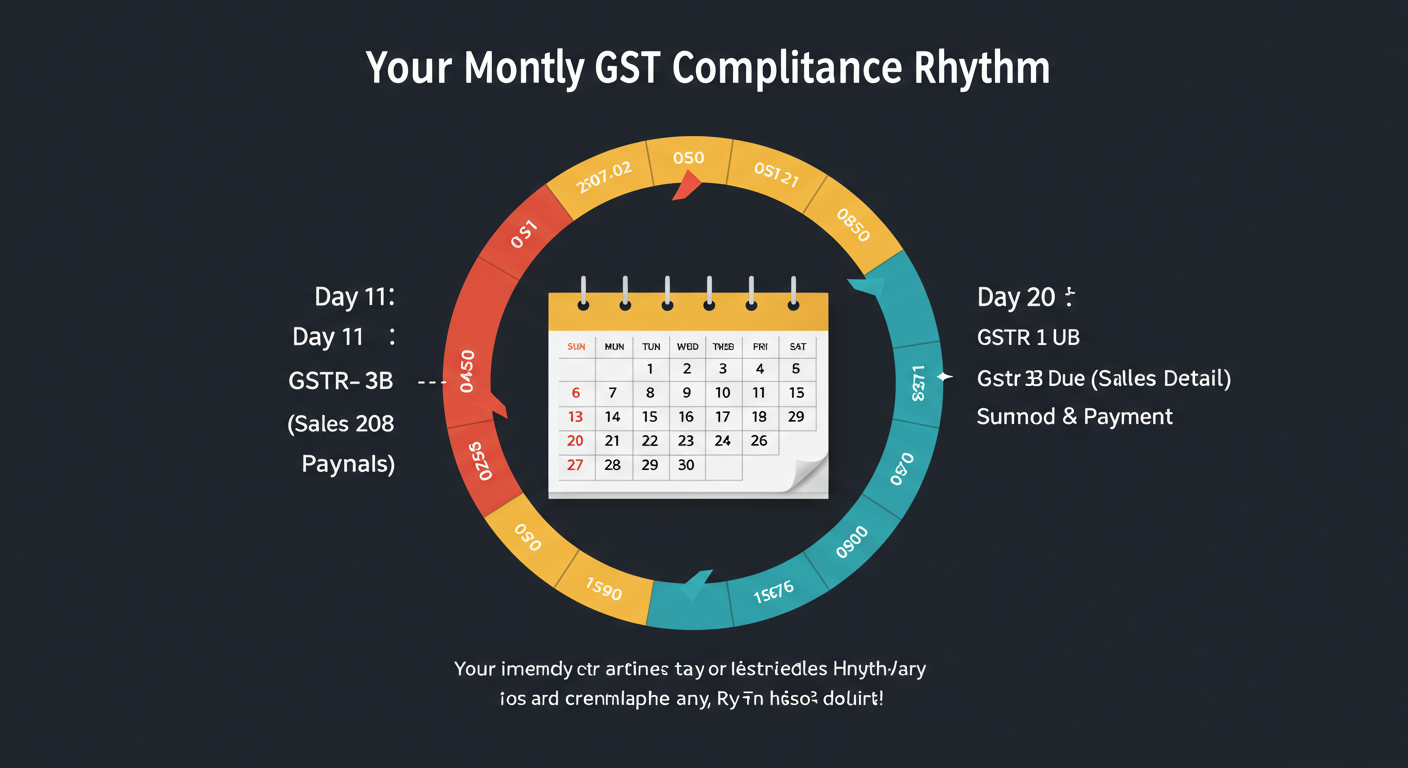
- Understand Your Filing Dates: This is non-negotiable. You will need to file monthly or quarterly returns (like GSTR-1 for sales and GSTR-3B for a summary and tax payment). Mark these dates on your calendar. Late fees are steep.
🎯 Key Takeaway
Getting a GSTIN is not a one-time task; it’s the start of a new business compliance responsibility. Your primary duties are to issue correct invoices, file your returns on time every month or quarter, and pay any tax due. Staying organized from day one is the secret to avoiding future penalties.
| Post-Registration Task | Why It’s Important | Expert Tip |
|---|---|---|
| Update Invoices | To legally charge and collect GST from your clients. | Use accounting software (like Zoho, Tally, or Quickbooks) to generate compliant invoices automatically. |
| File GSTR-1 & GSTR-3B | To report your sales and pay your tax liability to the government. This is mandatory. | Set a recurring calendar reminder for the 10th and 20th of every month. Don’t wait until the last day. |
| Maintain Records | You must keep records of all sales, purchases, and tax paid for at least 6 years. | Keep a dedicated folder on your cloud drive (Google Drive, Dropbox) for all GST-related documents. |
💡 Pro Tip
Based on hands-on testing of various tools, we recommend new proprietors start with a cloud-based accounting software from day one. It not only creates invoices but also helps track expenses for Input Tax Credit and can even help you file your returns directly. The small monthly cost pays for itself in saved time and avoided mistakes.
❓ Frequently Asked Questions
How long does the GST registration process take in 2026?
If your documents are clear and your Aadhaar e-KYC is successful, you can get your GSTIN in as little as 3-7 working days. However, if a tax officer raises a query, it can take an additional 7-10 days to resolve.
Is GST registration for a proprietorship free?
Yes, government registration on the official GST portal is completely free. You do not need to pay any government fees. However, if you hire a consultant, CA, or tax professional to handle the process for you, they will charge a professional fee for their service.
What happens if my application is rejected?
It’s rare for an application to be outright rejected without a chance to respond. More commonly, the officer will raise a query asking for clarification or a corrected document. You’ll get an email and will have a few days to log back into the portal, provide the requested information, and resubmit.
Can I use my home address for GST registration?
Absolutely. Many freelancers and consultants operate from home. You can use your home address as your principal place of business. Just be sure you have the correct documents: an electricity bill in the owner’s name and, if you’re a tenant, a rent agreement and an NOC from the landlord.
Do I need a separate bank account for my proprietorship?
While you can legally use your personal savings account, it’s highly discouraged. Opening a separate business current account in your business’s trade name is a critical best practice. It prevents financial confusion, simplifies accounting, and presents a more professional image to clients. Information on opening accounts can be found on most major bank websites or via the UIDAI website which details Aadhaar’s role in KYC.
Your Next Step to Becoming GST-Compliant
Getting your GST registration is a major milestone for any sole proprietor. It’s a sign that your business is growing and maturing. It opens doors to bigger clients and allows you to operate on a level playing field.
As we’ve shown, the process isn’t the monster it’s made out to be. It’s a logical, digital-first procedure that you can absolutely handle yourself.
Here’s your final action plan:
- Confirm your need: Check your turnover and business activities against the mandatory registration rules.
- Gather your documents: Use our checklist to get everything scanned and ready.
- Execute the plan: Follow our step-by-step guide on the official GST portal.
Don’t let paperwork intimidate you. Take it one step at a time, and you’ll have your GSTIN before you know it, ready to take your business to the next level.