Imagine this: It’s a Tuesday morning. You’re sipping your coffee, checking emails, and there it is—a notification from the GST portal. Your heart skips a beat. A mismatch. A potential demand. Panic sets in.
But here’s the thing—it doesn’t have to be a nightmare. In the complex world of Indian taxation, the government has actually given us a “get out of jail” card (well, sort of). It’s called Form DRC 03.
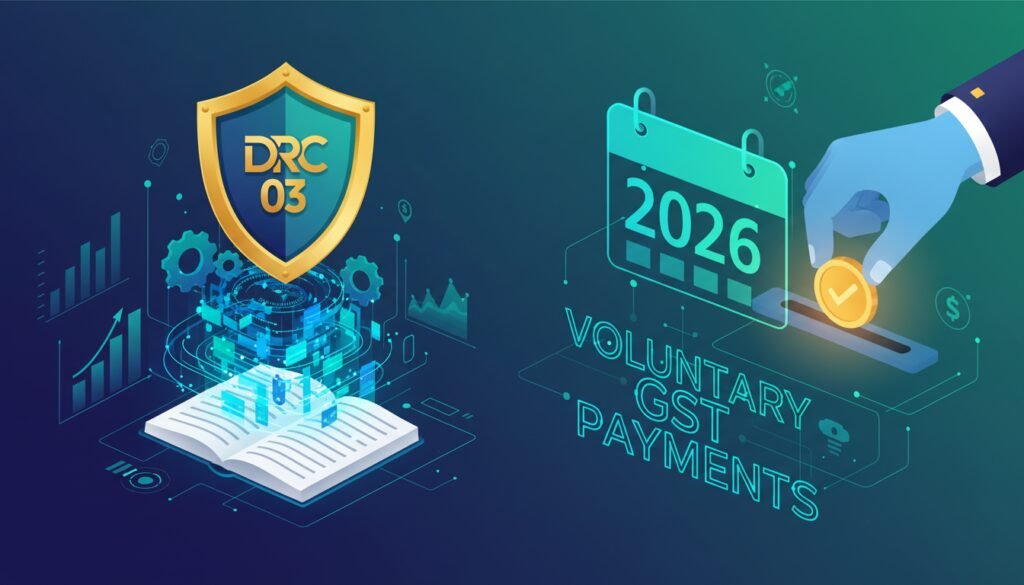
If you’re running a business in 2026, compliance isn’t just about filing GSTR-1 and 3B on time; it’s about how cleanly you fix the mistakes that inevitably happen. Whether you’ve discovered a calculation error on your own or you’re responding to a nudge from the tax officer, DRC 03 is your primary tool for making voluntary payments and keeping your ledger clean.
Yet, after years of consulting with businesses, I still see smart professionals getting this wrong. They pay under the wrong head, they use credit when they should use cash, or worse—they ignore the interest component entirely.
In this guide, we’re going to strip away the jargon. We’ll look at exactly how to use DRC 03 in 2026, the critical difference between Section 73 and 74, and the specific pitfalls that trigger audits. Let’s get your compliance sorted.
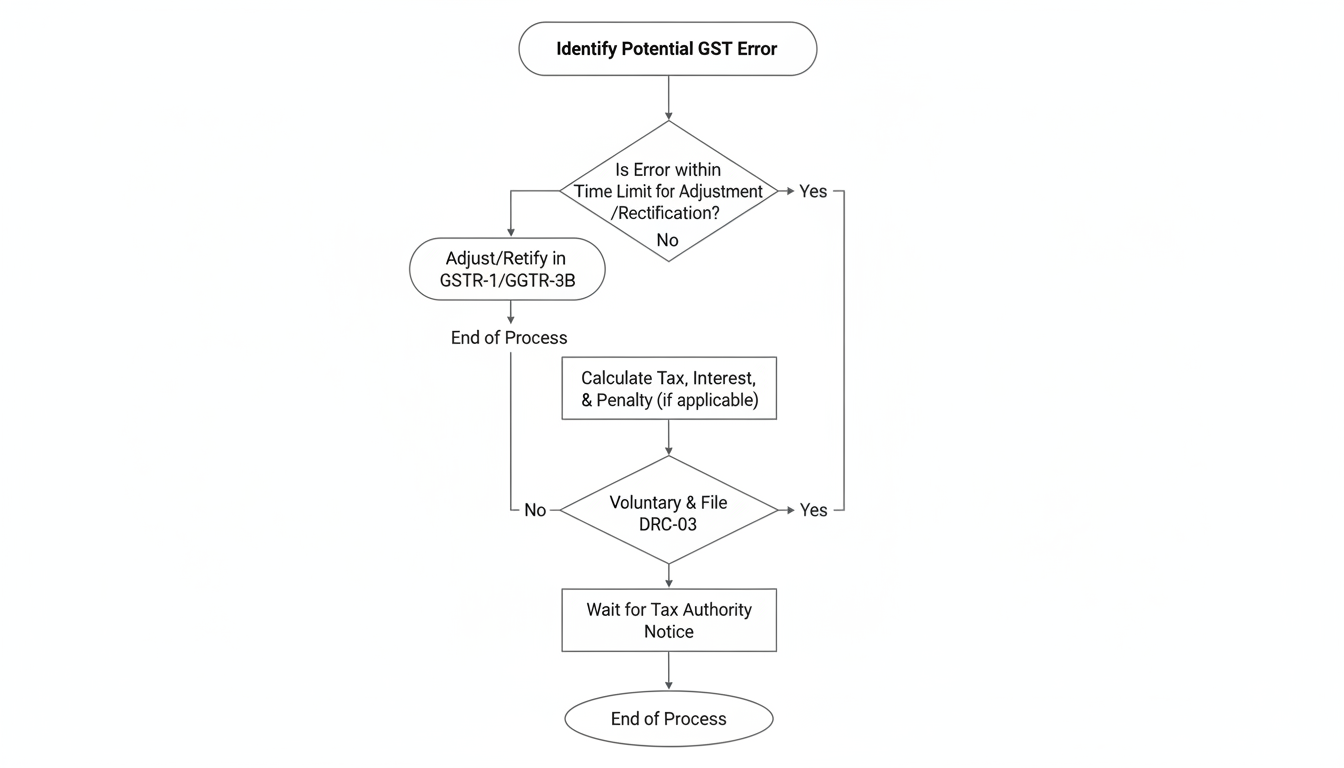
What is DRC 03 and Why Does It Matter?
At its simplest level, DRC 03 is an “intimation of voluntary payment.” Think of it as a formal letter to the tax department that says, “Hey, I found a mistake (or you pointed one out), and here is the money I owe you.”
The GST framework is built on the philosophy of self-assessment. The government wants you to police yourself. If you find an error—say, you forgot to declare an invoice from six months ago—you don’t need to wait for a notice. You can pay the tax plus interest immediately using this form.
Why is this vital in 2026? Because the automated scrutiny systems used by the Central Board of Indirect Taxes and Customs (CBIC) are smarter than ever. They cross-verify data between your GSTR-1, GSTR-3B, E-way bills, and even your Income Tax returns. If there’s a gap, they will find it. Filing DRC 03 proactively stops the snowball effect of penalties.
🎯 Key Takeaway
DRC 03 is not just a payment form; it is your legal shield. Using it to pay liabilities before a Show Cause Notice (SCN) is issued can save you from a 15% to 100% penalty, depending on the nature of the offense.
When Should You File Form DRC 03?
You don’t use this form for your regular monthly taxes—that’s what GSTR-3B is for. DRC 03 is for the exceptions. In our experience handling GST litigations, these are the four most common scenarios where this form saves the day:
- Voluntary Self-Correction: You’re doing an internal audit and realize you claimed Rs. 50,000 excess Input Tax Credit (ITC) last year. You reverse it here.
- Responding to an SCN: You received a Show Cause Notice under Section 73 or 74. You agree with the demand and want to close the chapter.
- Annual Return Reconciliation: You are filing GSTR-9 for FY 2025-26 and realize you underpaid tax by Rs. 10,000. Since the time to amend GSTR-3B has passed, DRC 03 is the only way to pay.
- Liability Mismatch: The portal flags a mismatch between your GSTR-1 (sales declared) and GSTR-3B (tax paid). You pay the difference here.
The Million Dollar Question: Cash or Credit Ledger?
This is where 60% of taxpayers mess up. Can you use your accumulated ITC balance to pay off a DRC 03 liability, or do you have to shell out hard cash?
The answer is: It depends on what you are paying.
If you are paying tax, you can generally use ITC. But if you are paying interest or penalties, your credit balance is useless. You must deposit cash.
Here is a quick reference table to keep you out of trouble:
| Component | Can be paid via Electronic Credit Ledger (ITC)? | Can be paid via Electronic Cash Ledger? |
|---|---|---|
| Tax Liability | ✅ Yes (Subject to rules) | ✅ Yes |
| Interest | ❌ NO | ✅ Yes |
| Penalty | ❌ NO | ✅ Yes |
| Late Fees | ❌ NO | ✅ Yes |
| Erroneous Refund Payback | ❌ NO (Usually preferred in Cash) | ✅ Yes |
💡 Pro Tip
Always check your Electronic Credit Ledger balance before initiating the form. If you intend to use ITC, ensure the balance is available under the correct head (CGST/SGST/IGST). You cannot cross-utilize CGST credit to pay SGST liability.
Section 73 vs. Section 74: The Penalty Trap
When you open the DRC 03 form, you have to select the section under which you are paying. This isn’t just a dropdown; it determines your financial liability.
Section 73 applies to non-fraud cases. Maybe you made a genuine calculation error.
Section 74 applies to fraud, suppression of facts, or willful misstatement. Basically, if the taxman thinks you tried to cheat.
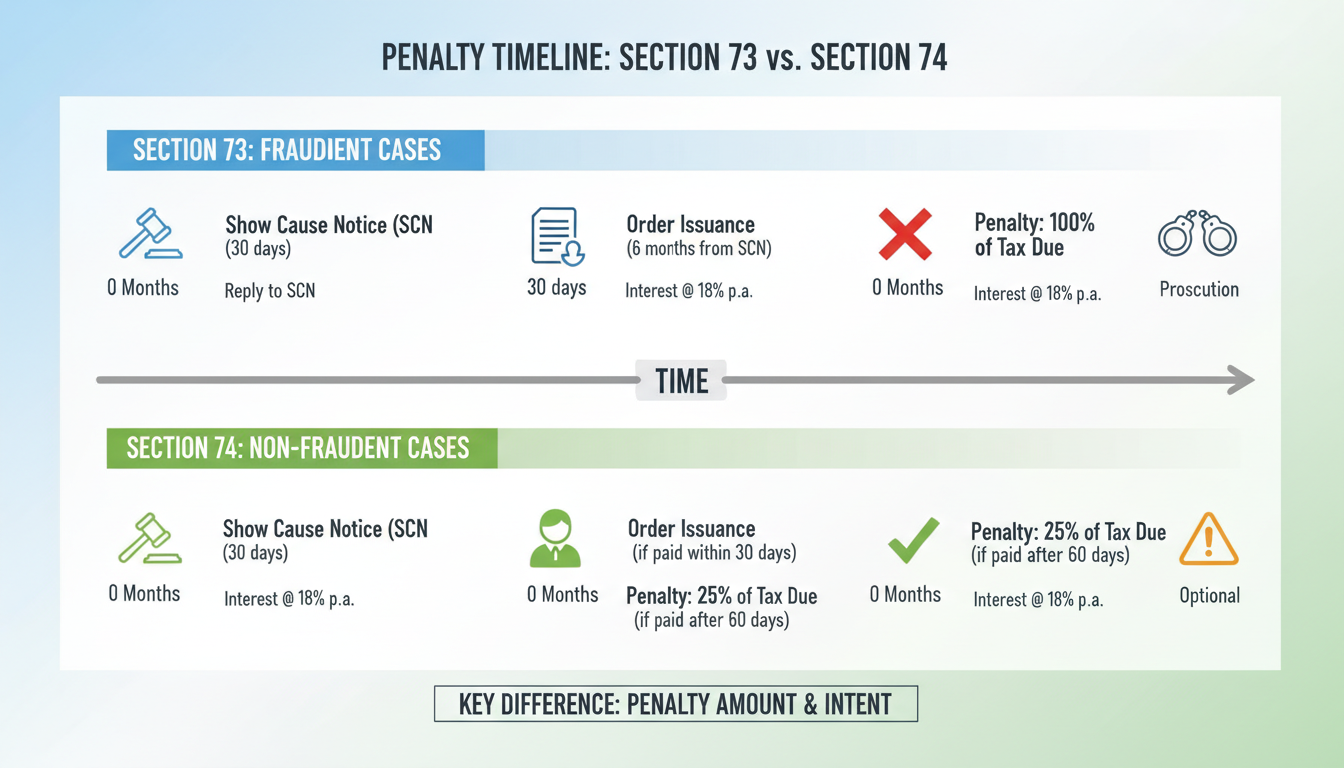
The timing of your payment via DRC 03 changes the penalty dramatically. Look at this comparison:
| Scenario | Penalty under Section 73 (Genuine Error) | Penalty under Section 74 (Fraud/Suppression) |
|---|---|---|
| Paid BEFORE Notice | No Penalty (0%) | 15% of Tax Amount |
| Paid within 30 days of Notice | No Penalty (0%) | 25% of Tax Amount |
| Paid within 30 days of Order | 10% of Tax or Rs. 10,000 (whichever is higher) | 50% of Tax Amount |
| Paid after 30 days of Order | 10% of Tax or Rs. 10,000 (whichever is higher) | 100% of Tax Amount |
See the difference? If you spot an error, paying it voluntarily under Section 73 before the department sends a notice costs you zero penalty. You only pay the tax and interest. This is why proactive reconciliation is non-negotiable in 2026. 7 Essential Steps for Income Tax Return Filing India: The 2024 Master Guide
Step-by-Step Guide to Filing DRC 03 Online
Ready to file? Let’s walk through the actual process on the GST portal. Keep your Digital Signature Certificate (DSC) or phone ready for the OTP. TDS Rate Chart FY 2025-26 India: A Comprehensive Guide for Small Businesses
- Log In: Go to www.gst.gov.in and log in.
- Navigate: Click on Services > User Services > My Applications.
- Initiate: In the ‘Application Type’ dropdown, select Intimation of Voluntary Payment – DRC 03 and click ‘New Application’.
- Select Cause: This is critical. Choose from:
- Voluntary: Self-discovered error.
- SCN: Responding to a notice (have the SCN number ready).
- Annual Return: Reconciliation differences.
- Reconciliation Statement: For GSTR-9C issues.
- Select Financial Year: Be careful here. If you are paying for an invoice dated March 2025, select FY 2024-25.
- Enter Details: Input the Section (73/74) and the amounts for Tax, Interest, and Penalty.
- Offset Liability: The system will show your cash and credit ledger balances. Enter the amount to be paid from each.
- File: Preview the draft, then file using DSC or EVC.
Once filed, the system generates an ARN (Application Reference Number) and a form labeled DRC 04 (Acknowledgement of Acceptance) is eventually issued by the officer.
⚠️ Watch Out
The “Cause of Payment” Trap: If you are paying against an SCN, do NOT select “Voluntary.” If you do, the system won’t link your payment to the SCN, and the demand will remain open in the officer’s dashboard. You’ll have paid the money, but the notice will still hang over your head.
Common Mistakes That Trigger Rejection
I’ve seen businesses pay lakhs of rupees via DRC 03, only to receive a demand notice later because they messed up the filing details. Don’t be that person.
1. Ignoring the Interest (18%)
Many taxpayers pay the principal tax amount and think they are done. They forget that under Section 50, interest is mandatory for delayed payments. If you don’t calculate and pay the interest (usually 18% p.a.) voluntarily, the department will send a notice for it later—and they might tack on a penalty for good measure.
2. Wrong Financial Year
GST is strictly year-based. If you pay a liability for FY 2024-25 but accidentally select FY 2025-26 in the dropdown, your liability for the previous year remains unpaid in the eyes of the system. Rectifying this requires tedious follow-ups with the jurisdictional officer.
3. Not Saving the ARN
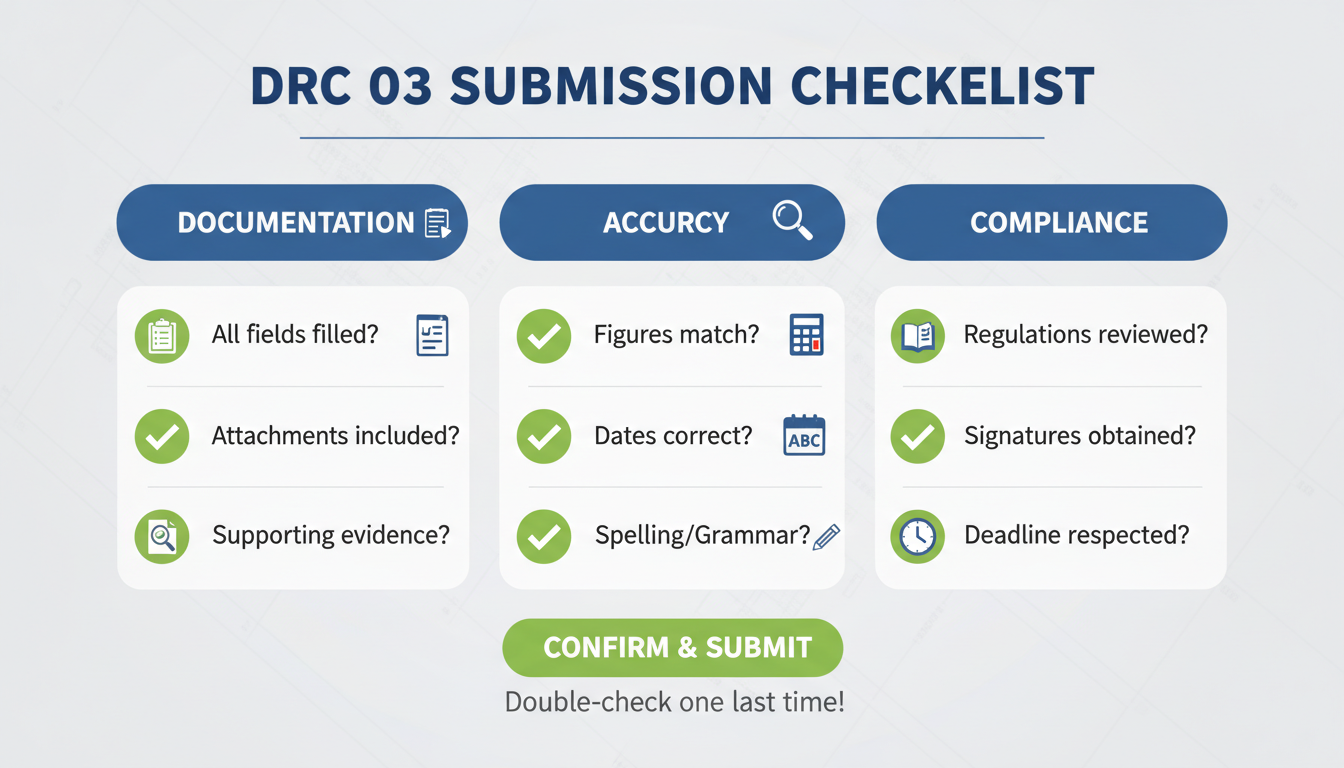
Always download the filed DRC 03 PDF and the ARN receipt immediately. The portal has a habit of archiving old data, and you will need this proof during future audits.
Conclusion
Form DRC 03 is a powerful mechanism in your GST toolkit. It bridges the gap between accidental non-compliance and legal adherence. It empowers you to fix mistakes proactively, reducing the burden of litigation and fostering a transparent tax environment.
In 2026, with data analytics driving tax enforcement, waiting for the department to find your errors is a dangerous game. Regular internal audits followed by voluntary DRC 03 filings are the hallmark of a healthy, compliant business.
Remember: The cost of compliance is always lower than the cost of non-compliance. If you are unsure about the legal section or the calculation, consult a qualified Chartered Accountant or tax professional. Don’t guess with government money.
❓ Frequently Asked Questions
Can I revise Form DRC 03 after filing?
No. Once filed, DRC 03 cannot be revised or amended on the portal. If you made a mistake (like selecting the wrong year), you typically have to file a fresh form or submit a written representation to your jurisdictional officer explaining the error.
Is there a time limit for filing DRC 03?
For voluntary payments, there is no deadline—you should file it as soon as you discover the error to minimize interest. However, if you are responding to a Show Cause Notice (SCN), you must usually file it within 30 days to avail of reduced penalties.
Can I use DRC 03 to pay liability declared in GSTR-1 but not GSTR-3B?
Yes. If you declared sales in GSTR-1 but forgot to pay the tax in GSTR-3B, this is a classic “Liability Mismatch.” You can use DRC 03 to pay this difference along with the applicable interest.
What happens if I pay tax but forget the interest?
The liability is considered only partially discharged. The GST system automatically calculates interest on delayed payments. If you skip it, you will likely receive a notice specifically demanding the interest portion, potentially complicating your compliance profile.
Do I need to attach any documents with DRC 03?
While not always mandatory, it is highly recommended to attach a working sheet or a reconciliation statement explaining how you arrived at the payment figure. This helps the tax officer understand your calculation and accept the payment faster.
For more detailed regulations, refer to the Institute of Chartered Accountants of India (ICAI) guidelines or the official GST Act provisions.