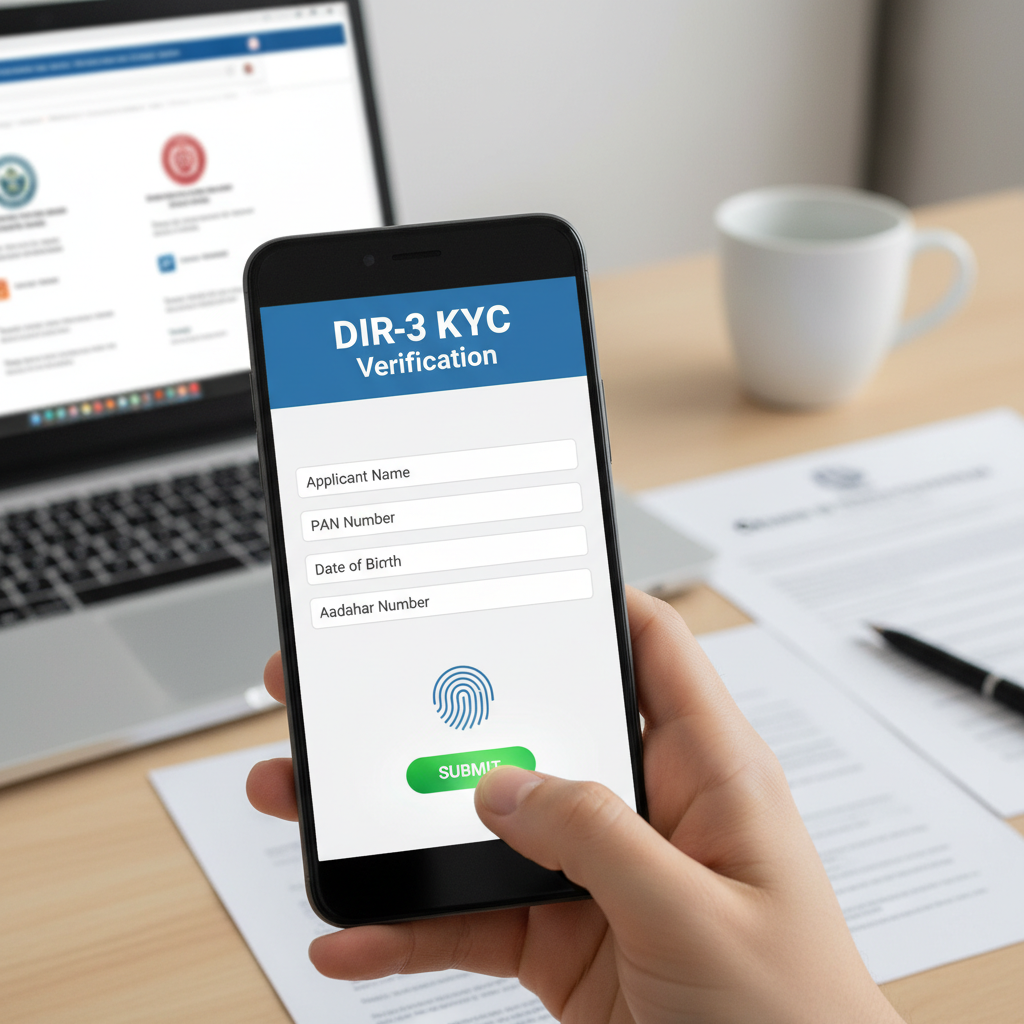
The email lands in your inbox. Subject: “Approval of SPICe+ form for [Your Company Name].” Your heart skips a beat. It’s real. Your company officially exists. But amidst the excitement, a crucial question pops up: “Where’s the actual certificate?”
That digital document, the Certificate of Incorporation (COI), is more than just a PDF. It’s your company’s birth certificate, its passport to the corporate world, and the key that unlocks everything from bank accounts to investor funding. Yet, navigating the government portal to get it can feel like a maze.
Forget the confusion. This isn’t just another dry tutorial. This is your definitive, battle-tested guide to executing a flawless Certificate of Incorporation download in 2026. We’ll walk you through the exact steps, troubleshoot the errors I’ve seen trip up countless founders, and reveal the critical compliance tasks you must tackle the moment that certificate is in your hands.
Let’s get it done.
What is a Certificate of Incorporation (Really)? Your Company’s Legal DNA
Think of your Certificate of Incorporation as your company’s legal DNA. It’s the official document issued by the Registrar of Companies (ROC) under India’s Ministry of Corporate Affairs (MCA) that irrefutably proves your business is a legitimate, registered entity under the Companies Act, 2013. It’s the moment your business transforms from an idea into a separate legal person.
This isn’t just paperwork. It’s a shield. It establishes limited liability, meaning you are not personally responsible for the company’s debts. But to wield its power, you need to understand its components. I’ve seen entrepreneurs glance over these details, only to face issues later.
Let’s break down its anatomy.
| Component | What It Is | Why It’s Mission-Critical |
|---|---|---|
| Company Name | The exact, approved name of your company. | This must match perfectly on all legal documents, bank accounts, and contracts. No typos, no variations. |
| Corporate Identity Number (CIN) | A unique 21-digit alphanumeric code. | This is your company’s Aadhaar or Social Security Number. You’ll use it for every single government filing and interaction. |
| Date of Incorporation | The official “birth date” of your company. | This date is the starting line for all your compliance deadlines, like appointing an auditor and holding your first board meeting. |
| PAN & TAN | Permanent Account Number & Tax Deduction Account Number. | These are automatically generated with the SPICe+ form and are essential for all tax-related matters, from filing returns to paying salaries. |
| Digital Signature of Registrar | The electronic signature and seal of the ROC. | This is what makes the downloaded PDF a legally binding document. It’s as valid as a physical stamp and signature. |
Why This Document is Your Business’s Golden Ticket
Getting your hands on the COI isn’t a box-ticking exercise; it’s the action that unlocks your business’s potential. From our experience guiding hundreds of startups, the inability to produce this one document can bring operations to a screeching halt. It’s the foundation for everything that follows.
- Unlocking Financial Operations: Try walking into a bank to open a corporate current account without a COI. It won’t happen. It’s the number one KYC (Know Your Customer) document banks require to verify your company’s existence.
- Building a Wall of Credibility: When you’re pitching to investors, applying for a loan, or bidding on a major contract, the first thing they’ll ask for is your incorporation document. It proves you’re not just a freelancer with a fancy website; you’re a serious, legally recognized entity.
- Securing Essential Licenses: Need a GST number? An Import Export Code (IEC)? A food license? The COI is the parent document for almost every other government registration. Without it, you can’t operate legally in most regulated sectors.
- Establishing Your Corporate Shield: This is the big one. The COI is the legal proof of the “corporate veil,” which separates your personal assets from the company’s liabilities. It’s what protects your home and savings if the business faces financial trouble.
💡 Pro Tip
Once you download your COI, immediately save it to a secure cloud folder (like Google Drive or Dropbox) and share it with your co-founders and company secretary. Don’t just leave it in your “Downloads” folder. Treat it like the digital crown jewels of your company.
The Official 2026 Guide: Certificate of Incorporation Download from MCA
The MCA has made things much simpler with its V3 portal, but it can still be a little intimidating if you don’t know where to click. Let’s walk through the process, step-by-step. No jargon, just a clear path to your document.
-
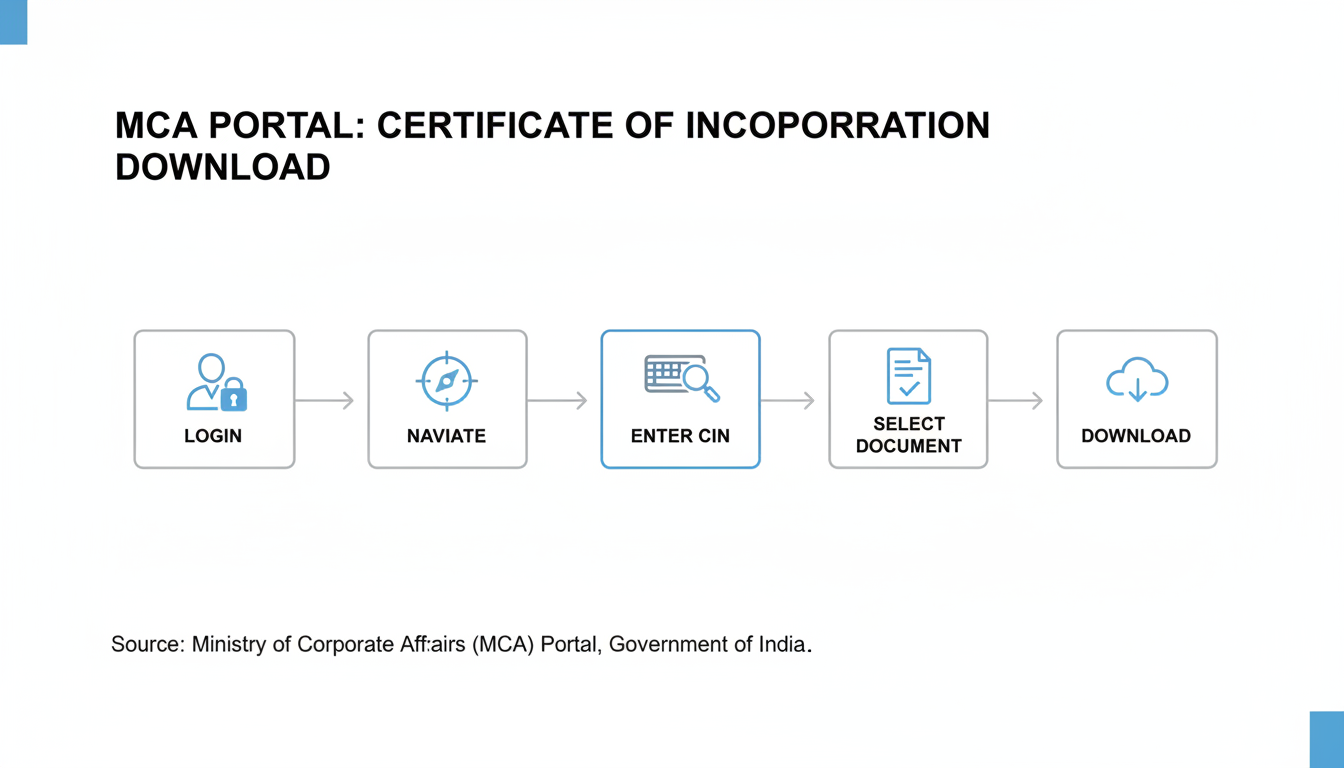
Step 1: Head to the Official MCA Portal
First things first. Open your browser and go directly to the Ministry of Corporate Affairs website. The official URL is
mca.gov.in. Trust me on this one, double-check the URL. There are phishing sites out there that look convincing. -
Step 2: Sign In to Your Account
In the top-right corner, you’ll see the ‘Sign in / Sign up’ button. You’ll need to log in with the same credentials used to file the incorporation forms (like SPICe+). This is typically the ID of a director or the professional (CA/CS) who handled the registration.
-
Step 3: Navigate to ‘MCA Services’ > ‘Document Related Services’
Once you’re logged in, find the main navigation menu. Hover over ‘MCA Services’. A large menu will appear. Look for the ‘Document Related Services’ column and click on ‘View Public Documents’. This is your gateway to the ROC’s public records.
-
Step 4: Enter Your Company’s CIN
This is the most important piece of information you’ll need. The system will prompt you to enter your company’s Corporate Identity Number (CIN). Enter the 21-digit code accurately and click ‘Submit’. If you don’t know your CIN, you can find it in the incorporation approval email or by using the ‘Find CIN/LLPIN’ service on the portal.
-
Step 5: Select, Pay, and Download Your COI
You’ll be taken to a document selection page. In the ‘Document Category’ dropdown, choose ‘Incorporation Documents’. A list will populate below. Find the ‘Certificate of Incorporation’ in this list, tick the checkbox next to it, and add it to your cart. You’ll need to pay a nominal fee (usually around ₹100) via the online payment gateway. As soon as the payment is confirmed, the download link will become active. Click it, and the digitally signed PDF is yours.
⚠️ Watch Out
The MCA portal session can time out quickly. Before you start, have your login details and CIN ready. If the payment fails or the page gets stuck, don’t panic and pay again immediately. Wait a few minutes, check your ‘My Workspace’ in the MCA portal to see if the document is already available for download. NGO Darpan Registration: Essential Guide for NGOs
🎯 Key Takeaway
Your Certificate of Incorporation is the single most important legal document for your new company. Knowing how to perform a quick Certificate of Incorporation download from the official MCA portal is a fundamental skill that empowers you to act swiftly on banking, licensing, and fundraising opportunities. 10 Essential Steps to Master GST Compliance for MSME in 2025
Troubleshooting Common Download Headaches
Even with a clear process, technology can have its moments. Based on hands-on testing and helping others, here are the most common roadblocks and how to smash through them. 7 Essential Steps to Master the GST Cancellation Process in India (2025 Guide)
“Help! I Can’t Find My CIN!”
It happens. The CIN is a long string of characters. If you can’t find it, don’t worry. On the MCA homepage, go to ‘MCA Services’ -> ‘Company Services’ -> ‘Find CIN/LLPIN’. You can search using your company’s registered name. Pro tip: The search is sensitive, so try a few variations if it doesn’t show up immediately.
“The Website is Glitching or the Download Failed!”
Government portals handle massive traffic. Glitches are inevitable. Before you get frustrated, run through this checklist:
- Clear Cache: Clear your browser’s cache and cookies. It’s the oldest trick in the book for a reason.
- Switch Browsers: If it’s not working on Chrome, try Firefox or Edge. Sometimes one browser plays nicer with the portal than another.
- Go Off-Peak: Try accessing the site late at night or early in the morning when traffic is lower.
- Check Your PDF Reader: The downloaded file is a digitally signed PDF. Ensure you have an updated version of Adobe Acrobat Reader to view the signature correctly.
| Symptom | Likely Cause | Quick Fix |
|---|---|---|
| Page not loading / “Error 503” | High server traffic or maintenance. | Wait 30 minutes and try again. Attempt during non-business hours. |
| Payment successful, but no download link | Lag between payment gateway and MCA portal. | Go to your MCA dashboard (‘My Workspace’) and check for the document there. Do not repay. |
| Downloaded PDF shows “Invalid Signature” | Outdated PDF reader or certificate trust issue. | Update Adobe Reader. Right-click the signature and select ‘Validate Signature’ and ‘Trust’. |
⚠️ Watch Out
Found a typo on your COI? This is a serious issue. You cannot just “ask for a new one.” You must file a formal application with the ROC for rectification. This is a legal process, and it’s highly recommended to engage a Company Secretary (CS) or Chartered Accountant (CA) to handle it correctly to avoid future legal complications.
You’ve Got the Certificate. Now What? The Critical First 90 Days
The Certificate of Incorporation download is the starting pistol, not the finish line. The clock is now ticking on several mandatory post-incorporation compliances. Neglecting these can lead to hefty penalties and operational roadblocks. Here’s your immediate action plan.
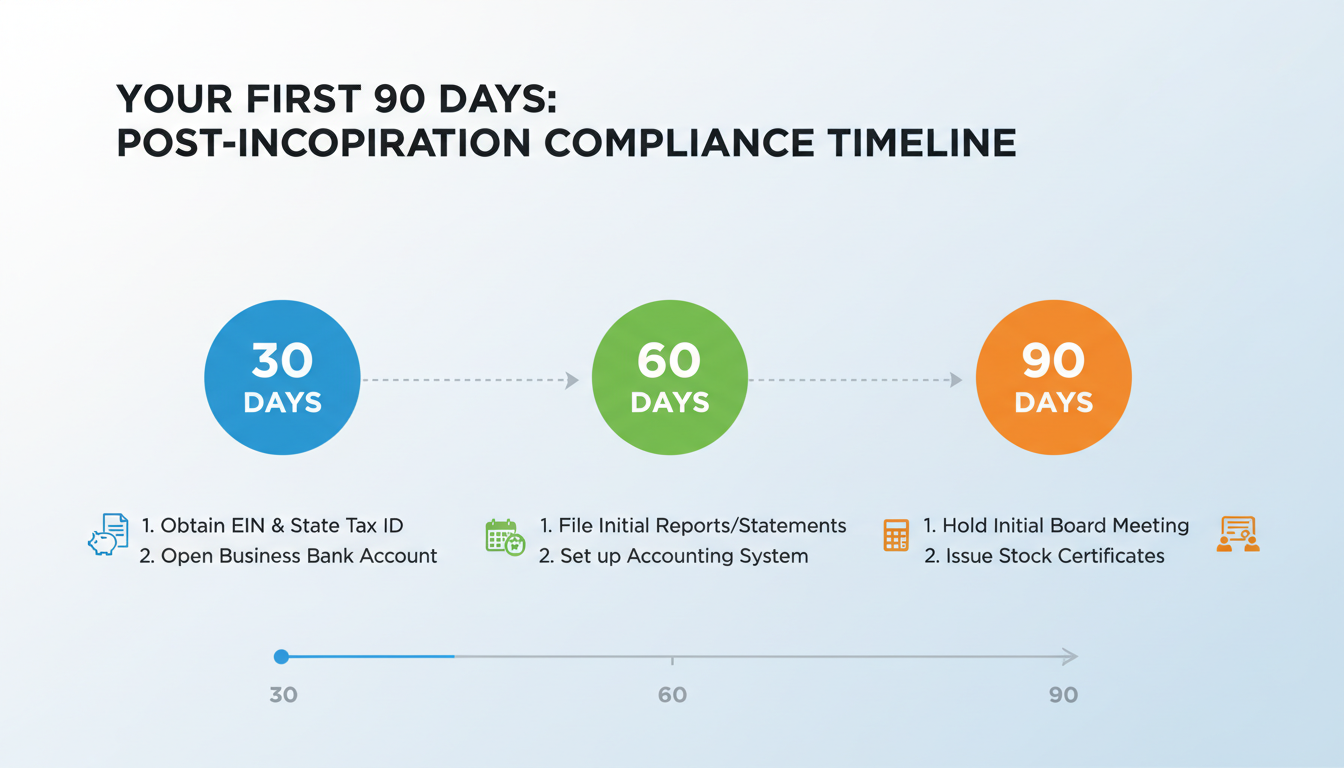
Within 30 Days:
- Hold the First Board Meeting: You must convene the first meeting of your company’s Board of Directors. Key agendas include formally appointing the first auditor.
- Appoint the First Statutory Auditor: A practicing Chartered Accountant must be appointed as the company’s first auditor. This is a non-negotiable legal requirement.
- Open a Corporate Bank Account: Take your COI, MOA, AOA, and the board resolution for opening the account to the bank of your choice.
Within 60 Days:
- Deposit Share Capital: The initial subscribers to the Memorandum must deposit their share subscription money into the new corporate bank account.
- Issue Share Certificates: The company must issue formal share certificates to all shareholders as proof of their ownership.
Within 180 Days:
- File for Commencement of Business: You must file e-Form INC-20A with the ROC, declaring that the share capital has been received. According to Startup India’s compliance guidelines, you cannot legally commence business operations or borrow money until this is filed.
💡 Pro Tip
Document everything. Create a dedicated folder for all compliance documents: board meeting minutes, auditor appointment letters, bank statements showing capital injection, etc. This discipline will save you immense stress during your first annual filing and any due diligence process.
Conclusion: Your Gateway to the Corporate World
Your Certificate of Incorporation is far more than a formality. It’s the foundational document that legitimizes your vision and empowers your business to operate, grow, and thrive in the professional world. By mastering the simple process of the Certificate of Incorporation download, you take the first confident step as a compliant and savvy business owner.
You now have the knowledge to not only secure this vital document but also to anticipate the critical next steps. You’ve moved beyond the “what” and “how” and are now prepared for “what’s next.” So go ahead, download that certificate, and get ready to build your empire. The journey has just begun.
❓ Frequently Asked Questions
How long does it take to get a Certificate of Incorporation in 2026?
Thanks to the streamlined SPICe+ (Simplified Proforma for Incorporating Company electronically) process, it’s faster than ever. Once you’ve correctly submitted all documents and they are approved by the Central Registration Centre (CRC), you can typically expect the COI to be emailed to you within 3-5 working days.
Is a digitally downloaded COI legally valid for all purposes?
Yes, 100%. The COI downloaded from the MCA portal is digitally signed by the Registrar of Companies. This digital signature holds the same legal weight as a physical one. It is accepted by all banks, government agencies, and legal authorities across India.
What’s the difference between a COI and the Commencement of Business certificate?
Think of it this way: The COI is the birth certificate—it proves the company exists. The Certificate of Commencement of Business (obtained by filing Form INC-20A) is like a driver’s license—it proves the company is ready and legally allowed to start its business operations and take on debt. You need the first to get the second.
Can I download the Certificate of Incorporation for any company?
Yes. The COI is a public document. As long as you have the correct CIN of any company registered in India, you can use the ‘View Public Documents’ service on the MCA portal, pay the nominal fee, and download their Certificate of Incorporation. This is often done during due diligence checks.
I lost my COI file. What’s the process to get a new one?
There’s no need to panic! That’s the beauty of the digital system. There’s no concept of a single “original” anymore. If you lose the file, you can simply follow the exact 5-step guide in this article to perform a new Certificate of Incorporation download anytime you need a fresh, legally valid copy.