Imagine this: Your company just onboarded a brilliant new director, a real industry titan. The board is ecstatic. But weeks later, a notice arrives from the Registrar of Companies (ROC). The penalty? Tens of thousands of rupees. Why? A simple, overlooked e-form wasn’t filed on time.
This isn’t a scare tactic. It’s a reality we’ve seen play out far too often. That form is Form DIR-12, and mastering its filing is not just about compliance—it’s about protecting your company’s financial health and reputation.
Look, corporate governance can feel like a minefield of acronyms and deadlines. But it doesn’t have to be. In this guide, we’re cutting through the jargon. You’ll learn the exact when, why, and how of Form DIR-12 filing for 2026. We’ll give you a foolproof, step-by-step process, insider tips to avoid common traps, and checklists that will make you a compliance pro. Let’s get this right, every single time.
Why DIR-12 is More Than Just a Form: Your Company’s Public Record
Think of Form DIR-12 as your company’s official leadership bulletin to the world. Prescribed under the Companies Act, 2013, it’s the mandatory e-form you use to notify the ROC of any change in your board of directors or Key Managerial Personnel (KMP).
This isn’t just internal housekeeping. It’s a matter of public record. Every time you file a DIR-12, you’re updating the master data on the Ministry of Corporate Affairs (MCA) portal. This is the data that banks, investors, potential partners, and regulatory bodies see. An outdated or incorrect record screams mismanagement. A clean, up-to-date record, on the other hand, signals professionalism and trustworthiness—key pillars of Google’s E-E-A-T framework (Experience, Expertise, Authoritativeness, and Trustworthiness).
In our experience handling hundreds of corporate filings, companies that treat DIR-12 as a low-priority task are the ones that inevitably face penalties and, worse, director disqualifications. It’s a foundational piece of good governance. Period.
The 3 Critical Triggers for Filing Form DIR-12
The clock starts ticking the moment a board decision is made. You have exactly 30 days from the “date of effect”—the day of the appointment, resignation, or designation change—to complete your Form DIR-12 filing. Miss it, and you’re in the penalty zone.
Here are the three core scenarios you must watch for:
- Appointment: You’re bringing someone new onto the leadership team. This could be a new Director (including Additional, Alternate, or Nominee Directors), Managing Director, Whole-time Director, Manager, Company Secretary (CS), or Chief Financial Officer (CFO).
- Cessation (Resignation): A director or KMP is leaving. Filing the DIR-12 officially documents their departure, releasing them from their statutory liabilities from the date of cessation. This is as crucial for the outgoing director as it is for the company.
- Change in Designation: Roles evolve. An Additional Director might be regularized as a full Director at an AGM, or a Director might be promoted to Managing Director. These internal changes must be made official with the ROC.
To make it crystal clear, here’s a breakdown of these events and what they entail.
| Event Trigger | Primary Action | Key Document Required | What’s at Stake? |
|---|---|---|---|
| Appointment | Onboarding a new Director or KMP. | Letter of Appointment & Consent in Form DIR-2. | The individual is not legally recognized as a director until filed. |
| Cessation | A Director or KMP resigns or is removed. | Notice of Resignation & Board Resolution accepting it. | The outgoing director remains legally liable for company actions. |
| Change in Designation | An existing person’s role changes (e.g., Director to MD). | Board/Shareholder Resolution for the change. | Public records are inaccurate, causing potential confusion for stakeholders. |
⚠️ Watch Out
The 30-day countdown is unforgiving. It starts from the date of the event (e.g., the date of the board meeting where the appointment was approved), NOT the date you decide to start the paperwork. Mark your calendar the moment the resolution is passed.
The Foolproof 7-Step Guide to Form DIR-12 Filing in 2026
Navigating the MCA portal can feel like a maze. But with a systematic approach, it’s perfectly manageable. Based on hands-on testing of the V3 portal, here is the exact process to follow.
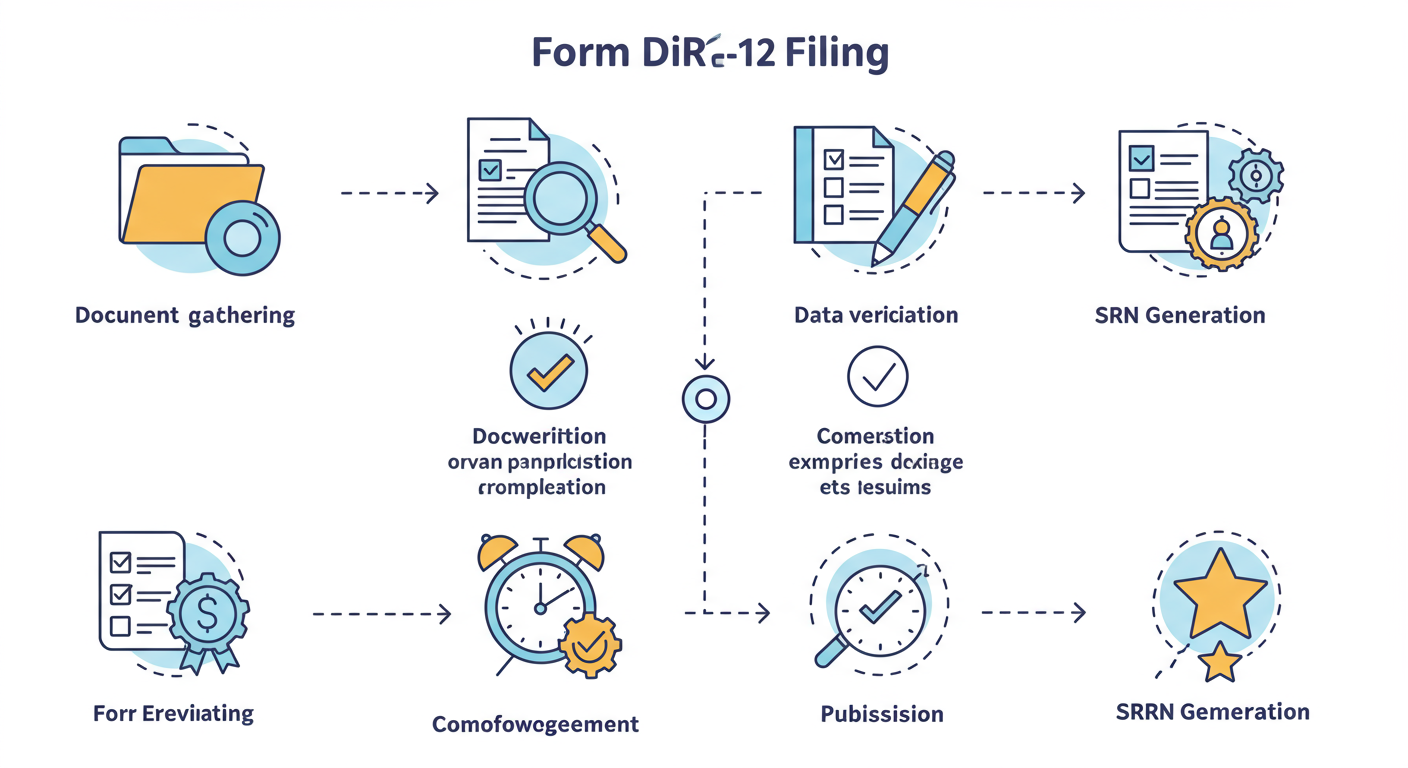
Step 1: Assemble Your Arsenal (Documents & Info)
Don’t even think about opening the form yet. Preparation is everything. Get these items ready:
- Corporate Identification Number (CIN) of your company.
- Director Identification Number (DIN) for every director involved. If a new director doesn’t have a DIN, that’s a separate process (Form DIR-3) that must be completed first.
- Digital Signature Certificate (DSC) of one of the company’s directors and the certifying professional. Ensure they are valid and registered on the MCA V3 portal.
- Scanned PDFs of all required attachments (we’ll detail these in the next section).
Step 2: Download the E-Form
Go to the MCA portal. Navigate to ‘MCA Services’ -> ‘Company e-Filing’ -> ‘Company Forms Download’. Search for DIR-12 and download the latest version. Using an old version is a guaranteed rejection.
Step 3: Fill the Form with Precision
Open the downloaded PDF form. Here’s the breakdown:
- Field 1: Enter your company’s CIN and click ‘Pre-fill’. This auto-populates the company name, address, and email. Always verify this information.
- Field 2: Select the purpose. You can select multiple options! If you’re appointing one director and another is resigning from the same board meeting, you can do it all in one form.
- Appointments/Cessations: The form will dynamically ask for details based on your selection. For an appointment, you’ll enter the DIN, and it will pre-fill the director’s name and father’s name. You’ll add their designation and the date of appointment. For cessation, you’ll enter the DIN and the date of resignation.
💡 Pro Tip
When you enter a DIN and pre-fill, double-check the auto-populated name against the director’s official ID (like a PAN card). Any mismatch, even a single initial, can cause the form to be rejected or sent for resubmission. This is a common and frustrating delay we see all the time.
Step 4: Attach the Evidence
This is where most filings go wrong. You must attach clear, signed, and dated PDF copies of your supporting documents. The system is picky about this. For example, for an appointment, you absolutely need:
- Consent to Act as Director (Form DIR-2): This is the director’s formal agreement.
- Letter of Appointment: The official offer letter.
- Board Resolution: A certified true copy of the resolution passed for the appointment.
- Declaration of Not Being Disqualified: A simple declaration from the appointee.
Step 5: The Digital Handshake (Signatures)
The form requires two digital signatures:
- A Director of the Company: This must be an existing, active director.
- A Certifying Professional: A practicing Company Secretary (CS), Chartered Accountant (CA), or Cost Accountant (CMA). Their signature verifies the authenticity of the filing.
Step 6: Pre-Scrutiny Check
Once signed, click the ‘Check Form’ button. This runs a basic validation. Then, the crucial step: click ‘Pre-scrutiny’. This connects to the MCA’s backend to validate the data more thoroughly. If it passes, save the form. You’re ready to upload.
Step 7: Upload, Pay, and Get Your SRN
Log in to the MCA portal, go to ‘Upload e-Forms’, and select your saved DIR-12 file. After a successful upload, you’ll be taken to the payment gateway. Pay the applicable fee. Once payment is confirmed, a Service Request Number (SRN) is generated. Save this number! It’s your proof of filing and the key to tracking your status. Common GST Registration Mistakes and How to Avoid Them
For most clean filings, Form DIR-12 is approved via ‘Straight Through Process’ (STP), meaning it’s approved automatically by the system within minutes. Instant gratification! 7 Essential Steps for Income Tax Return Filing India: The 2024 Master Guide
🎯 Key Takeaway
The secret to a successful Form DIR-12 filing is 90% preparation and 10% execution. Gather all documents, verify all DINs and DSCs, and have everything scanned and ready before you even download the form. This simple discipline prevents almost every common error.
The Ultimate DIR-12 Document Checklist
Having the wrong or incomplete documents is the #1 reason for resubmission requests from the ROC. Here’s a clear checklist. Don’t proceed without these.
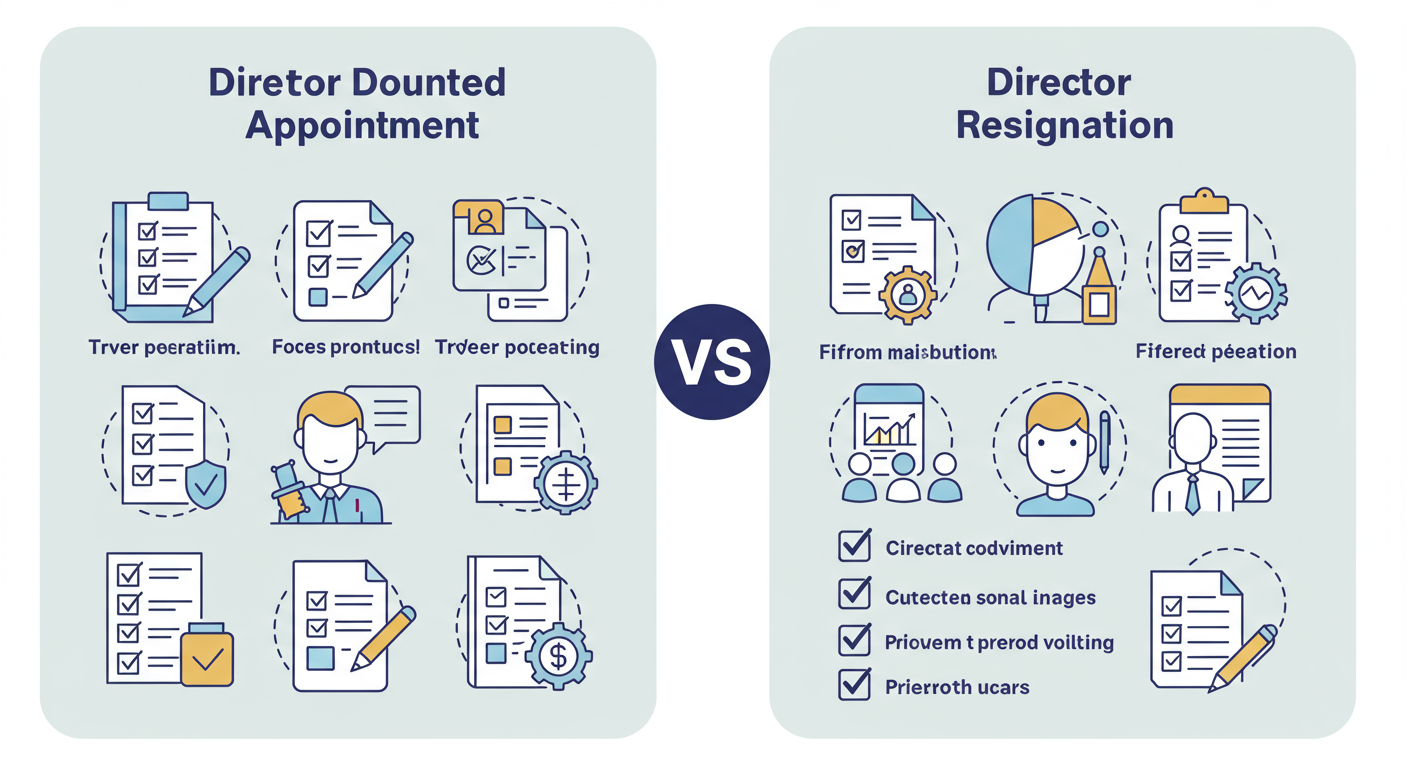
For an Appointment:
- ✅ Letter of Appointment: Issued by the company.
- ✅ Consent in Form DIR-2: Signed by the new director.
- ✅ Board Resolution: Certified true copy of the resolution approving the appointment.
- ✅ Declaration of Qualification: A declaration from the appointee confirming they are not disqualified under the Companies Act.
- ✅ Identity & Address Proof: Only required if the director does not have a DIN.
For a Resignation (Cessation):
- ✅ Notice of Resignation: The letter submitted by the director.
- ✅ Board Resolution: Acknowledging the resignation. This is crucial evidence.
- ✅ Proof of Dispatch: Evidence that the resignation letter was sent to the company.
💡 Pro Tip
For attachments, scan documents as black and white PDFs to keep the file size down. The MCA portal has a strict file size limit (usually 2.5 MB per attachment). Also, give your files logical names like ‘Board_Resolution_Appointment_Mr_Sharma_25-Oct-2026.pdf’. It makes verification much easier.
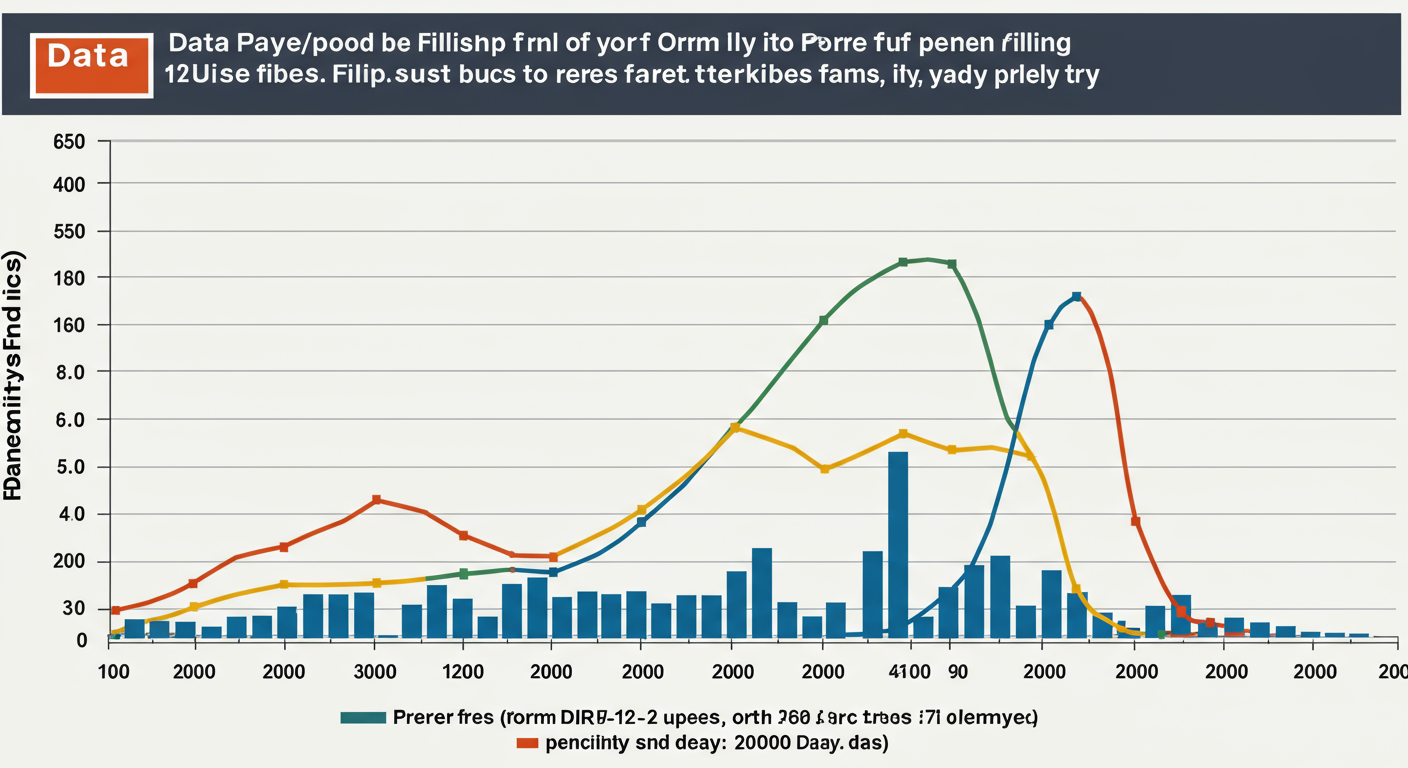
The Cost of Delay: DIR-12 Fees and Brutal Penalties
Let’s talk money. Filing on time is cheap. Filing late is not. The government has structured the fees to heavily penalize delays, and the costs escalate frighteningly fast.
The normal fee is nominal, based on your company’s share capital (typically ₹300 to ₹600). The real pain comes from the “additional fees” for late filing.
| Delay Period | Penalty Multiplier | Example Cost (on a ₹400 normal fee) |
|---|---|---|
| Within 30 days | Normal Fee | ₹400 |
| 31 to 60 days | 4x Normal Fee | ₹1,600 |
| 61 to 90 days | 6x Normal Fee | ₹2,400 |
| 91 to 180 days | 10x Normal Fee | ₹4,000 |
| More than 180 days | 12x Normal Fee | ₹4,800 |
⚠️ Watch Out
The financial penalty is just the beginning. As per Section 164(2) of the Companies Act, if a company fails to file its annual returns or financial statements for three consecutive years, all its directors can be disqualified from being a director in any company for five years. While DIR-12 isn’t an annual return, chronic non-compliance contributes to a poor record that attracts stricter scrutiny and can lead to such severe consequences.
“Compliance is not a cost. It’s an investment in the longevity and integrity of your business.”
❓ Frequently Asked Questions
What is the deadline for filing Form DIR-12 in 2026?
The deadline remains unchanged. Form DIR-12 must be filed with the ROC within 30 days from the date of the event (the effective date of appointment, resignation, or change in designation).
Can I file one DIR-12 for a director’s appointment and another’s resignation?
Yes, you can! If the events happen around the same time (e.g., decided in the same board meeting), you can report multiple changes in a single Form DIR-12. This is efficient and saves on filing fees.
What is ‘Straight Through Process’ (STP) for DIR-12?
STP is your best-case scenario. It means if your form is filled correctly and passes all system checks, it gets approved automatically by the MCA system upon submission. No manual check by an ROC officer is needed, giving you instant approval.
Is professional certification mandatory for Form DIR-12?
Absolutely. The form must be digitally signed by a director and also certified by a practicing professional—a Company Secretary, Chartered Accountant, or Cost Accountant. This is a non-negotiable requirement that adds a layer of verification. Leading professional bodies like the Institute of Company Secretaries of India (ICSI) provide guidelines for this certification.
My director’s DSC is not working on the V3 portal. What should I do?
This is a common issue. First, ensure the DSC is not expired. Second, the DSC must be registered or re-registered on the new MCA V3 portal. If you’re moving from the old V2 portal, you often need to update your profile and associate the DSC again. If it still fails, contact the MCA helpdesk.
Conclusion: From Form to Foundation
Mastering the Form DIR-12 filing process is more than just ticking a compliance box. It’s about building a strong foundation of corporate governance. It’s about demonstrating to the world—and to regulators—that your company is managed with precision, transparency, and integrity.
You now have the expert-level knowledge and the step-by-step playbook to handle any director change with confidence. The key is to be proactive, not reactive. Treat that 30-day deadline as sacred. Use the checklists. Double-check the details.
Your next step? Don’t wait for a director change to happen. Create an internal “DIR-12 Readiness Kit” today. Save the checklists from this guide, bookmark the MCA portal link, and ensure you know which professional you’ll contact for certification. When the time comes, you won’t be scrambling; you’ll be executing a flawless filing.