That email just landed. The subject line reads: “Intimation u/s 143(1)…” You download the attached PDF, click to open it, and… you hit a wall. A password prompt. What is it? You try your e-filing login, your birthday, your name. Nothing works.
That tiny moment of frustration is universal. But here’s the good news: unlocking that document is incredibly simple once you know the secret handshake. It’s not a password you ever set; it’s a standardized formula designed to protect your most sensitive financial data.
This isn’t just another guide. By the time you’re done reading, you’ll not only know the exact password formula but also understand why it’s protected, how to troubleshoot any issues like a pro, and what to do with the information once you’ve finally unlocked it. Let’s get that file open.
First, Why Is Your ITR Intimation Locked Anyway?
Before we get to the password itself, let’s address the “why.” It’s easy to see it as an annoyance, but this password protection is a critical security feature. Think about what’s inside that PDF:
- Your full name, address, and PAN.
- A detailed breakdown of your declared income from all sources.
- The deductions and exemptions you’ve claimed.
- The final tax calculation as verified by the Income Tax Department.
- Crucially, it states whether you’re getting a refund, owe more tax (a demand notice), or if everything is settled.
This is a goldmine of personal financial information. Leaving it unprotected would be like leaving your bank statements on a public bench. The password ensures that only you, the person with access to both your PAN and your date of birth, can view it. It’s a simple but effective first line of defense against identity theft and fraud, aligning with data privacy principles outlined in regulations like India’s Digital Personal Data Protection Act.
The Universal Password Formula: Your “Aha!” Moment
Alright, let’s cut to the chase. The password to open your ITR intimation PDF is a simple, non-negotiable formula. No variations, no exceptions.
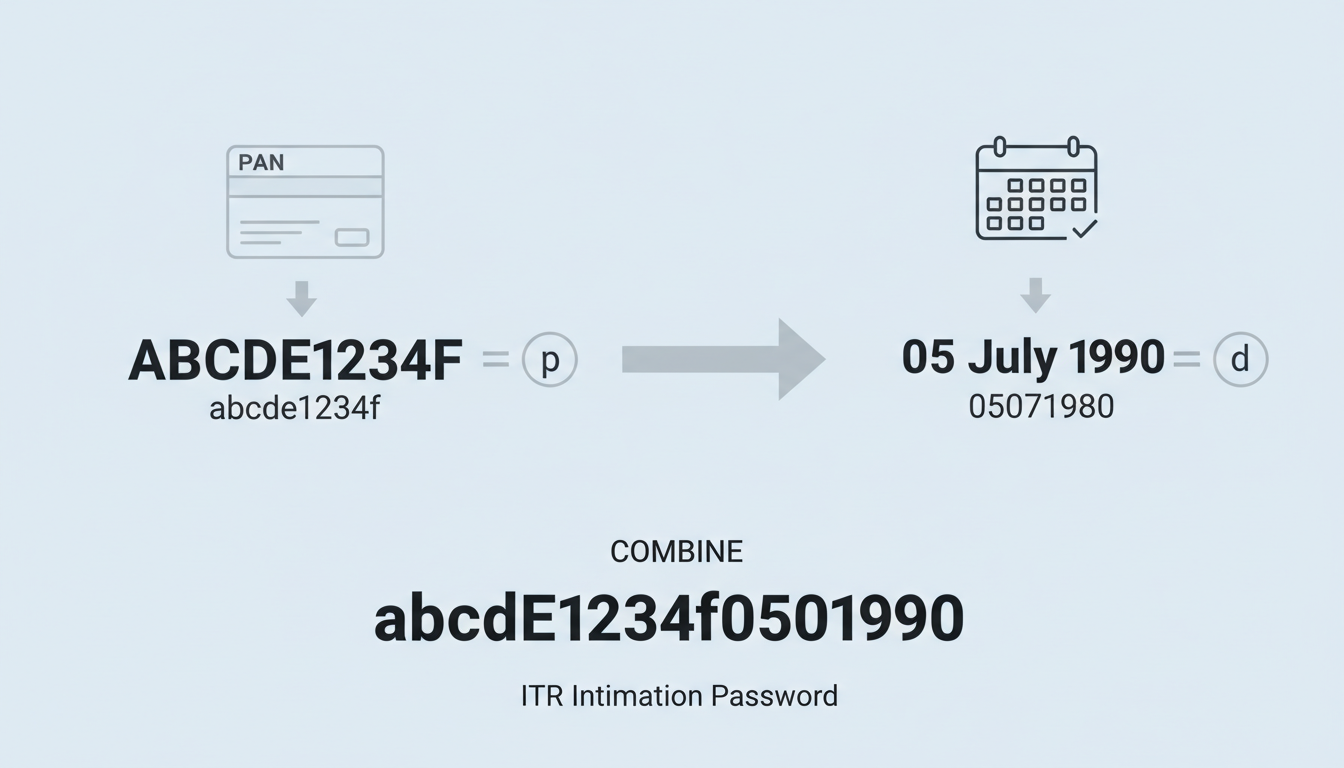
The Formula: Your 10-digit PAN in lowercase + Your Date of Birth in DDMMYYYY format.
That’s it. One continuous string of characters. No spaces. No special symbols. No capital letters.
Let’s see it in action. Suppose your details are:
- PAN:
ABCDE1234F - Date of Birth:
05 July 1990(i.e., 05-07-1990)
Your password would be: abcde1234f05071990
I’ve seen this trip up thousands of people. The two most common failure points are using a capital letter in the PAN or using the wrong date format. To make it crystal clear, here’s a breakdown of what works and what absolutely doesn’t.
| Attempt (The Wrong Way) | Reason for Failure | The Correct Format |
|---|---|---|
ABCDE1234F05071990 |
PAN is in uppercase. | abcde1234f05071990 |
abcde1234f 05071990 |
Contains a space. | |
abcde1234f05-07-1990 |
Date format uses hyphens. | |
abcde1234f05/07/1990 |
Date format uses slashes. |
🎯 Key Takeaway
Your ITR intimation password is your PAN in all lowercase letters, immediately followed by your date of birth as an 8-digit number (DDMMYYYY). There are no spaces or special characters. This single formula unlocks your tax notice every time.
Your 5-Step Protocol to Open the ITR Intimation PDF
Now that you have the key, let’s walk through the process. It should take you less than a minute.
- Securely Download the PDF: Open the email from the Income Tax Department (the sender is typically
donotreply@incometax.gov.in). Find the PDF attachment and download it to a secure location on your device. - Launch the File: Open the downloaded PDF using a reliable reader like Adobe Acrobat Reader, or even directly in your web browser (like Chrome or Firefox). You’ll be greeted by the password prompt.
- Enter the Password with Precision: This is the moment of truth. Carefully type your PAN in lowercase. Immediately after the last character of your PAN, type your 8-digit date of birth (DDMMYYYY). Double-check it for typos before hitting enter.
- Click ‘Submit’ or ‘Open’: Press the confirmation button. If the details are correct, the document will instantly unlock, revealing your intimation notice. Success!
- Save an Unsecured Version (Optional but Recommended): For easier future access, you can save a password-free copy. In most PDF readers, go to File > Print, and in the printer selection dialog, choose “Save as PDF” or “Microsoft Print to PDF”. This creates a new, unlocked version.
⚠️ Watch Out
If you save an unsecured copy of your intimation notice, be absolutely sure to store it in a private, secure folder. Never save it on a public or shared computer’s desktop. This unlocked file contains highly sensitive financial data.
Troubleshooting: When the Password Still Fails
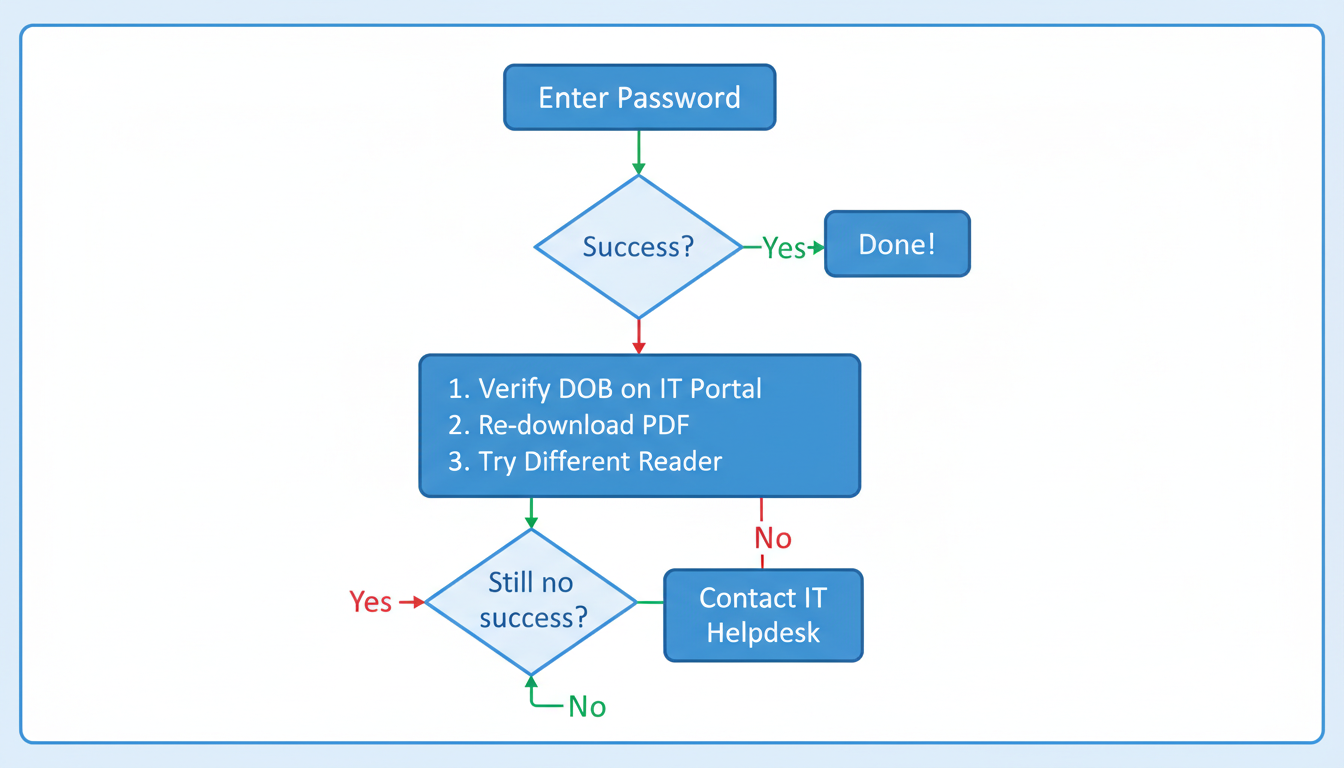
You’ve followed the formula to the letter, but the “Incorrect Password” message mocks you. It’s rare, but it happens. Don’t panic. Based on hands-on testing and real-world cases, the issue is almost always one of these things.
Work through this checklist before contacting support. Filing DPT-3 Form (MCA): Return of Deposits Guide
| Symptom | Likely Cause | Solution |
|---|---|---|
| Password fails repeatedly. | Data Mismatch. The DOB you’re using might not be the one registered with the Income Tax Department. | Log in to the official Income Tax e-filing portal. Go to ‘My Profile’ and verify the exact Date of Birth on their records. Use that one. |
| The file seems to glitch or won’t open properly. | Corrupted Download. The file may not have downloaded completely or correctly. | Delete the PDF from your device. Go back to the original email and download the attachment again. A fresh copy often solves it. |
| The password prompt behaves strangely. | PDF Reader Issue. Your PDF software might be outdated or incompatible with the encryption. | Try opening the file in a different application. If you used Adobe Reader, try opening it in your Google Chrome or Microsoft Edge browser (just drag the file into a new tab). |
| You’re 100% sure everything is correct, but it still fails. | Rare System Error. In very few cases, there could be an issue from the department’s end. | This is when you contact support. Use the helpdesk numbers or grievance submission options available on the e-filing portal. |
💡 Pro Tip
Before you even receive the intimation, proactively check your details. Log in to the income tax portal and confirm your PAN and Date of Birth are correct. This simple check can prevent any password-related headaches down the line.
Beyond the Intimation: Passwords for Other Tax Documents
A common question we get is whether this password works for everything. The answer is: mostly, but not always.
This PAN (lowercase) + DOB (DDMMYYYY) format is the standard for the Section 143(1) intimation notice. However, the tax ecosystem has other documents:
- Form 26AS/AIS: When downloading these from the TRACES portal, the password is often just your Date of Birth in DDMMYYYY format, without the PAN.
- Form 16/16A: These are issued by your employer or deductor. They might use the PAN+DOB formula, just the PAN, or sometimes no password at all. The issuer decides.
The golden rule? Always read the email or the download page carefully. The instructions usually specify the exact password format required for that specific document.
⚠️ Watch Out
Never confuse your document password with your e-filing portal login password. The portal password is the one you created and should be complex and unique. The document password is a system-generated formula. They are not interchangeable.
You’re In! Now What? A Quick Guide to Your Intimation Notice
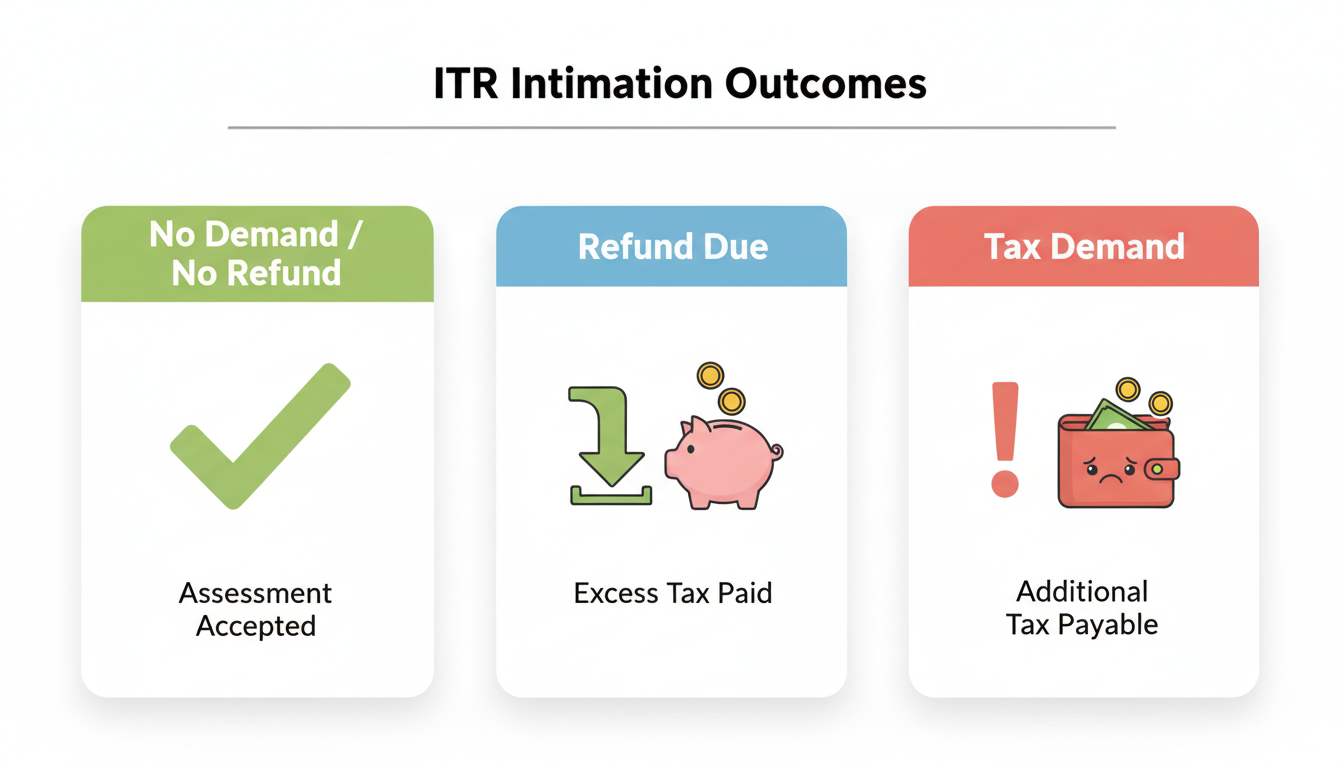
Opening the file is just the first step. The real value is understanding what it says. Your intimation notice will fall into one of three main categories. From our experience analyzing thousands of these notices, here’s what to look for:
- No Demand, No Refund: This is the best-case scenario. It means the Income Tax Department’s calculations match yours perfectly. No further action is needed from your side. File it away for your records.
- Refund Determined: Great news! The notice will show the refund amount that has been approved. It will be credited to your pre-validated bank account. The notice confirms the amount you can expect.
- Demand Determined: This means the department’s calculation shows you’ve paid less tax than required. The notice will specify the outstanding amount and provide instructions on how to pay it. It’s crucial to address this promptly to avoid penalties.
❓ Frequently Asked Questions
What is the ITR intimation password for 2026?
The password remains consistent. It’s your 10-digit PAN in all lowercase letters, followed immediately by your date of birth in DDMMYYYY format. For example, if your PAN is GHIJK5432L and your DOB is 20th January 1988, your password is ghijk5432l20011988.
Is the PAN case-sensitive in the password?
Yes, absolutely. This is the #1 mistake people make. Your PAN must be in lowercase. Even one capital letter will cause the password to be rejected.
Can I change the password on my ITR intimation PDF?
No, you cannot change the password for the original file sent by the Income Tax Department. It’s a system-generated password. However, you can save a new, password-free copy for your personal records using the ‘Print to PDF’ method described above.
What if the Date of Birth on my PAN card is wrong?
The password uses the Date of Birth that is officially registered with the Income Tax Department, which should match your PAN records. If that DOB is incorrect, the password will fail. You must first initiate a “Change/Correction in PAN Data” through the official NSDL or UTIITSL portals to fix the underlying data. You can find more information on the process at the official NSDL portal.
Why didn’t I receive an intimation notice?
It can take a few weeks to a few months after filing for the intimation notice to be processed and sent. If it’s been a long time, check your spam/junk folder. You can also log in to the e-filing portal and check under ‘e-File’ > ‘Income Tax Returns’ > ‘View Filed Returns’ to see the status and download the intimation directly if it has been issued.
Conclusion: The Key to Your Financial Peace of Mind
That once-frustrating password prompt is now a solved puzzle. The ITR intimation password isn’t a random barrier; it’s a simple, standardized key designed for your protection.
Remember the formula: PAN in lowercase + DOB in DDMMYYYY format.
By mastering this, avoiding common slip-ups, and knowing how to troubleshoot, you’ve removed a major point of friction in managing your taxes. You’re no longer locked out of your own financial information. Now, go ahead—open that PDF with confidence, understand your tax summary, and take the next step toward complete financial clarity for 2026.