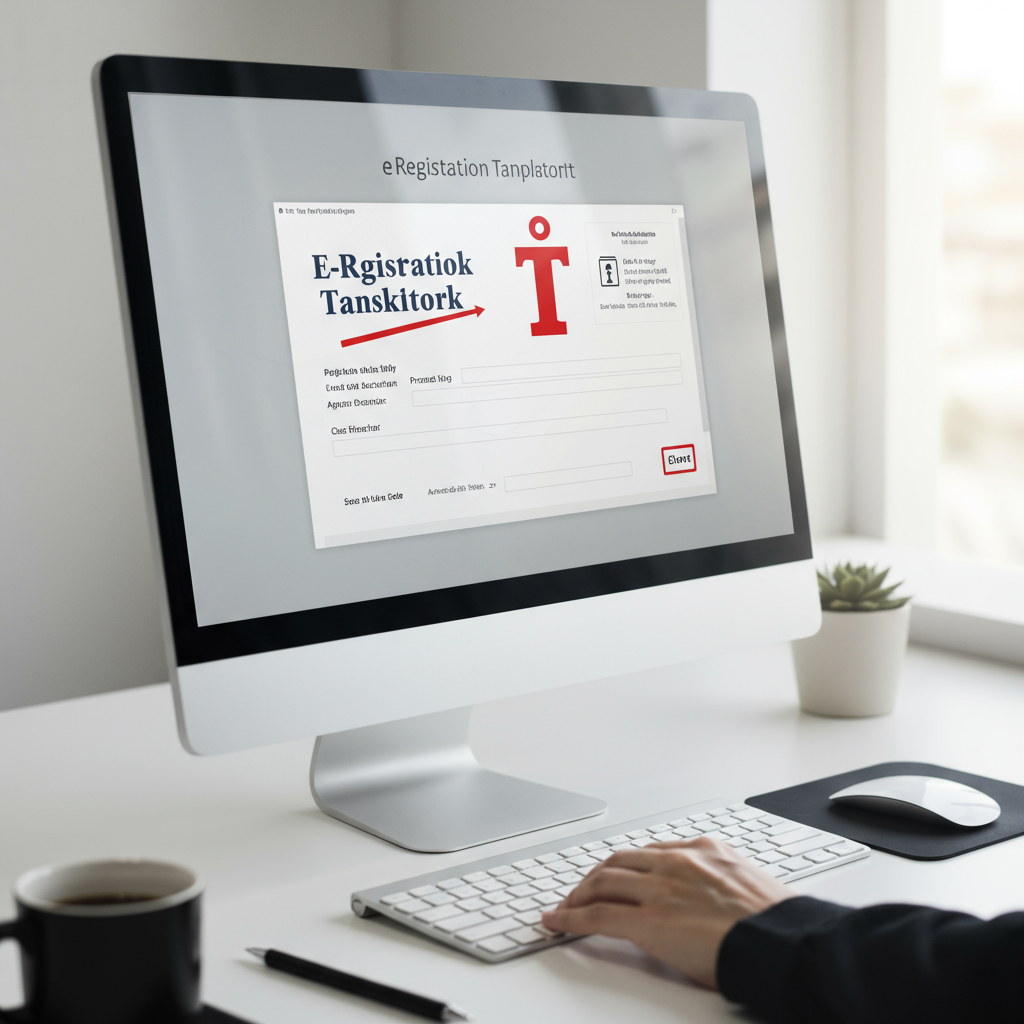
You did it. You fought the battle, navigated the paperwork, and your trademark is officially registered. But here’s a question I see trip up countless entrepreneurs: where’s the trophy? Where is the official, undeniable proof that your brand is legally yours?
That proof is the trademark registration certificate, and it’s waiting for you online. The problem? Government websites can be… confusing. One wrong click and you’re lost in a maze of bureaucratic jargon.
Forget the frustration. This isn’t just another guide. This is your direct, no-fluff playbook to not only download your trademark certificate in under five minutes but also to understand how to wield it as a powerful asset. You’ll learn the exact steps, how to sidestep common glitches, and what to do the moment that PDF is saved to your drive. Let’s get you your proof.
Why Your Trademark Certificate is More Than Just a PDF
Look, it’s easy to think of the certificate as a final piece of admin. A file to be tucked away in a digital folder. That’s a huge mistake. Think of it less like a receipt and more like the deed to your property. It’s the legal instrument that transforms your brand from a good idea into a defensible, valuable business asset.
In our experience working with thousands of businesses, the moment they have this certificate in hand is when their mindset shifts. They stop just building a brand and start owning a territory. It’s the official armor for your intellectual property.
The difference between having this document and not having it is stark. It’s the line between hoping competitors play fair and having the legal power to make them.
| Scenario | ❌ Without a Registration Certificate | ✅ With a Registration Certificate |
|---|---|---|
| Legal Standing | Limited common law rights; harder and more expensive to prove ownership in a dispute. | Prima facie evidence of ownership across the nation. The burden of proof shifts to the infringer. |
| Brand Protection | You can only use the ™ symbol. Competitors may unknowingly (or knowingly) use similar marks. | You can legally use the ® symbol, a powerful deterrent that signals federal protection. |
| Business Value | Brand is an undefined asset, difficult to value for investors, mergers, or loans. | A tangible, valuable intangible asset that increases your company’s valuation. |
| Expansion | Franchising or licensing your brand is legally complex and risky. | Provides the clear legal foundation required for licensing and franchise agreements. |
🎯 Key Takeaway
Your trademark certificate isn’t the end of the registration process; it’s the beginning of your brand’s protected life. It’s your primary weapon in infringement disputes, a key to unlocking business valuation, and the official proof of your exclusive rights to your brand identity.
How to Download Your Trademark Certificate: A 5-Step Walkthrough (2026)
Ready to get it done? The entire process happens on the official Indian Trade Marks Registry portal. Follow these steps precisely, and you’ll have your certificate in minutes. No third-party services, no fees.
-
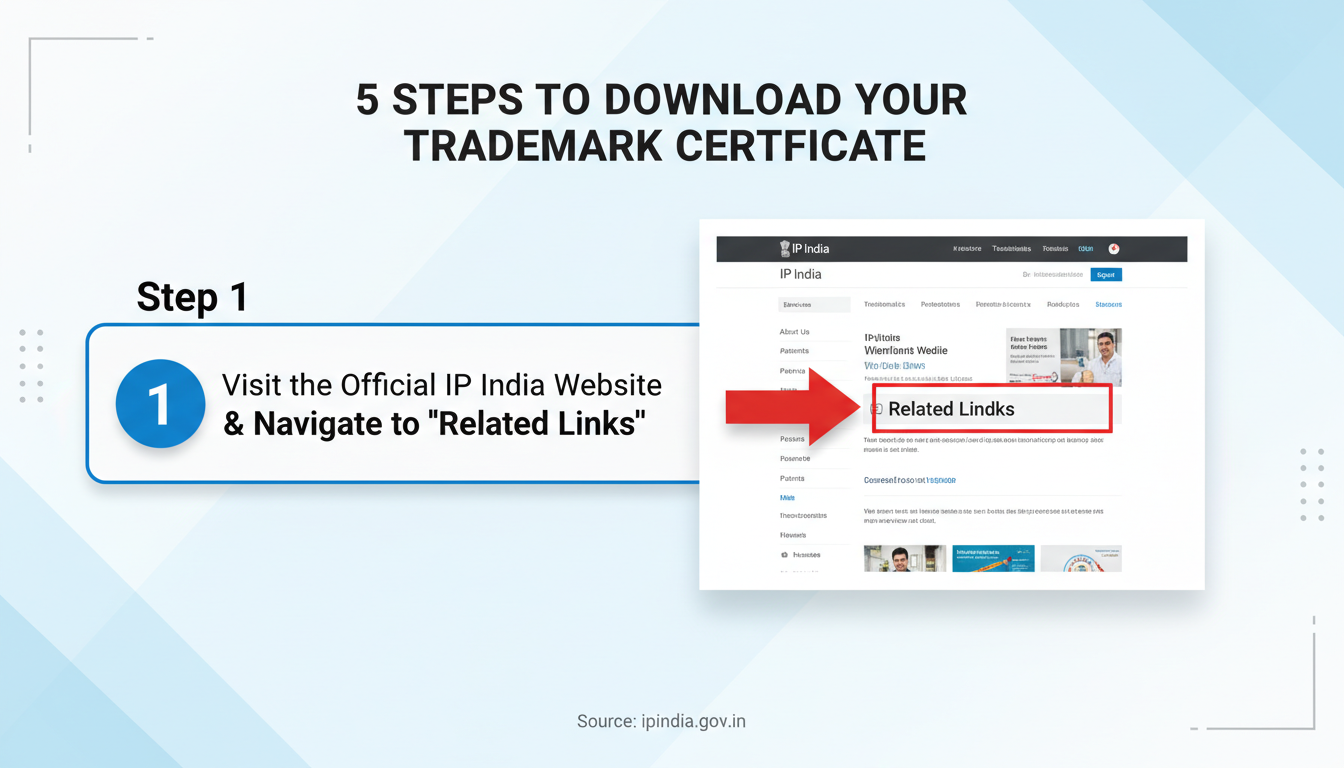
Step 1: Go to the Official IP India Portal
First things first. Open your browser and go directly to the IP India website. The official URL is
https://ipindia.gov.in/. Trust me on this one, bookmark this site. Many unofficial sites look similar and may try to charge you for what is a free government service. -
Step 2: Navigate to the E-Register
Once the homepage loads, look for the ‘Trade Marks’ tab in the main navigation menu. Hover over it, and a dropdown menu will appear. From this menu, click on ‘Related Links’. This will take you to a new page. Here, you’re looking for the link that says ‘Trade Mark Status’. This is your gateway to the e-register.
-
Step 3: Select ‘National IRDI Number’
You’ll land on the ‘Trade Mark Application/Registered Mark’ search page. On the left side, you’ll see two radio buttons. The default is ‘National IRDI Number’. Keep this selected. This is the correct option for searching for an Indian trademark application.
-
Step 4: Enter Your Application Number
This is the most critical step. In the box labeled ‘Enter the Trade Mark/Application Number’, carefully type your 7-digit trademark application number. You would have received this number in the official acknowledgement receipt when you first filed. Double-check it. A single wrong digit will return a “No records found” error. After entering the number, type the captcha code shown in the image and click the ‘View’ button.
-
Step 5: Find and Download the Certificate
Success! The next page displays the complete details of your trademark. You’ll see the mark, owner details, key dates, and its current status. If your mark’s status is ‘Registered’, scroll down the page. You’ll see a blue hyperlink labeled ‘View Registration Certificate’. Click it.
Your official, digitally signed trademark registration certificate will open in a new tab as a PDF. Click the download icon to save it to your computer. Congratulations, you’re holding the deed to your brand!
⚠️ Watch Out
The certificate link only appears after the status officially changes to ‘Registered’. If your status is ‘Registered & Advertised’ or something similar, you’re close, but the certificate isn’t ready yet. Based on real-world cases, it can take anywhere from a few days to a few weeks for the registry to generate and upload the file after the status update. Be patient and check back.
Troubleshooting: What to Do When Things Go Wrong
Even with the right steps, you can hit a snag. It happens. Government portals can be finicky. Here are the most common issues I’ve seen and how to fix them fast.
- Problem: “No records found” error.
Solution: 99% of the time, this is a typo. Meticulously re-check your 7-digit application number against your filing documents. Don’t guess or rely on memory. - Problem: The website is down or showing an error.
Solution: This is common during high-traffic periods or maintenance windows. Don’t panic. Just try again in a few hours or the next business day. Clearing your browser’s cache and cookies can also sometimes resolve stubborn loading issues. - Problem: The status is ‘Registered’, but there’s no download link.
Solution: As mentioned above, there’s often a processing delay between the status update and the certificate upload. If it’s been more than a month, it might be worth filing a query with the registry, but typically, waiting is the best course of action.
💡 Pro Tip
Once you download the certificate, immediately save it to at least three secure locations. I recommend a cloud service (like Google Drive or Dropbox), a local folder on your main computer, and an external hard drive. Also, print one high-quality color copy and store it with your company’s other vital legal documents. How to Apply for Vivad Se Vishwas Scheme 2024
You’ve Downloaded It, Now What? Your First 3 Actions
Getting the certificate is a milestone, not the finish line. To truly leverage its power, you need to take immediate action. Here’s your post-download checklist. Capital Gains Tax India: 2025 Rates, Rules & Exemptions Guid
1. Scrutinize Every Detail
Before you do anything else, open that PDF and review it like a hawk. Check for any errors, no matter how small.
- Is your name and address spelled correctly?
- Is the logo or word mark displayed exactly as you filed it?
- Are the correct classes of goods/services listed?
- Are all the dates (application, registration) accurate?
If you find a mistake, you must contact the Trade Marks Registry immediately to file a request for correction. An error on the certificate can cause massive headaches during a legal dispute or a business sale. ROC Annual Filing 2026: Understanding the Critical AOC-4 MGT-7 Filing Due Date 2026 and Penalty Structure
2. Start Using the ® Symbol Correctly
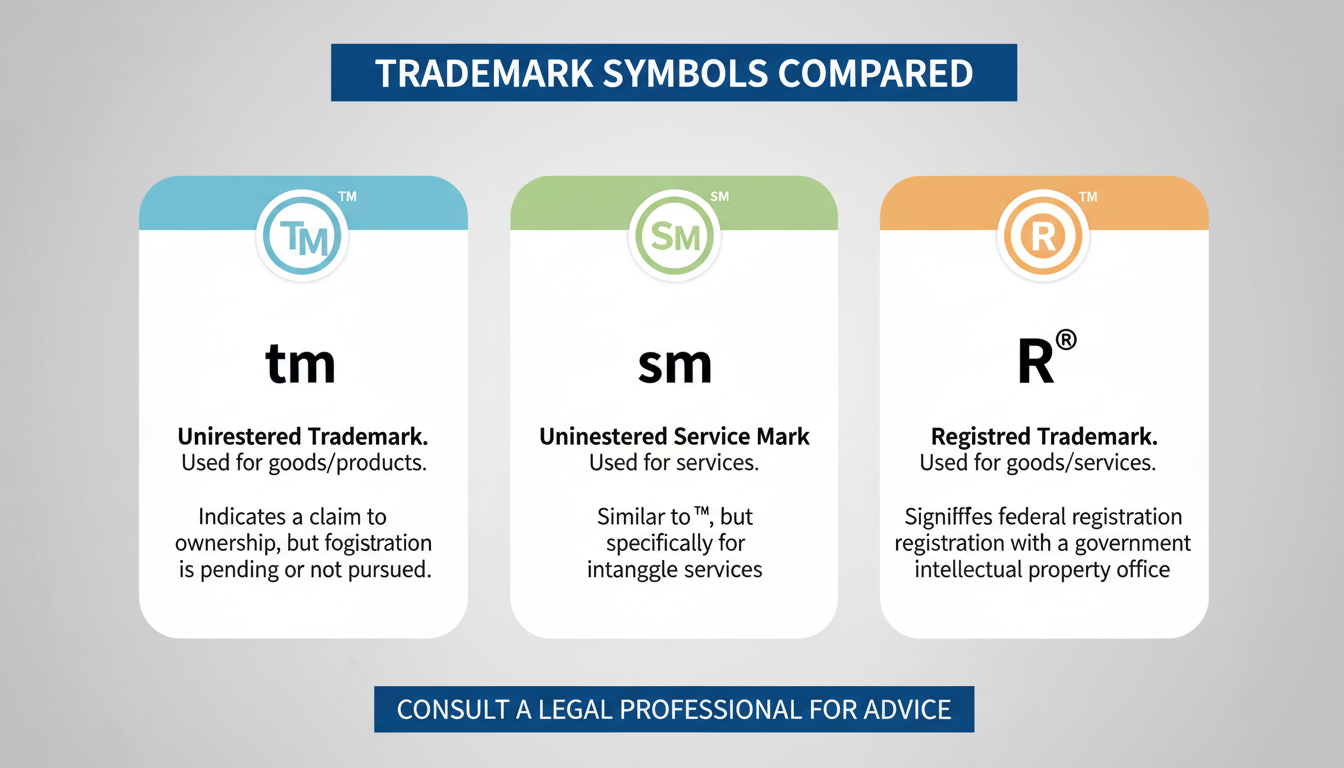
This is the fun part. You’ve earned the right to use the registered trademark symbol: ®. This symbol puts the entire world on notice that your mark is legally protected. Using it incorrectly, however, can land you in hot water. Here’s the breakdown:
| Symbol | Name | When to Use It | Legal Weight |
|---|---|---|---|
| ™ | Trademark | Use for unregistered marks that represent goods (e.g., a product name). | Indicates a claim of common law rights, but offers limited legal protection. |
| ℠ | Service Mark | Use for unregistered marks that represent services (e.g., a consulting firm name). | Similar to ™, it indicates a claim of rights for services. |
| ® | Registered | Only use after your mark is officially registered and you have the certificate. | The strongest level of protection. Signals federal registration and nationwide rights. |
Using the ® symbol before your mark is officially registered is illegal and can jeopardize your application. Stick with ™ until you have that certificate downloaded.
3. Set Up Your Brand’s Defense System
Registration gives you the right to stop infringers, but it doesn’t automatically find them for you. That’s your job. According to guidelines from the World Intellectual Property Organization (WIPO), active monitoring is a key responsibility of the trademark owner.
You need to be the guardian of your brand. Actively monitor the market for confusingly similar names, logos, or domain names. If you find a potential infringement, consult with an IP lawyer immediately to determine the best course of action, which often starts with a formal cease-and-desist letter.
💡 Pro Tip
A simple but powerful first step in brand monitoring is to set up a Google Alert for your brand name and key variations. It’s free and will notify you whenever your brand is mentioned online, helping you spot potential misuse early.
⚠️ Watch Out
Your trademark registration is valid for 10 years from the application date. Diarize the renewal date now. Set multiple reminders starting a year before it’s due. Missing the renewal window can lead to your mark being abandoned, forcing you to start the entire expensive and time-consuming registration process all over again.
Your Brand’s Future is Secure
There you have it. You’re no longer just hoping your brand is protected—you have the official document to prove it. By following the steps to download your trademark certificate, you’ve secured a critical asset that will serve you for years to come.
But remember, this is an active process. Your next step is to move from a defensive to an offensive mindset. Don’t just file the certificate away. Use it. Display the ® symbol with pride, monitor your market with vigilance, and be prepared to defend the brand you’ve worked so hard to build. Your brand’s official armor is now in your hands; it’s time to use it.
❓ Frequently Asked Questions
How long does it take to get the trademark certificate after the status says ‘Registered’?
Once the status officially changes to ‘Registered’, there’s a processing period. From hands-on testing and observation, it typically takes the registry anywhere from one week to a few weeks to generate the digitally signed certificate and make it available for download on the portal.
Is the downloaded PDF of the trademark certificate legally valid?
Absolutely. The digitally signed PDF downloaded from the official IP India e-register is the official and legally valid certificate of registration. In fact, the Indian Trade Marks Registry has moved to a digital-first system, and this is the standard method of issuance. It holds the same legal weight as a physical copy.
What if I accidentally delete the certificate file?
No problem at all. One of the best things about the digital system is that you can’t truly “lose” your certificate. If you delete the file, simply follow the exact same 5-step process in this guide to log back into the e-register and download it again. There’s no fee and no limit on downloads.
Can I look up and download a competitor’s trademark certificate?
Yes. The trademark database is a public record, a principle essential for transparency in commerce. As long as you have the correct application number for any registered trademark, you can view its details and download its registration certificate. This is a common practice for market research and legal due diligence.
Do I have to pay a fee to download the certificate?
No, never. The download of the trademark registration certificate from the official ipindia.gov.in website is completely free. Be wary of any third-party service that tries to charge you for this; they are unnecessary intermediaries. The process is designed to be done directly by the trademark owner.
Read Also:
- AOC-4 Deadline 2026: Avoid Costly Fines
- How to Register a Trademark Online in 2026 (A Pro’s Guide)
- 12 Famous Trademark Examples & The Secrets to Their Success (2026)
- Trademark Renewal in India: The Ultimate 2026 Guide
- India Startup Guide 2026: Register Your Company
- Can’t Find Your COI? Get It Now 2026